






















Lifestyle

15 Best Budgeting & Money Apps

Share via

Our team of editors and experts thoughtfully chooses each product. If you decide to buy through one of our links, we may earn a commission. Learn more. Want to know how we test products? Click here for more details.

Budgeting doesn’t have to mean spreadsheets and stress—it can be as easy (and oddly satisfying) as tapping a few buttons on your phone. Whether you’re saving for that dream vacation, trying to crush debt, or just want to stop asking, “where did all my money go?”, the right app can be a total game changer. In a world where your phone already orders your food, tracks your steps, and reminds you to drink water, it’s only fair it helps you get your finances in shape too.

From simple, hassle-free budgeting tools to smart apps that track every dollar and aid in building long-term wealth, we’ve rounded up 15 of the best money apps available right now. These apps are designed to make your financial life simpler, clearer, and far less intimidating—whether you’re a budgeting beginner or a financially savvy expert. Ready to make your wallet smile?

Mint | Image: Mint

1. Mint

  • Developer: Intuit
  • Features: Automatic expense tracking, budget creation, credit score monitoring, bill reminders, personalized insights
  • Price: Free

Mint is a classic go-to for anyone looking to get their finances under control without breaking a sweat. It automatically tracks your spending, categorizes transactions, and shows you where your money is going—all in real time. You’ll also get handy tools like bill reminders, credit score tracking, and budgeting tips, all wrapped in a clean, user-friendly interface. The best part? It’s totally free.

YNAP | Image: YNAP

2. YNAP

  • Developer: You Need A Budget LLC
  • Features: Zero-Based Budgeting, Goal Setting, Real-Time Syncing, Detailed Reports, Financial Education Tools
  • Price: Free 30-Day Trial: $14.99/Month or $99/Year

YNAB is designed for individuals who want to assign every dollar a purpose and truly adhere to a plan. It employs zero-based budgeting to help you take charge of your finances, prioritize your goals, and stay ahead of your expenses. The app syncs across devices in real time and provides useful reports so you can track your progress. While it’s not free, if you’re committed to saving and reducing debt, YNAB is worth every penny.

Goodbudget | Image: Goodbudget

3. Goodbudget

  • Developer: Dayspring Technologies
  • Features: Envelope Budgeting, Expense Tracking, Debt Payoff Planning, Sync Across Devices, Multiple Budget Categories
  • Price: Free Version Available; Plus Plan at $8/Month or $70/Year

If you love the envelope method but hate carrying actual envelopes, this app is for you. Goodbudget enables you to allocate your income to virtual envelopes, allowing you to plan ahead, track spending, and stay within budget—all manually, giving you full control. It’s especially advantageous for couples and families who wish to share a budget and maintain transparency.
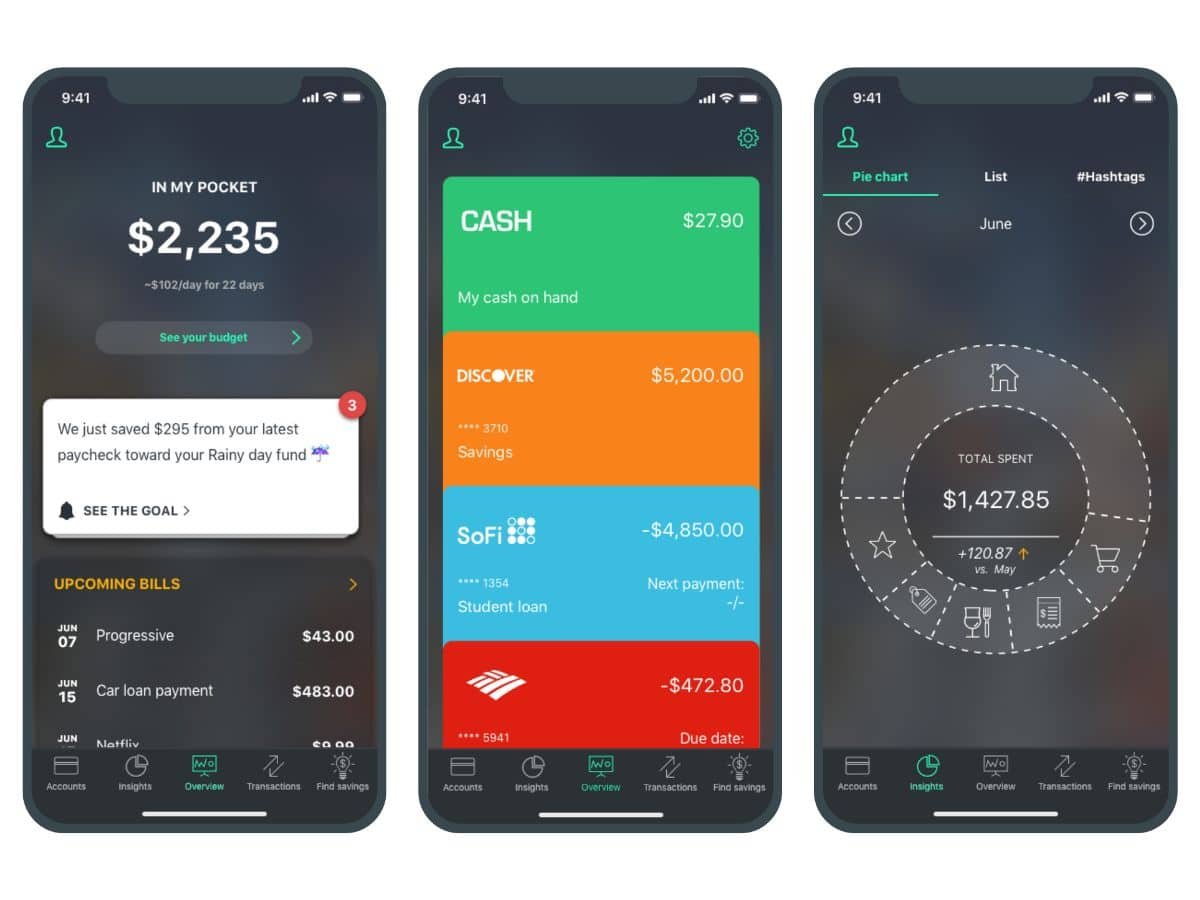
PocketGuard | Image: PocketGuard

4. PocketGuard

  • Developer: PocketGuard, Inc.
  • Features: Automatic Expense Tracking, Smart Budgeting, “In My Pocket” Balance, Subscription Detection, Bill Tracking
  • Price: Free Version Available; PocketGuard Plus at $12.99/Month or $74.99/Year

For anyone who wants a quick answer to “Can I afford this?”, PocketGuard keeps things simple. It links to your accounts, tracks your spending, and calculates what’s left over after bills, savings, and goals—so you always know what’s actually in your pocket. It’s ideal for those seeking a no-fuss budgeting tool that works smoothly behind the scenes and helps eliminate sneaky subscription costs too.

Qapital | Images: Qapital

5. Qapital

  • Developer: Qapital, Inc.
  • Features: Goal-Based Savings, Rule Automation, Spending Tracker, Budgeting Tools, Shared Goals
  • Price: Plans Start at $3/Month (Basic), $6/Month (Complete), & $12/Month (Premier)

Saving money feels much less painful with Qapital’s smart automation. You can set up enjoyable savings rules—like rounding up purchases or stashing cash every time you skip takeout—and watch your goals grow without even thinking about it. It’s perfect for anyone seeking a low-effort, high-reward way to develop better money habits. Bonus: you can even create shared goals with a partner or roommate.

KOHO | Image: KOHO

6. KOHO

  • Developer: KOHO Financial Inc.
  • Features: Prepaid Visa Card, Real-Time Spending Insights, Cashback Rewards, Roundups, Automated Savings Goals
  • Price: Free Plan Available; Paid Plans Start at CAD $4/Month, Extra Plan at CAD $12/Month, Everything Plan at CAD $14.75/Month

KOHO isn’t just a budgeting app—it’s a comprehensive money management tool featuring a prepaid Visa card that helps you track spending, earn cashback, and save automatically with every tap. Whether you’re rounding up purchases or setting smart savings goals, KOHO keeps everything easy, visual, and satisfying. It’s especially beneficial for Canadians who want to eliminate banking fees and take control of their finances, one purchase at a time.

Spendee | Image: Spendee

7. Spendee

  • Developer: Cleevio s.r.o.
  • Features: Manual & Bank-Linked Expense Tracking, Shared Wallets, Custom Categories, Budget Planning, Visual Reports
  • Price: Basic Plan Is Free; Plus Plan at $1.99/Month; Premium Plan at $5.99/Month — Both Paid Plans Come with a 7-Day Free Trial

If you’re a visual thinker when it comes to money, Spendee might be your perfect match. It turns your spending habits into easy-to-understand charts and graphs, so you can actually see where your money goes. Link your bank accounts or track manually, set custom budgets, and even create shared wallets with your partner or family. Clean, colorful, and surprisingly fun to use—it’s budgeting without the boring.

BUDGT | Image: BUDGT

8. BUDGT

  • Developer: Marco Torretta
  • Features: Daily Budget Tracking, Monthly Planning, Expense Categories, Offline Functionality, Simple UI
  • Price: One-Time Purchase – $1.99 (iOS Only)

If you’re looking for a no-fuss budgeting app that gets straight to the point, BUDGT is your minimalist money sidekick. Designed for iOS users, it helps you plan your monthly budget and automatically breaks it down into daily spending limits. No syncing, no complex dashboards—just quick, easy tracking that keeps you in control. It’s perfect for those who want to manage their cash flow without getting lost in a sea of features.

Wally | Image: Budgeting App

9. Wally

  • Developer: Wally Global Inc.
  • Features: Expense & Income Tracking, Budgeting, Goal Setting, Currency Support, Bank Syncing, Shared Financial Planning
  • Price: Free Basic Plan; Premium Subscription Starts at $4.99/Month

Wally is like the personal finance assistant you didn’t know you needed. It allows you to track your spending and income, set savings goals, and even budget by category—all in a sleek, easy-to-use app. With support for multiple currencies, bank syncing, and shared financial planning features, it’s excellent for both individual users and couples managing money together. It’s ideal for those who want detailed tracking without the spreadsheet vibes.

Acorns | Image: Acorns

10. Acorns

  • Developer: Acorns Grow Incorporated
  • Features: Automatic Round-Up Investing, Budgeting Tools, Retirement & Investment Accounts, Cashback Rewards, Educational Content
  • Price: Bronze Plan at $3/Month, Silver Plan at $6/Month, Gold Plan at $12/Month

Acorns is perfect if you want to invest without even thinking about it. It rounds up your everyday purchases and invests the spare change into a diversified portfolio—so you’re growing wealth while grabbing lunch. Beyond that, you gain access to budgeting tools, retirement and investment accounts, and cashback from major brands. It’s beginner-friendly, low-stress, and makes building long-term wealth feel surprisingly doable.

Zeta | Image: Zeta Tech

11. Zeta

  • Developer: Zeta Help Inc.
  • Features: Shared Wallets, Bill Splitting, Expense Categorization, Goal Tracking, Private & Joint Views
  • Price: Free

Zeta is designed with couples in mind—whether you’re dating, engaged, married, or even just managing money with a roommate. It helps you track shared expenses, split bills, set joint goals, and manage both private and shared finances without awkward money convos. You each get your own view plus a shared one, allowing you to stay synced without sacrificing privacy. Simple, smart, and totally free—it’s relationship budgeting done right.

Honeydue | Image: Honeydue

12. Honeydue

  • Developer: WalletIQ, Inc.
  • Features: Shared Expense Tracking, Bill Reminders, In-App Chat, Custom Categories, Bank Syncing, Emoji Reactions
  • Price: Free (Optional In-App Tips)

Honeydue is a budgeting app designed specifically for couples. It allows partners to link their financial accounts, set spending limits, and receive bill reminders. The app also features in-app chat and emoji reactions to facilitate expense communication. Users can choose how much financial information to share, promoting transparency while respecting privacy. Honeydue supports over 20,000 financial institutions and is available for free, with optional in-app tips to support the developers.

General FAQ’s

Are Budgeting Apps Safe to Use?

Yes—reputable budgeting apps utilize bank-level encryption and security protocols to protect your financial data. Always select apps from trusted developers and verify features such as two-factor authentication and data privacy policies before linking your accounts.

Should I Use a Free App Or PayFor Premium Features?

That depends on your goals! Free versions work great for basic budgeting and expense tracking. However, if you want deeper insights, automatic investment options, or joint account features, premium plans can be worth the small monthly cost. Consider trying a few free trials to see what works best for your lifestyle.

Can Budgeting Apps Really Help Me Save Money?

Absolutely. From tracking daily expenses to setting automated savings goals, budgeting apps help you understand where your money goes—and how to make it go further. The key is consistency. The more you use the app, the more helpful (and motivating) it becomes.

About the Author
Previous Post
12 Best Off-Road Camper Trailers
Next Post
Ghosted Again? These 7 Dating App Mistakes Might Be Why

Related Articles

6 Best Handheld Gaming Consoles You Can buy Today

Reading Time: 12 minutes

Our team of editors and experts thoughtfully chooses each product. If you decide to buy through one of our links, we may earn a commission. Learn more. Want to know how we test products? Click here for more details.

Gaming isn’t confined to your living room anymore. These days, the power of a console can fit right into your backpack—or even your pocket. From sleek handhelds that let you pick up where you left off on the train, to powerful portables that rival full-sized systems, handheld gaming has truly levelled up. Whether you’re reliving nostalgia with retro-inspired classics, diving into AAA titles on the go, or looking for something lightweight for quick gaming sessions, there’s a console out there designed just for you.

Of course, with so many options on the market, figuring out which one deserves your money can feel overwhelming. That’s where we come in. We’ve spent time exploring some of the best handheld gaming consoles available and have rounded them up here to make the choice easier for you.

Best Handheld Gaming Consoles Overview:

Valve Steam Deck OLED | Image: Valve

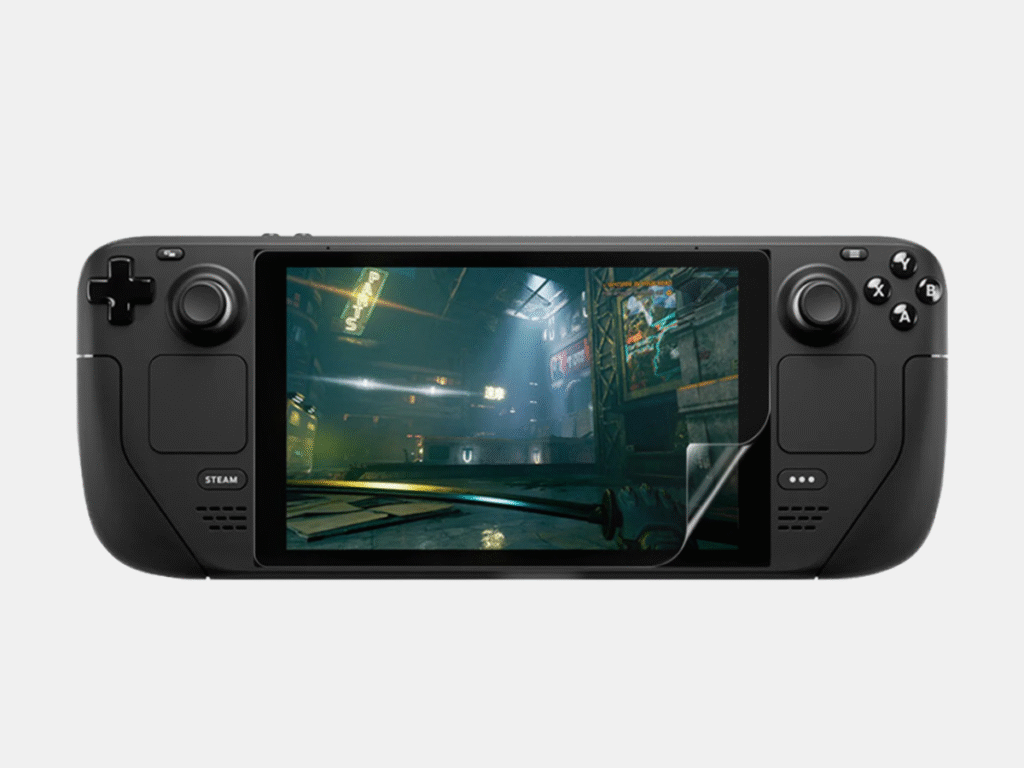
1. Steam Deck OLED

  • Developer: Valve
  • Display: 7.4-inch OLED touchscreen
  • APU: AMD APU (Zen 2 CPU + RDNA 2 GPU)
  • RAM: 16GB LPDDR5
  • Storage Options: 256GB, 512GB, 1TB
  • Battery Life: 3–12 hours (depending on usage)
  • Price: Starts at USD $739.99

Valve’s Steam Deck OLED enhances everything fans loved about the initial handheld PC by adding a brighter, more vibrant OLED display. The difference is immediate—you’re getting deeper blacks, richer colours, and smoother motion, making your favourite PC games look stunning on the move. It’s also slimmer, lighter, and more efficient, with better battery life thanks to the OLED panel.

What makes this console special is its versatility. You can play indie favourites like Hades during your commute, then dock it at home for a big-screen AAA experience with Elden Ring or Cyberpunk 2077. Combine that with the extensive Steam library and mod support, and the Steam Deck OLED isn’t just a handheld—it’s a pocket-sized PC powerhouse designed for gamers who want it all.

Nintendo Switch OLED | Image: Nintendo

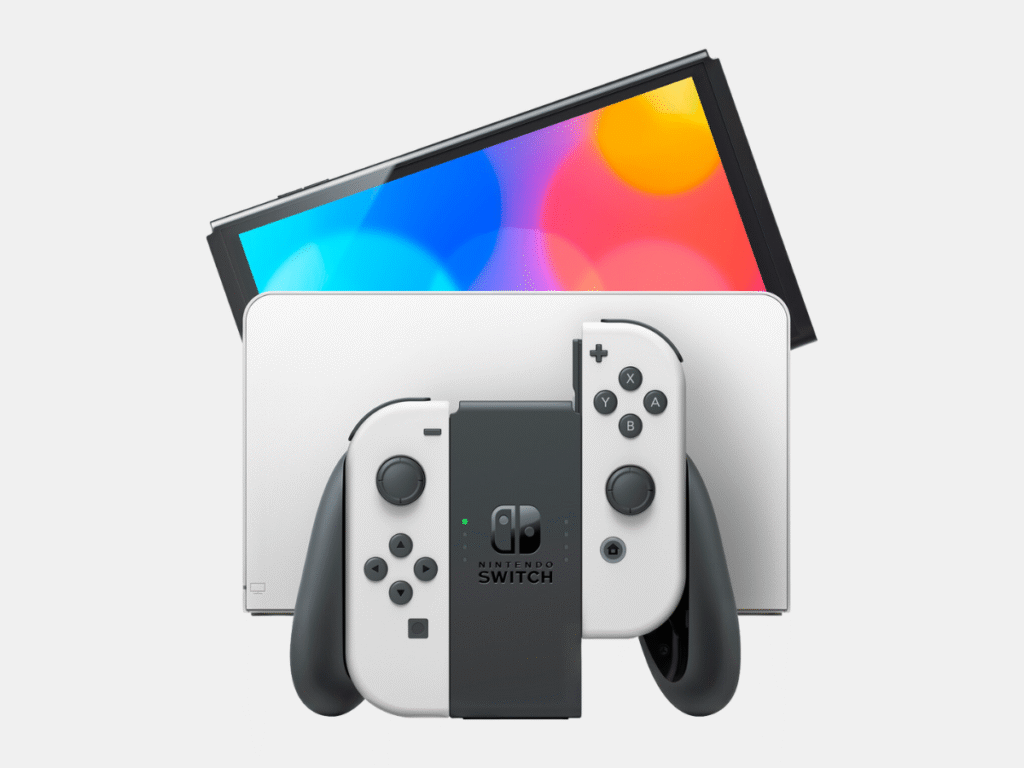
2. Nintendo Switch OLED

  • Developer: Nintendo
  • Display: 7-inch OLED touchscreen
  • APU: Custom NVIDIA Tegra X1
  • RAM: 4GB LPDDR4
  • Storage Options: 64GB (expandable via microSD)
  • Battery Life: 4.5–9 hours (depending on usage)
  • Price: USD $399

The Nintendo Switch OLED takes everything people already enjoy about the Switch by making it brighter, sharper, and more enjoyable to use. Its vivid 7-inch OLED screen brings games to life with richer colours and deeper contrasts, instantly improving handheld gameplay. Combine this with the improved kickstand and upgraded onboard speakers, and you have a console that feels more refined and polished straight out of the box.

Beyond visuals, the OLED model incorporates practical upgrades that make a difference in daily use. With 64GB of internal storage, there’s more space for your expanding digital library, and the redesigned dock now features a wired LAN port for those seeking smoother online gameplay. These might seem like minor updates, but together they add up to a far more premium gaming experience.

What really makes the Switch OLED special is its versatility. Whether you’re playing solo during a commute, propping it up on a table for a quick session with friends, or docking it to enjoy on the big screen, the console transitions seamlessly between modes. It’s portable gaming that doesn’t compromise on quality, delivering a sleek balance of fun, flexibility, and style.

Nintendo Switch Lite | Image: Nintendo

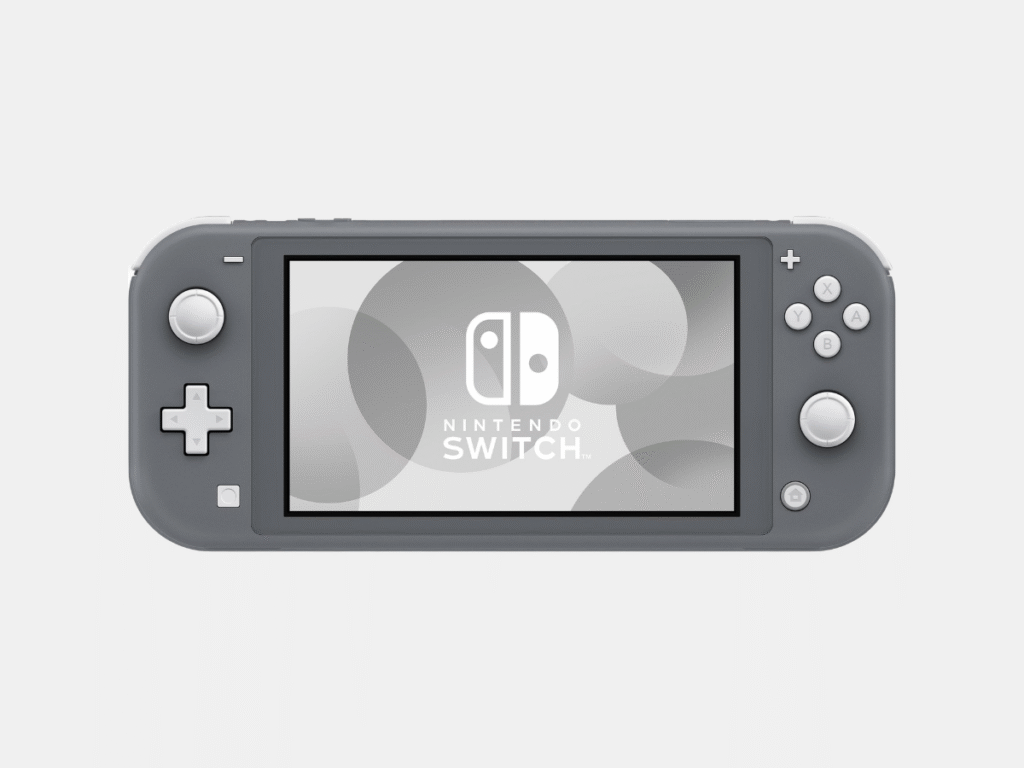
3. Nintendo Switch Lite

  • Developer: Nintendo
  • Display: 5.5-inch LCD touchscreen
  • APU: Custom NVIDIA Tegra X1
  • RAM: 4GB LPDDR4
  • Storage Options: 32GB (expandable via microSD)
  • Battery Life: 3–7 hours (depending on usage)
  • Price: USD $229

The Nintendo Switch Lite is all about portability. Compact, lightweight, and streamlined for handheld play, it’s the ideal choice for gamers who want to take their adventures anywhere. The 5.5-inch LCD screen still offers sharp, vibrant visuals, and with the controls built right into the device, there’s no worry about misplaced Joy-Cons or extra accessories.

But the appeal of the Switch Lite extends beyond just its size. Nintendo designed it with the everyday gamer in mind—whether that’s diving into Animal Crossing on a flight, grinding through Pokémon battles during a commute, or sneaking in a quick round of Mario Kart between classes. It’s affordable without sacrificing what matters most: Nintendo’s signature gaming magic.

Sure, it can’t connect to a TV like its bigger sibling, but that’s kind of the point. By focusing solely on handheld use, the Switch Lite becomes the ultimate “grab and go” console—easy to toss in a backpack, durable enough to handle everyday use, and still powerful enough to deliver the whole Switch experience in the palm of your hand.

ROG Ally X | Image: ASUS

4. ROG Ally X

  • Developer: ASUS
  • Display: 7-inch 120Hz IPS touchscreen
  • APU: AMD Ryzen Z1 Extreme
  • RAM: 24GB LPDDR5X
  • Storage Options: 1TB SSD (expandable via microSD)
  • Battery Life: Up to 8 hours (varies by settings and usage)
  • Price: USD $799

The ROG Ally X is ASUS’s solution for gamers who want a handheld console that feels like a portable gaming PC. Featuring a sleek 7-inch 120Hz screen, it delivers smooth, responsive gameplay that makes everything from AAA hits to indie titles feel fantastic in handheld mode. Coupled with the power of the AMD Ryzen Z1 Extreme APU and a generous 24GB of RAM, it’s a device that can easily handle even the most demanding games.

What makes the Ally X stand out is how it combines strong performance with sleek design. It’s light enough to carry easily, yet still built to provide an immersive experience with its ergonomic grips and cooling system that keeps everything running smoothly. The 1TB SSD means you won’t have to choose between your favourite games, and the battery life—although it depends on usage—lasts longer than most PC-style handhelds on the market.

Lenovo Legion Go | Image: Lenovo

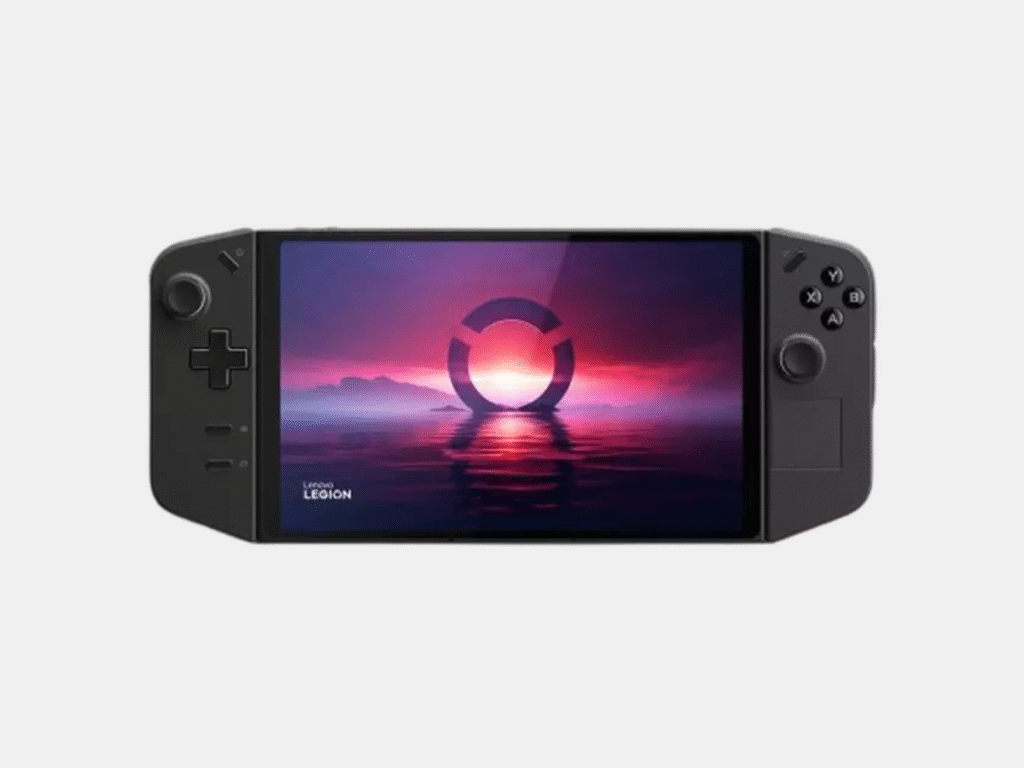
5. Lenovo Legion Go

  • Developer: Lenovo
  • Display: 8.8-inch QHD+ 144Hz touchscreen
  • APU: AMD Ryzen Z1 Extreme
  • RAM: 16GB LPDDR5X
  • Battery Life: 3–6 hours (depending on performance settings)
  • Storage Options: 2TB, 4TB SSD (expandable via microSD)
  • Price: USD $799

Lenovo threw its hat into the handheld gaming market with the Legion Go, and it’s one of their most daring choices yet. Boasting a large 8.8-inch QHD+ display with a smooth 144Hz refresh rate, it features the biggest screen on any mainstream handheld currently available. This extra space makes everything—whether you’re exploring open worlds or competing in shooters—look sharp, vibrant, and immersive in a way smaller handhelds simply can’t match.

Beyond the screen, the Legion Go offers impressive power with the AMD Ryzen Z1 Extreme APU and 16GB of RAM, delivering top-tier performance even for demanding PC games. One of its most distinctive features? The detachable controllers. Inspired by the Nintendo Switch, they provide flexibility to play in handheld, tabletop, or even FPS mode, where one controller doubles as a motion-enabled mouse. It’s Lenovo’s way of demonstrating that innovation still has plenty of room in the handheld market.

Although its battery life isn’t record-breaking, the Legion Go’s blend of power, versatility, and large screen size makes it a strong contender. For gamers seeking a handheld that feels like a portable desktop setup, this device hits the mark.

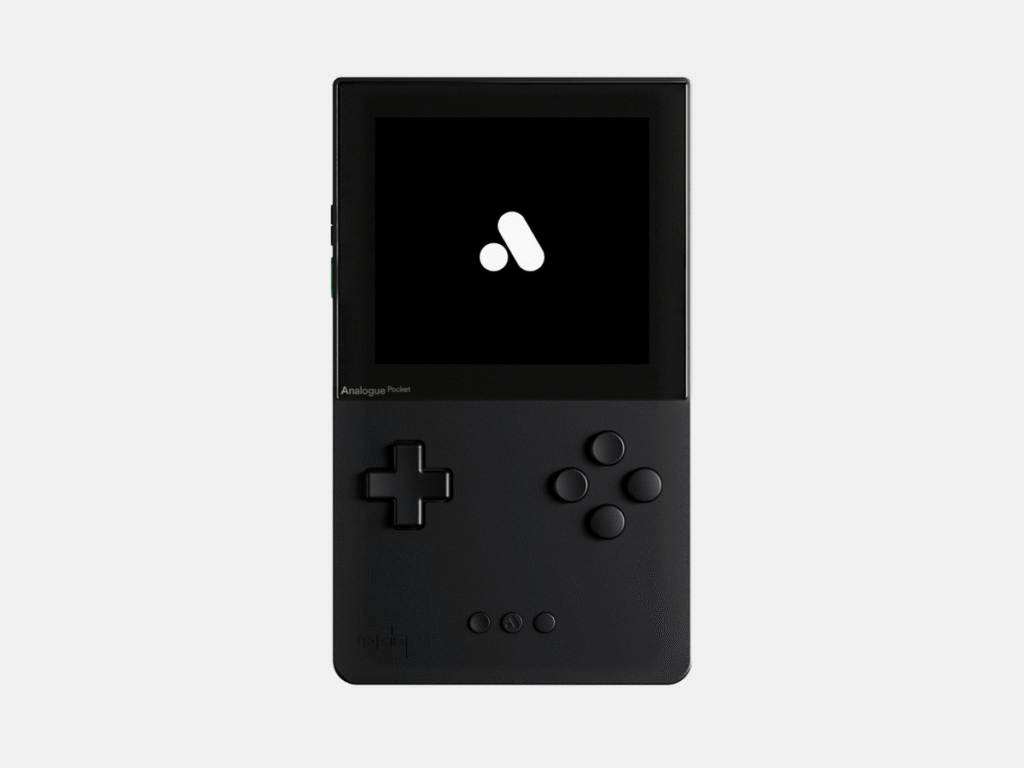
Analogue Pocket | Image:

6. Analogue Pocket

  • Developer: Analogue
  • Display: 3.5-inch LCD (1600×1440 resolution)
  • APU: FPGA (Field-Programmable Gate Array)
  • RAM: 512MB DDR3
  • Storage Options: microSD support for firmware updates and saves
  • Battery Life: 6–10 hours
  • Price: USD $219

The Analogue Pocket is nostalgia perfected, bringing retro handheld gaming into the modern era with precision and style. At first glance, it resembles a sleek upgrade of the classic Game Boy, but once you turn it on, the magic begins. Its 3.5-inch LCD features a stunning 1600×1440 resolution, making old-school sprites and environments look sharper and more vibrant than ever imagined.

What makes the Pocket truly unique is its versatility. Out of the box, it plays Game Boy, Game Boy Colour, and Game Boy Advance cartridges, but with adaptors, you can expand that library to include systems like the Game Gear, Neo Geo Pocket Colour, and Atari Lynx. This isn’t emulation—it’s FPGA hardware, meaning you’re experiencing the games as authentically as possible, just with modern enhancements. Add in features like save states, a built-in synthesizer for music creation, and dock support for TV play, and it becomes clear that the Analogue Pocket isn’t just a handheld; it’s a tribute to gaming history.

How to Choose the Best Handheld Console

Choosing the right handheld console isn’t just about grabbing the flashiest option on the shelf—it’s about matching the device to your lifestyle and the way you play. From long-haul flights to quick gaming sessions on the couch, a few key factors make all the difference in how much you’ll actually enjoy your console. Here’s what to keep in mind before you buy:

  • Portability: If you’re always on the move, you need something that’s easy to toss in your bag and take with you. No one wants to carry around a heavy brick. Find a handheld device that’s small enough to travel with but large enough to offer a solid screen and comfortable controls. It’s all about finding that perfect balance.
  • Battery Life: Few things kill the vibe faster than a “low battery” warning mid-boss fight. Aim for a device that provides at least 6–12 hours of gameplay. Pro tip: some handhelds come with fast-charging, so you can get back into the game with just a quick top-up.
  • Display Quality: No one wants to squint at a dull, washed-out screen. A sharp, vibrant display elevates your experience. OLED panels are the true MVP—they make colours pop and blacks appear deep. For a truly premium feel, opt for at least 1080p resolution so every detail shines.
  • Performance & Game Library: Look for a device with enough power (processor + RAM) to handle modern titles smoothly, without lag. Equally important is the library—whether it’s exclusive titles you can’t find elsewhere or a large catalogue of PC ports, ensure it has the games you genuinely want to play.
  • Storage: Choose a console with ample built-in storage and the option to expand using microSD or SSD. That way, you won’t have to delete your favourites just to make room for the next big adventure.
  • Ergonomics: If it doesn’t feel comfortable in your hands, you won’t play for long. Check the comfort of the grips, button placement, and overall weight. A well-designed handheld should feel natural during marathon sessions and not cause your hands to cramp.
  • Size and Weight: Too heavy and it feels like a workout; too small and the controls become cramped. The best handheld consoles strike a balance between size and weight so they’re lightweight enough to carry easily but sturdy enough to provide a satisfying, immersive experience.

When it comes down to it, choosing a handheld console is about more than just specs on a page — it’s about how well the device fits into your daily routine. Are you looking for something lightweight for commuting, or a powerhouse that can tackle your favourite AAA titles effortlessly? Perhaps comfort, screen quality, or battery life are the main priorities for you. Once you identify what matters most, the decision becomes easier, and you’ll end up with a console that feels less like just a gadget and more like the ideal gaming companion.

Why Trust Us?

We take handheld gaming seriously, analysing specs, performance tests, and real-world usability to ensure every suggestion is meaningful. Our team looks past marketing hype, focusing on the details that truly matter—comfort, battery life, display quality, portability, and the overall gaming experience. Every device we feature is assessed based on how it performs in everyday situations, not just lab conditions. We also gather feedback from everyday players, cross-check with trusted tech reviewers, and monitor the latest industry updates so you always get the most accurate, current advice. By combining hands-on experience, community insights, and industry knowledge, we can identify the consoles worth your time and money.

Nintendo
About the Author

Related Articles

arrow_drop_up