

















Movies & Tv Shows

‘F1 The Movie’ Review: Brad Pitt Shifts Gears in the Fast Lane

Reading Time: 9 minutes

Share via

Our team of editors and experts thoughtfully chooses each product. If you decide to buy through one of our links, we may earn a commission. Learn more. Want to know how we test products? Click here for more details.

There isn’t a person alive who wouldn’t dream of seeing a Formula 1 race in person. Tickets vanish in minutes, prices skyrocket, and unless you’re lucky, you’re stuck watching from the sofa. But here’s where it gets exciting — Formula 1 has become one of the most exclusive, glamorous, and addictive sports worldwide, attracting millions who crave the roar of engines and the thrill of speed.

What makes the sport so irresistible is its unique mix of theatre and risk. It’s not just cars racing down straightaways at 200 mph; it’s the rivalries, the tactics, the heartbreak, and the victories that happen lap after lap. F1 is just as much about human drama as it is about machines, and that’s why people will travel across the world, pay huge prices, and sit through endless queues just to be part of it.

So what happens when you combine a major movie star with a world-class director in this turbocharged world? You get a cinematic spectacle that promises to immerse audiences right into the cockpit. Directed by Joseph Kosinski — the same filmmaker who transformed Top Gun: Maverick into a thrilling sky-high adventure — this film does for motorsport what Maverick did for fighter jets, putting viewers directly in the driver’s seat for an experience that feels as authentic as race day itself. With breathtaking stunts, realistic touches, and a cast made to perform under pressure, this isn’t just another racing film — it’s an effort to redefine how motorsport appears and feels on the big screen. And much like the real thing, you’ll want to buckle up.

Director and producer Joseph Kosinski on the set of Apple Original Films’ “F1 The Movie,” premiering December 12, 2025 on Apple TV. | Image: Apple TV
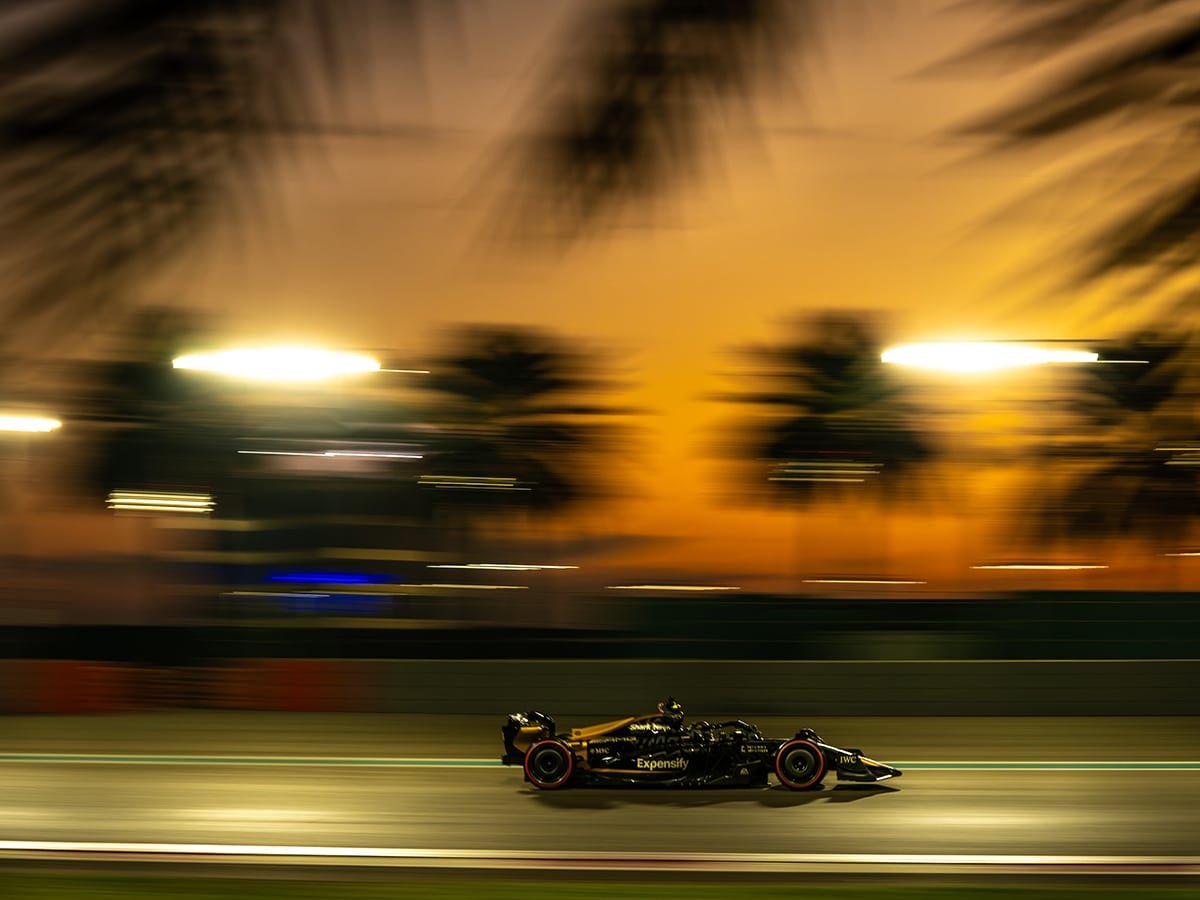
A scene from Apple Original Films’ “F1 The Movie,” premiering December 12, 2025 on Apple TV. | Image: Apple TV

Need For Speed

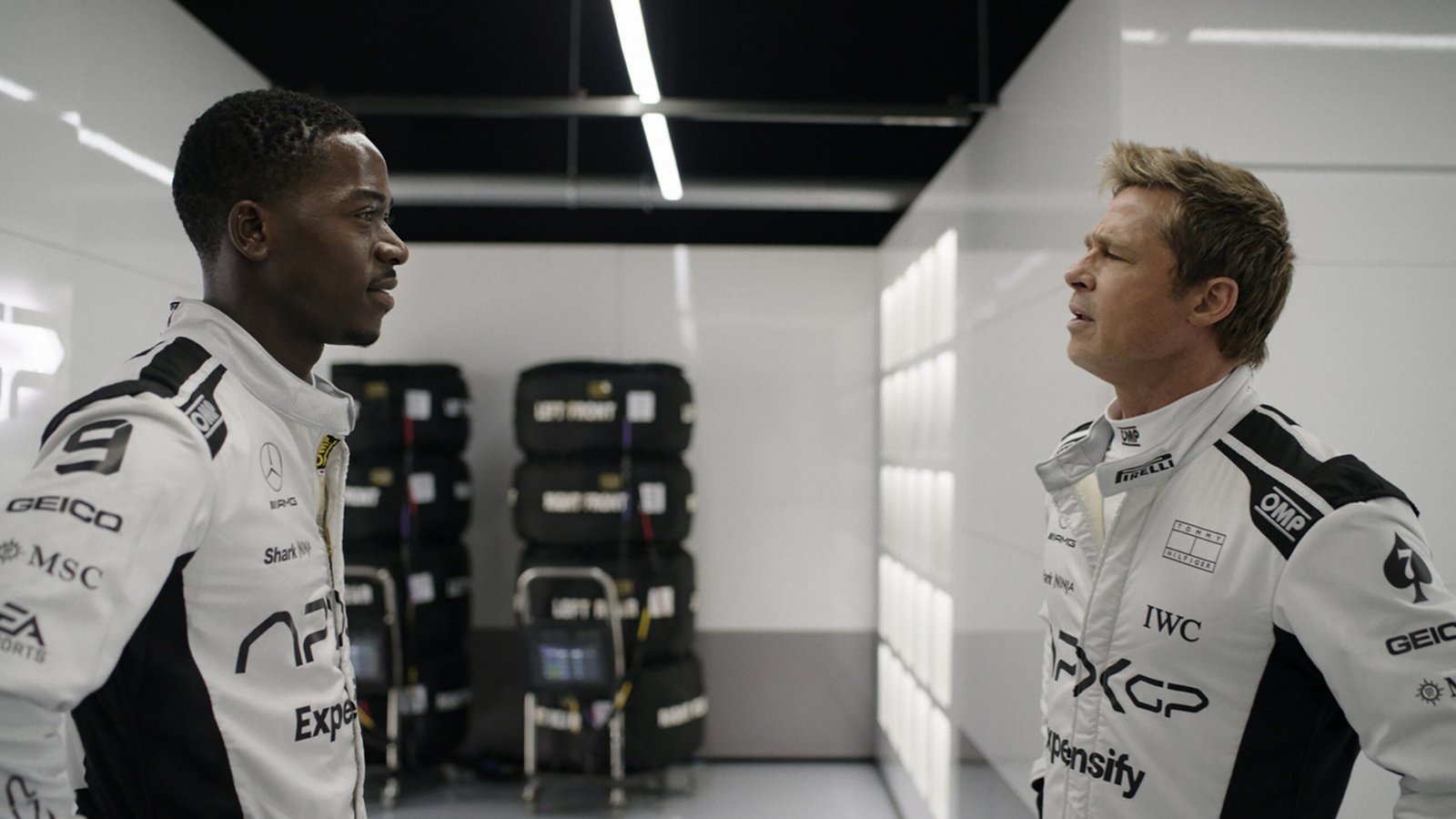
Brad Pitt’s Sonny Hayes isn’t your typical comeback story. Once the sport’s brightest star, he’s pulled out of retirement to help drag APXGP — a team on the brink of collapse — back into contention. His old friend and rival, Ruben Cervantes (played with flair by Javier Bardem), is betting on Sonny’s experience to steady the ship. But there’s a catch: Sonny has to share the spotlight with rookie sensation Joshua Pearce, played by Damson Idris. Pearce is hungry, quick, and convinced he doesn’t need lessons from a so-called has-been, setting the stage for a fiery clash between two drivers who both want the same finish line.

What makes this performance dynamic is how convincingly Pitt inhabits the role. Sonny isn’t polished or perfect; he’s weathered, stubborn, and driven by pride. Pitt captures this with a mix of grit and charm, but what truly elevates it is the authenticity. Just like Tom Cruise insists on doing his own stunts, Pitt trained behind the wheel, logging thousands of miles in real race cars. When the camera locks in on him mid-corner, you’re not watching an actor pretend — you’re watching a man genuinely control a Formula 1 machine. It gives the film a raw energy that no CGI could ever replicate.
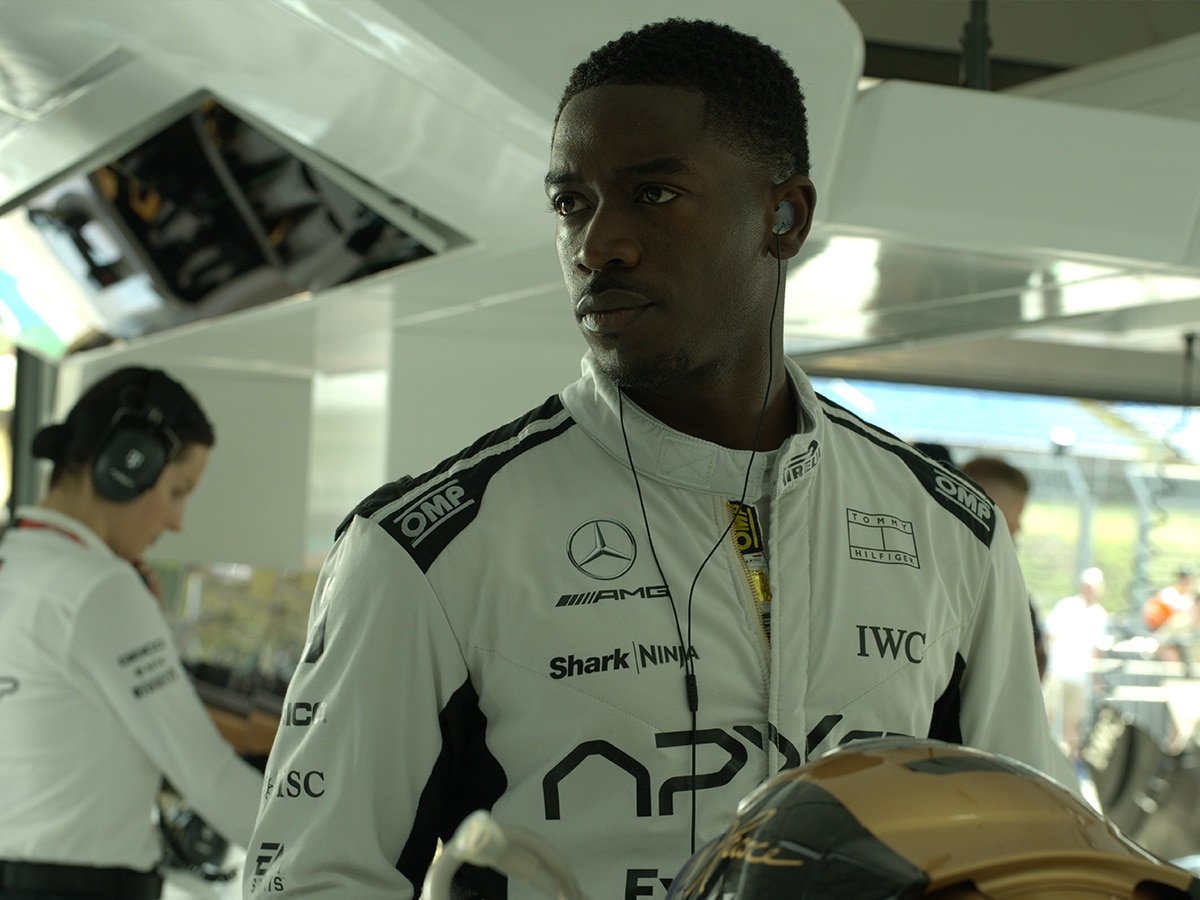
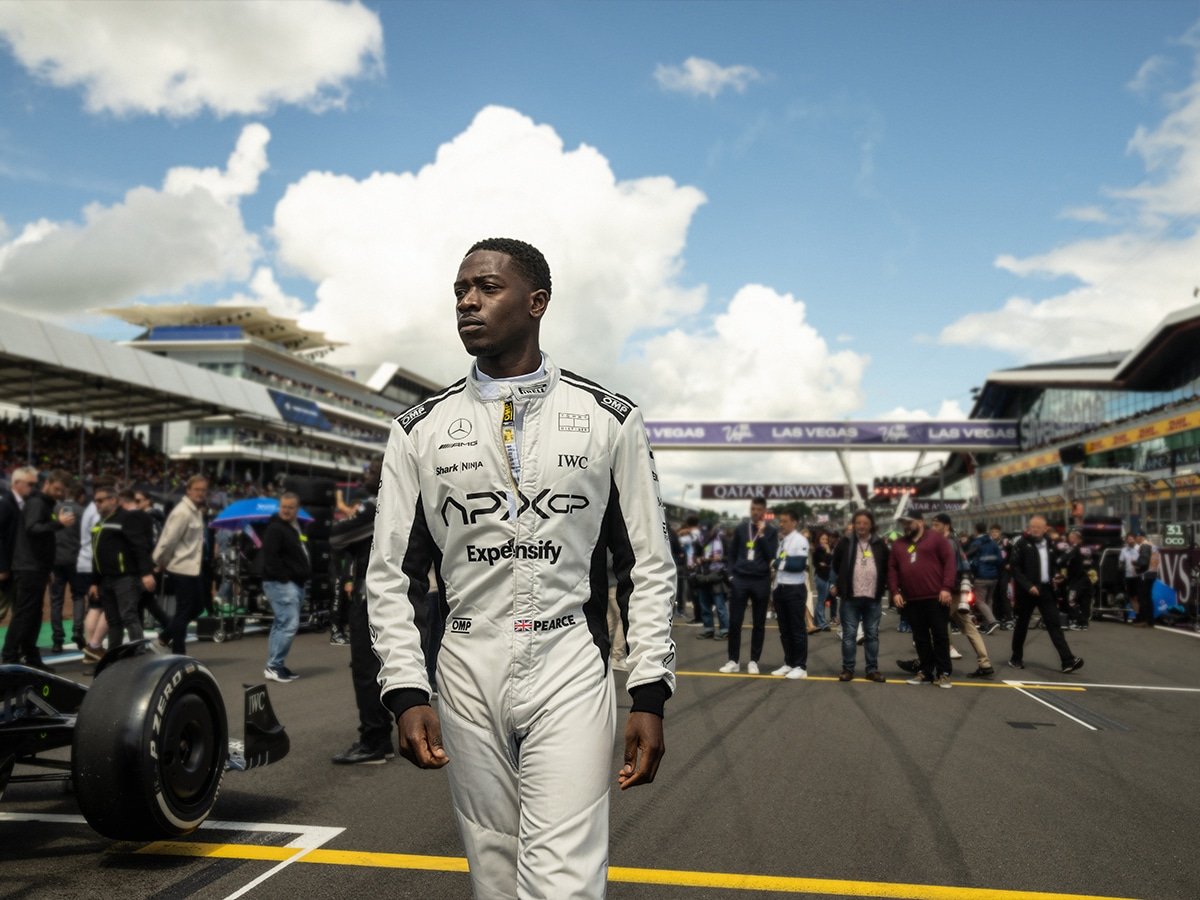
Damson Idris as Joshua Pearce in Apple Original Films’ “F1 The Movie,” premiering December 12, 2025, on Apple TV. | Image: Apple TV

Holding all this chaos together is Kerry Condon as Kate McKenna, the sharp-minded technical director who feels like the team’s anchor. She adds an emotional pulse to the story, reminding us that Formula 1 isn’t just about engines and egos — it’s about people fighting for survival under intense pressure. Add in cameos from real F1 drivers and familiar circuits, and suddenly the line between movie magic and motorsport reality almost vanishes.

Lap After Lap

This is where the real action of F1: The Movie genuinely begins once the lights go out and the cars hit the track. Instead of relying on digital effects, Kosinski and his team kept it traditional — filming during live Formula 1 weekends with real cars on real circuits. The result is a film that pulses with the raw energy of the sport. Sir Lewis Hamilton, who helped produce the project, summed it up best when he said it’s “as authentic as a racing movie has ever been” — and when a seven-time world champion says that, you know it’s no marketing fluff.

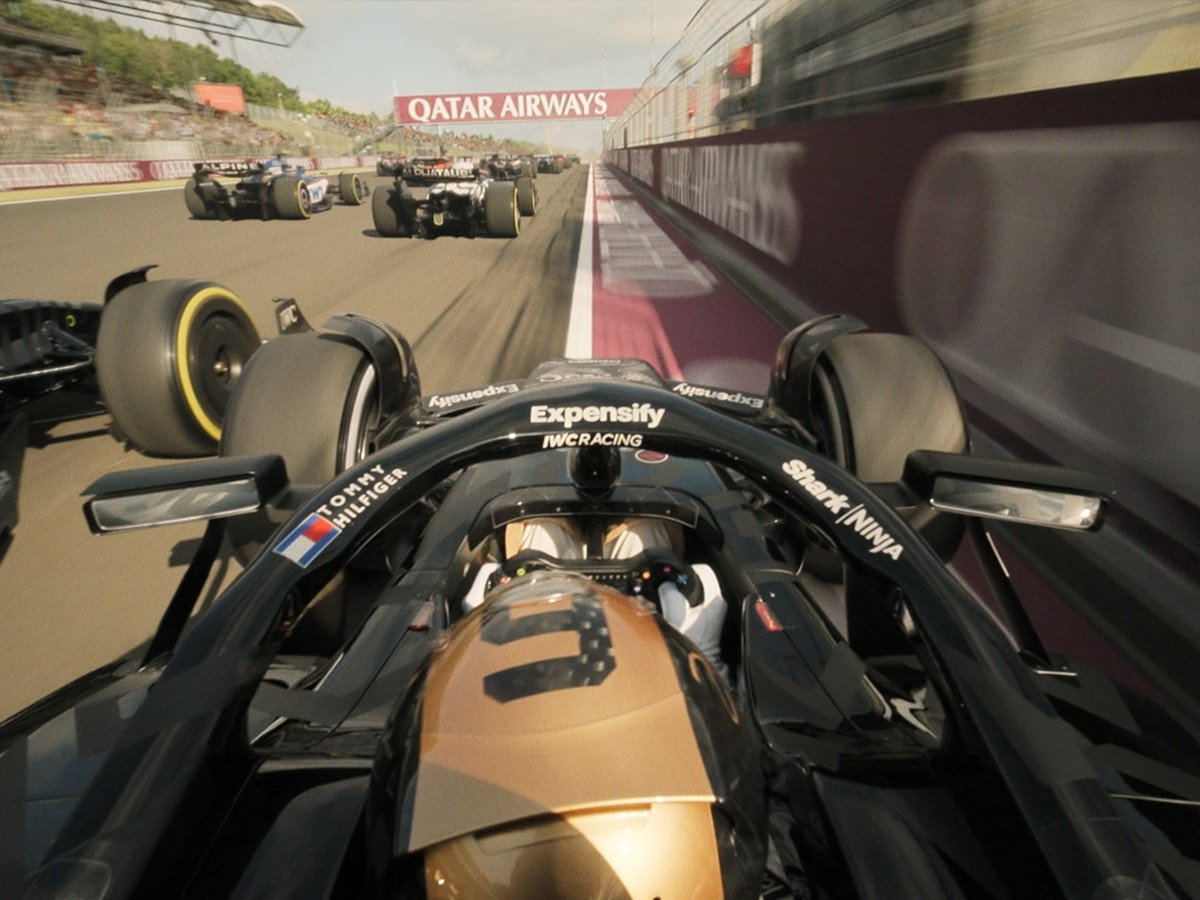
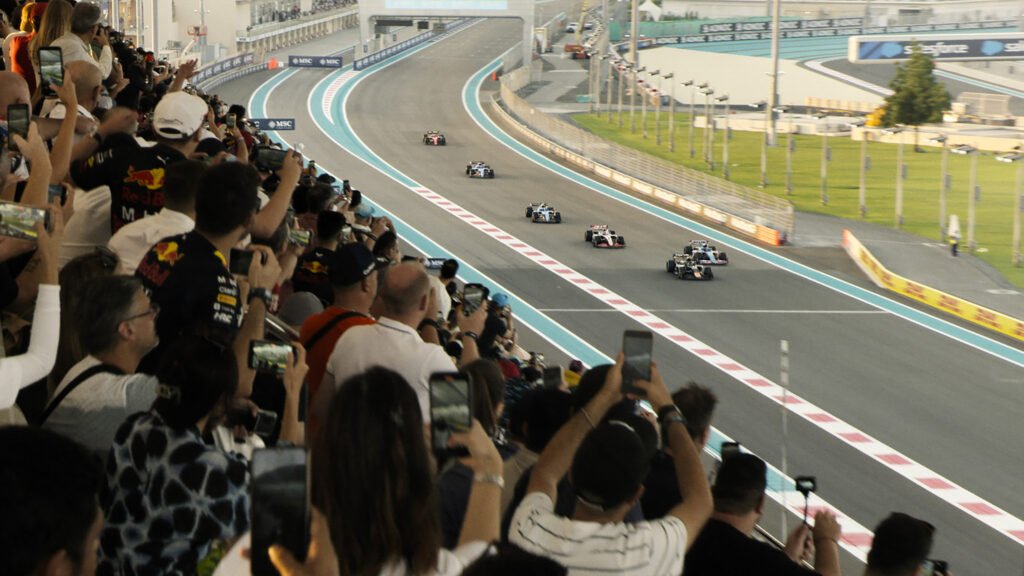
What makes these sequences stand out isn’t just the speed, but the intimacy. We’re not just watching cars fly past; we’re dropped into the middle of Silverstone straights, Monza chicanes, Las Vegas strip lights, and Suzuka curves. You feel the pressure of a 200 mph corner and the thrill of a razor-thin overtake, as if you’re strapped into the cockpit yourself. The catch? The crew didn’t have endless time to choreograph these moments — sometimes only a few minutes to nail the shot before the race weekend marched on. That urgency adds a nervous electricity to the racing, making each lap feel like it could be the last chance to get it right.

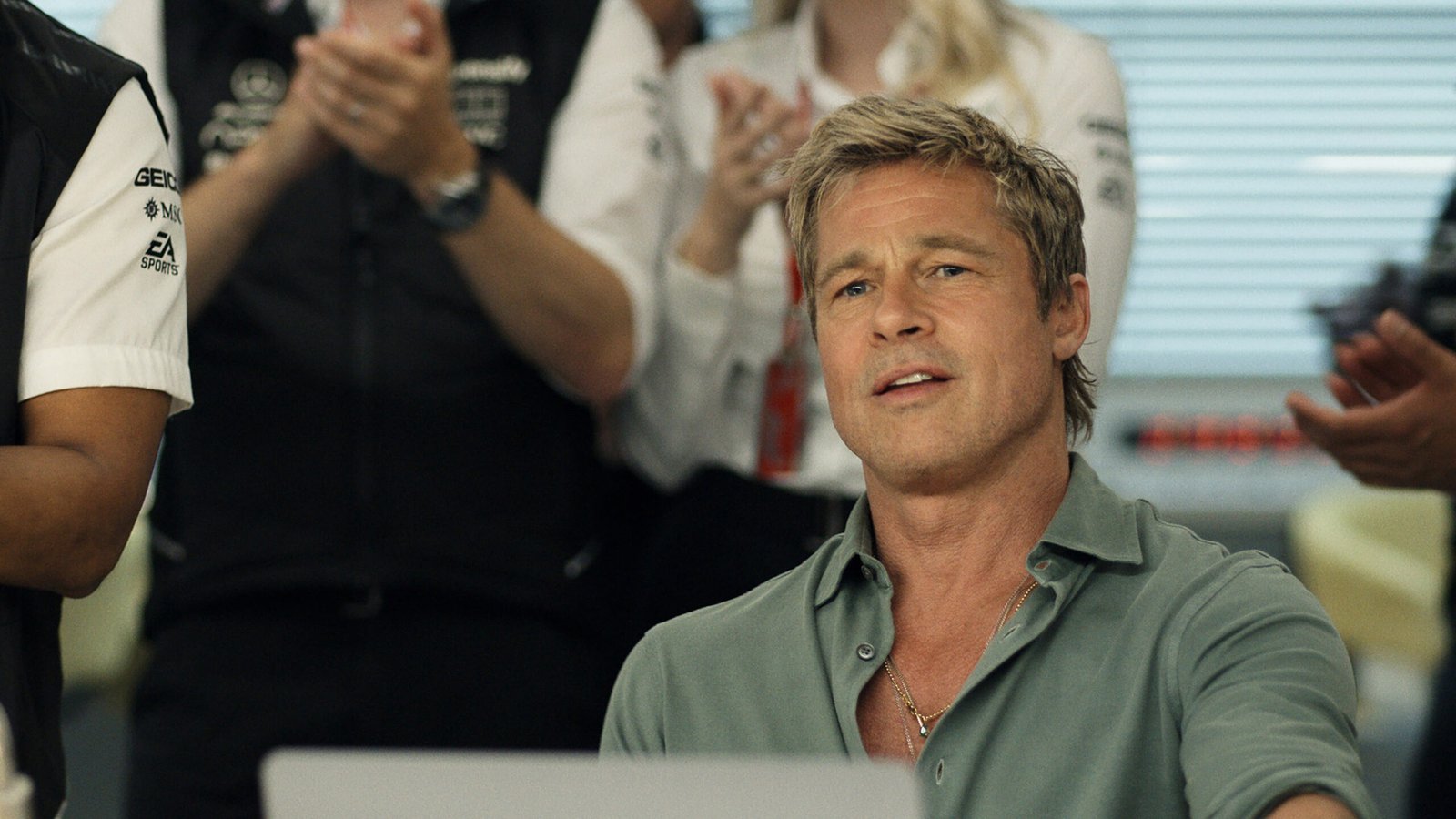
Brad Pitt as Sonny Hayes in Apple Original Films’ F1 The Movie, premiering December 12, 2025, on Apple TV. | Image: Apple TV

The Final Lap

When the chequered flag finally waves, F1 The Movie proves it’s more than just a glossy Hollywood spin on motorsport. Brad Pitt nails the role of Sonny Hayes with a mix of grit and charm, while Damson Idris’s fiery rookie energy keeps the tension crackling. Kerry Condon holds the emotional core steady, and Javier Bardem adds just the right splash of swagger. Together, they make the garage as compelling as the grid, ensuring the drama doesn’t disappear once the helmets come off.

Where the film really shifts gears is in Joseph Kosinski’s direction. Building on the groundbreaking camerawork that made Top Gun: Maverick such a thrill, he pushes things even further here. Immersive cockpit shots, wild 180-degree flips, and blisteringly close trackside views put you right in the driver’s seat, letting you feel every jolt, swerve, and G-force. The first half of the film flows smoothly like a perfect formation lap — tight, muscular, and finely tuned — before erupting into high-octane showdowns that make you grip your seat. That said, the natural ebb and flow of Formula 1 creeps in later on; with so much downtime between races, the story occasionally struggles to maintain its momentum off the track.

Is it the greatest sports movie ever made? Maybe. But it’s easily one of the most authentic and exhilarating in recent memory. With Pitt behind the wheel and Kosinski directing the spectacle, it’s a must-watch — especially if you can catch it in IMAX or D-BOX, where you’ll almost feel the engines rattling your chest. For hardcore fans, it’s a love letter to Formula 1. For everyone else, it’s still a thrilling ride worth taking — a cinematic ‘Pitt’ stop that leaves you smiling as the credits roll.

And perhaps the film’s greatest achievement is how it makes you feel like you’re experiencing Formula 1. Not just the speed or the glamour, but the sweat, the pressure, and the fine line between victory and disaster. By the end, you don’t just leave the cinema entertained — you leave with a new appreciation for the sport and those who risk everything lap after lap.

Rating: ★★★★☆

Brad Pitt as Sonny Hayes and Javier Bardem as Ruben Cervantes in Apple Original Films’ “F1 The Movie,” premiering December 12, 2025 on Apple TV. | Image: Apple TV
Damson Idris as Joshua Pearce in Apple Original Films’ “F1 The Movie,” premiering December 12, 2025 on Apple TV. | Image: Apple TV
Brad Pitt as Sonny Hayes and Kerry Condon as Kate in Apple Original Films’ “F1 The Movie,” premiering December 12, 2025 on Apple TV. | Image: Apple TV
A scene from Apple Original Films’ ‘F1 The Movie’ premiering December 12, 2025 on Apple TV. | Image: Apple TV
Damson Idris as Joshua Pearce in Apple Original Films’ “F1 The Movie,” premiering December 12, 2025, on Apple TV. | Image: Apple TV
Damson Idris as Joshua Pearce in Apple Original Films’ “F1 The Movie,” premiering December 12, 2025 on Apple TV. | Image: Apple TV
Brad Pitt as Sonny Hayes in Apple Original Films’ F1 The Movie, premiering December 12, 2025, on Apple TV. | Image: Apple TV
Brad Pitt as Sonny Hayes & Damson Idris as Joshua Pearce in Apple Original Films’ “F1 The Movie,” premiering December 12, 2025, on Apple TV. | Image: Apple TV
About the Author
Previous Post
RIMOWA Introduces a New Bronze Finish to Its Iconic Original Collection
Next Post
14 Best Racing Films To Watch After ‘F1 the movie’

Related Articles

The 4 best MacBooks You Can Buy Right Now

Reading Time: 11 minutes

Our team of editors and experts thoughtfully chooses each product. If you decide to buy through one of our links, we may earn a commission. Learn more. Want to know how we test products? Click here for more details.

Buying a MacBook these days can feel like walking into an Apple Store blindfolded—everything looks sleek, everything sounds powerful, and everything costs a decent chunk of change. With different screen sizes, chip generations (hello, M4), storage options, and varying ports, it’s easy to spiral into tech confusion if you’re not already fluent in Apple-ese.

But don’t worry—we’ve got you covered. If you already know you want a MacBook but aren’t sure which one best fits your lifestyle, this guide is for you. Whether you’re editing videos, writing papers, or want something that won’t lag while you binge-watch and browse 27 tabs at once, we’ll break it all down in plain English.

With the confusion out of the way, let’s explore the top 4 MacBooks that are worth your money right now—who they’re best for and why they might just become your next daily sidekick.

The 4 Best MacBooks You Can Buy Right Now

FeatureMacBook Air 13″ (M4)MacBook Air 15″ (M4)MacBook Pro 14″ (M4 Pro/Max)MacBook Pro 16″ (M4 Pro/Max)
Display Size13.6″ Liquid Retina15.3″ Liquid Retina14.2″ Liquid Retina XDR16.2″ Liquid Retina XDR
ChipApple M4Apple M4M4 Pro / M4 MaxM4 Pro / M4 Max
Battery LifeUp To 18 HoursUp To 20 HoursUp To 18 HoursUp To 22 Hours
PerformanceGreat For Everyday UseMore Screen, Same PerformanceHigh-end Performance For CreativesMax Power For Demanding Workflows
Cooling SystemFanlessFanlessActive CoolingActive Cooling
Ports2x Thunderbolt, MagSafe2x Thunderbolt, MagSafe3x Thunderbolt 4, HDMI, SDXC, MagSafe3x Thunderbolt 4, HDMI, SDXC, MagSafe
Audio4-Speaker System4-Speaker System6-Speaker System With Spatial Audio6-Speaker System With Spatial Audio
Weight2.7 lbs (1.24 kg)3.3 lbs (1.51 kg)3.5 lbs (1.6 kg)4.7 lbs (2.1 kg)
Best ForStudents, Light UseCasual Creatives, Travel UsersPros Who Need Performance + PortabilityPower Users, Editors, Developers
Starting Price (USD)$999$1,099$1,499$2,299
Apple MacBook Air 15″ | Image: Apple

MacBook Air 13″ & 15″ (M4)

If you’re in the market for a MacBook but don’t necessarily need pro-level specs (or pro-level pricing), the MacBook Air lineup is your ideal choice. In 2025, both the 13-inch and 15-inch MacBook Air models come equipped with Apple’s latest M4 chip, providing an excellent blend of performance, portability, and that unmistakable Apple polish.

Starting with the 13-inch MacBook Air, this classic, ultra-light laptop does exactly what most people need—and more. It’s perfect for students, writers, and professionals on the go, or anyone who desires a fast, silent, and compact machine for daily use. Whether opening dozens of tabs or editing light photo content, it easily handles everything. The fanless design ensures it’s whisper-quiet, and the battery life carries you through the day (and into the night).

The 13-inch is the most affordable entry into the M4 family, starting at $999. It’s slim enough to slide into a tote bag or backpack without effort and light enough that you’ll forget it’s there. Plus, with that Retina display and Apple’s rock-solid build quality, it still feels premium in every way.

If you love everything about the 13-inch but crave more screen real estate, the 15-inch MacBook Air is your upgrade. It features the same chip, retains fanless efficiency, and keeps the minimalist design—but the extra screen space enhances the entire experience. Whether you’re working on creative projects, editing videos, managing spreadsheets, or simply multitasking with side-by-side windows, the 15.3-inch display provides your workflow with some breathing room.

Turn MacBook Air into the perfect workspace by connecting up to two external displays. The extra screen space makes working with multiple documents or apps a breeze. | Image: Apple

What’s impressive is that even with the larger size, the 15-inch model remains incredibly lightweight and portable. It’s just about a pound heavier than the 13-inch, which means you gain that larger canvas without sacrificing portability. Starting at $1,199, it represents a small jump in price for a noticeably more immersive experience.

Performance-wise, both models operate nearly identically. They’re powered by the same M4 chip, designed for battery efficiency and speed. Thus, the main decision here isn’t about performance—it’s about size and how you manage your space. If you’re working from coffee shops, campuses, or small desks, the 13-inch will suit you just fine. However, if you engage in a lot of multitasking, light creative work, or simply want something easier on the eyes, the 15-inch might be worth the slight increase in cost and weight.

Bottom line? These two MacBooks aren’t just great—they’re smart. Unless you’re diving deep into pro-level apps or handling intensive tasks daily, the Air line is honestly more than enough. Sleek, quiet, and powerful, both the 13-inch and 15-inch MacBook Air models offer exceptional value without overcomplicating your life or emptying your wallet.

MacBook M4 Pro 16″ | Image: Supplied

MacBook Pro 14″ & 16″ (M4 Pro/Max)

If the MacBook Airs are Apple’s everyday all-stars, the MacBook Pro lineup is where things get serious. Whether you’re editing 4K footage, rendering 3D animations, producing music, or running heavyweight code, the 14-inch and 16-inch MacBook Pros are designed to handle whatever you throw at them—and then ask for more.

Let’s start with the 14-inch MacBook Pro. It strikes a good balance between portability and performance. It’s compact enough to carry comfortably, but don’t let its size fool you—it’s a beast under the hood. With your choice of an M4 Pro or M4 Max chip, this machine handles demanding workflows with ease. It also features a stunning Liquid Retina XDR display, perfect for colour-accurate creative work.

Then there’s the 16-inch MacBook Pro, and let’s be honest—this device is a workstation disguised as a laptop. If you’re a video editor, developer, visual effects artist, or just someone who prefers their screen real estate big and bold, this is the one to beat. It’s heavier, yes—but it’s also the most powerful laptop Apple has ever made. The additional cooling system, improved battery life (up to 22 hours!), and top-tier GPU options make it ideal for power users who push their tech to the limit.

A game changer when working outdoors, the Liquid Retina XDR display gets even better with an all-new nano-texture display option and up to 1000 nits of brightness for SDR content | Image: Apple

Both models come equipped with pro-level features: an advanced six-speaker audio system featuring Spatial Audio, studio-quality microphones, a ProMotion 120Hz refresh rate, and a wide array of ports—including HDMI, an SDXC card slot, and three Thunderbolt 4 ports. No dongle chaos here. Whether you’re in a studio, an editing bay, or a classroom, the Pro lineup is ready to perform.

Of course, all that power comes at a price. The 14-inch Pro starts at $1,499, while the 16-inch begins at $2,299. These aren’t impulse buys—they’re investments. However, if your work relies on speed, accuracy, and reliability, there’s real value in these machines.

So, who are these for? Creatives, developers, engineers, and performance-hungry pros who need serious horsepower. If your workload is heavy and your time is valuable, the MacBook Pro 14″ and 16″ won’t just keep up—they’ll make you wonder how you ever managed without them.

Looking to Save? Consider Buying Refurbished

If you’re not set on having the absolute latest chip, buying a refurbished MacBook can be a smart and budget-friendly move. Apple’s Certified Refurbished Store offers like-new MacBooks that undergo a full diagnostic test, receive a fresh battery and outer shell if needed, and include a one-year warranty and AppleCare+ eligibility. It’s basically a brand-new MacBook—just without the brand-new price tag.

With the new M4 chips rolling out, refurbished M3 models are hitting even better price points—and here’s the truth: for most users, the performance difference between M3 and M4 is minimal in day-to-day use. Unless you’re doing heavy pro-level work, an M3 MacBook Air or even a Pro from last year will serve you beautifully. You can also find solid deals on refurbished MacBooks at trusted retailers like Best Buy and Amazon Renewed, but for top-tier peace of mind, Apple’s own refurbished store remains your best bet.

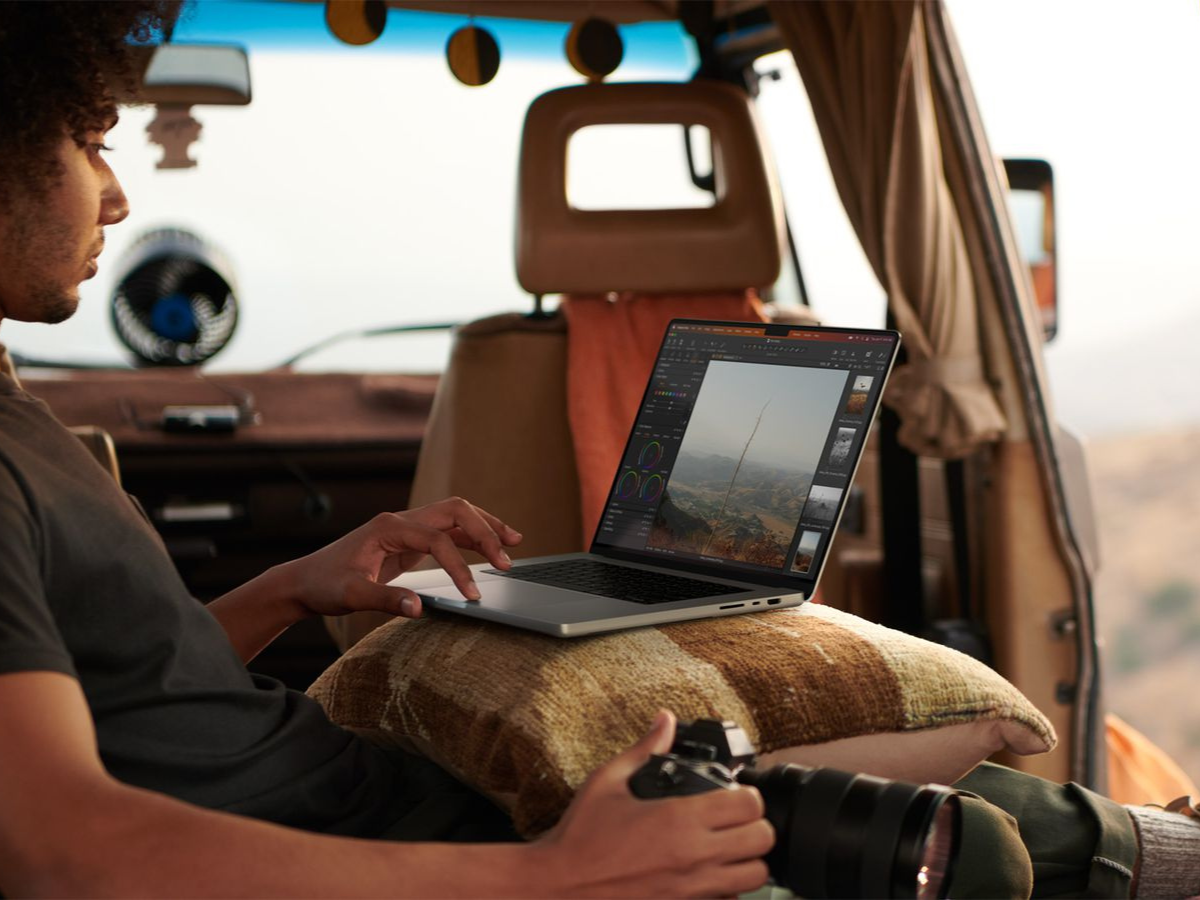
MacBook Pro empowers users to work and be creative wherever they are, with even more game-changing performance & extraordinary battery life | Image: Apple

Choosing the Right MacBook for Your Needs

What Do You Want To Use It For?
Choosing the right MacBook really comes down to how you plan to use it. If you’re handling everyday tasks like web browsing, note-taking, emails, and the occasional Netflix binge, the MacBook Air 13″ (M4) is your lightweight, budget-friendly go-to. Need more screen space for multitasking or light creative work? The 15″ Air offers that extra room without the Pro price tag. Stepping into more demanding territory—like video editing, design work, or coding? The MacBook Pro 14″ (M4 Pro/Max) offers serious power while remaining portable. If you’re a full-time creative, developer, or anyone working with heavy pro apps daily, the 16″ Pro is the ultimate workhorse designed to handle it all.

What Accessories Are You Planning on Using?
Your workflow may depend on more than just the MacBook itself—so it’s wise to consider your accessories. If you frequently use external displays, SD cards, HDMI, or high-speed storage drives, the MacBook Pro models offer a much better selection of ports built-in. No dongles, no fuss. However, the MacBook Air models are more minimal, featuring only two USB-C ports and MagSafe charging. This means you might need a USB-C hub or adapter when connecting to multiple peripherals. For minimalists or cloud-based users, the Air is perfectly adequate—but if your setup involves several add-ons, the Pro is better equipped right out of the box.

What Size Is The Best For You?
Size matters—especially if you’re carrying your laptop every day. The 13-inch Air is the most compact and ultra-light, making it perfect for tossing in a bag and forgetting it’s there. The 15-inch Air offers a roomy screen without much extra weight, creating a sweet spot for productivity on the go. The 14-inch Pro strikes a balance between performance and portability, while the 16-inch Pro is the big boss—amazing for editing, multitasking, or full-time desk setups, but definitely bulkier. So, if you’re looking for comfort and mobility, stick with the smaller option. If you want the biggest and baddest screen Apple makes, the 16-inch is your beast.

What’s Your Budget?
Let’s be honest—MacBooks aren’t cheap. However, knowing your budget upfront makes the decision easier. If you seek value without sacrificing performance, the MacBook Air 13″ at $949 is a fantastic deal. The 15″ Air is priced at $1,199 for those who prefer a larger display. On the Pro side, the 14-inch starts at $1,399 and provides serious performance for creatives, while the 16-inch Pro is priced from $2,499—definitely a premium investment. Additionally, don’t forget that Apple’s refurbished store and retailers like Best Buy or Amazon often offer previous-generation models at discounted prices that remain highly capable.

Do You Need the Upgrade?
It’s easy to get tempted by the latest and greatest, but before you hit “add to cart,” take a step back. If your current MacBook is still performing well, not slowing you down, and your needs haven’t changed, the upgrade might not be necessary just yet. However, if your battery is struggling, your fans sound like jet engines, or your machine lags with modern software, then yes—it’s probably time. The M4 models provide faster speeds, improved battery life, and future-proofing for the next few years. However, if you’re using an M2 or M3 and your workflow hasn’t changed, you might be perfectly fine waiting another year or two.

About the Author

Related Articles

arrow_drop_up