



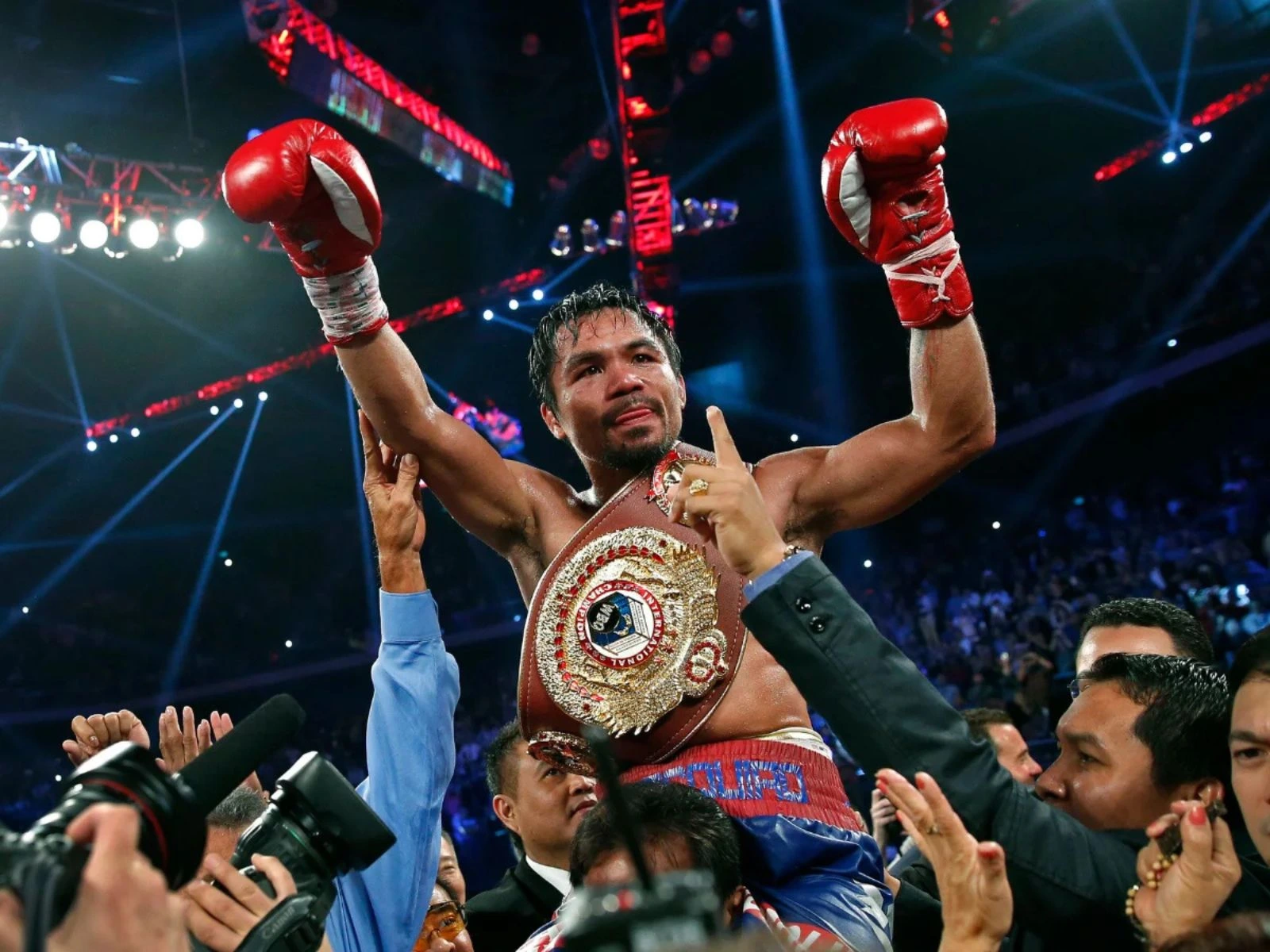
Professional Boxer Manny Pacquiao celebrating with the WBO International belt after defeating Brandon Ríos in November 2013.
Movies & TV Shows

Manny Pacquiao Joins Netflix’s Physical: Asia—A New Arena for the Boxing Legend

Reading Time: 4 minutes

Share via

Our team of editors and experts thoughtfully chooses each product. If you decide to buy through one of our links, we may earn a commission. Learn more. Want to know how we test products? Click here for more details.

Manny “PacMan” Pacquiao is no stranger to high-profile stages — from crowded boxing arenas to political campaigns. But now, he’s stepping into something different. The legend has officially joined Netflix’s latest reality competition, Physical: Asia — the Asia-wide evolution of Physical: 100 — as the main figure for Team Philippines.

This isn’t a boxing match. It’s a test of endurance, strength, strategy and teamwork. Instead of punching gloves, Pacquiao will lead a squad of six Filipino athletes competing against teams from eight countries: Korea, Japan, Thailand, Mongolia, Türkiye, Indonesia, Australia and the Philippines.

Netflix Physical: Asia Team Philippines
Physical: Asia Team Philippines | Image: IMDb

Switching from the boxing ring to a reality competition show might look like a big change, but for Pacquiao, it’s just the next step in his ongoing search for new challenges and boundaries.

Pacquiao has made his mark as an athlete, senator, and brand icon, and now he’s taking on a new challenge. His role brings excitement and credibility to ‘Physical: Asia’, especially as sports, media, and entertainment converge. People will watch not only for his athletic skills, but also to see how he represents his country.

This show is driven by ambition. Earlier seasons of ‘Physical: 100’ focused on individual strength and endurance, but the Asia edition is all about teams competing for their countries. Here, one mistake can affect the whole group.
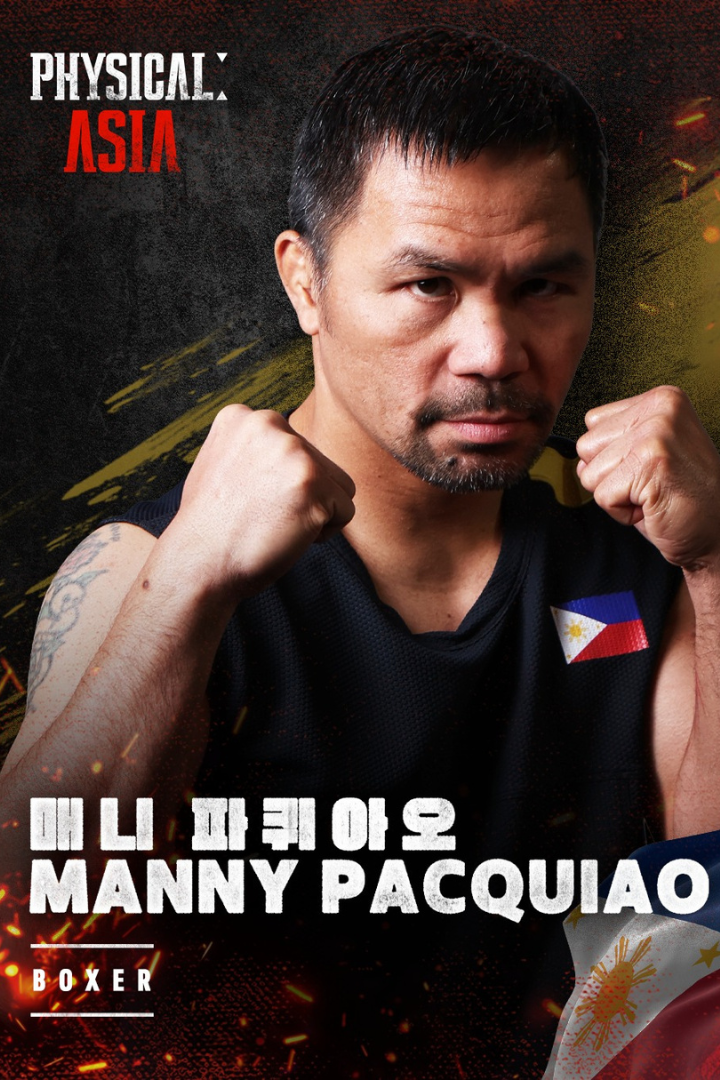
Netflix Physical: Asia Team Philippines — Manny Pacquiao
Physical: Asia Team Philippines | Image: IMDb
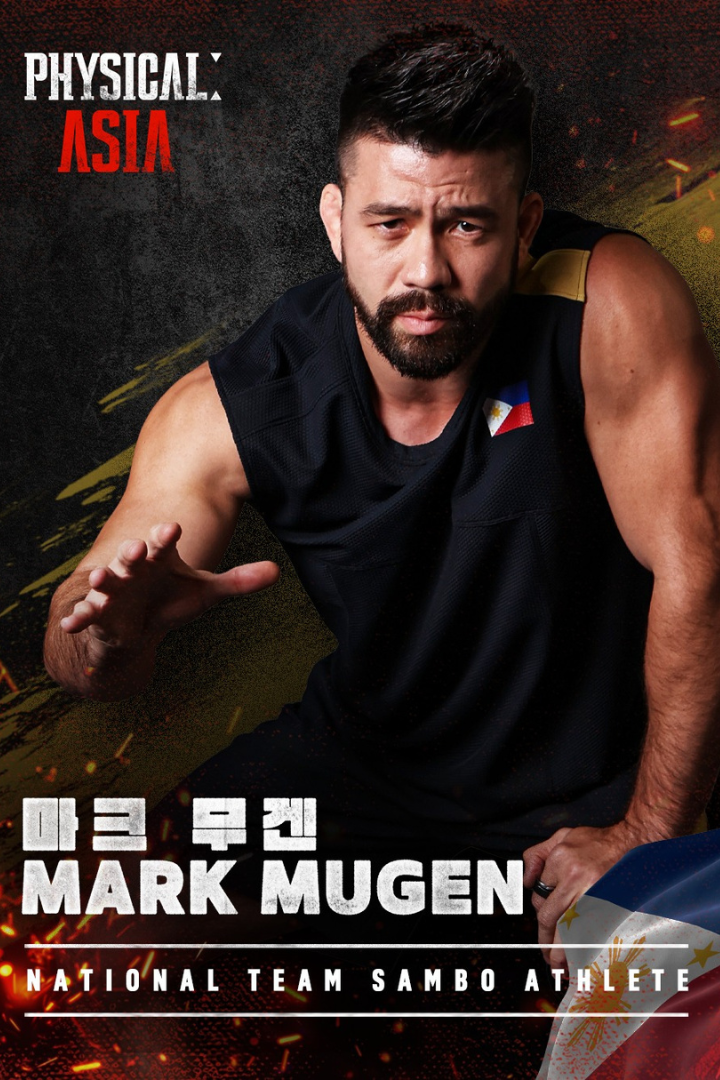
Netflix Physical: Asia Team Philippines — Mark Mugen
Physical: Asia Team Philippines | Image: IMDb
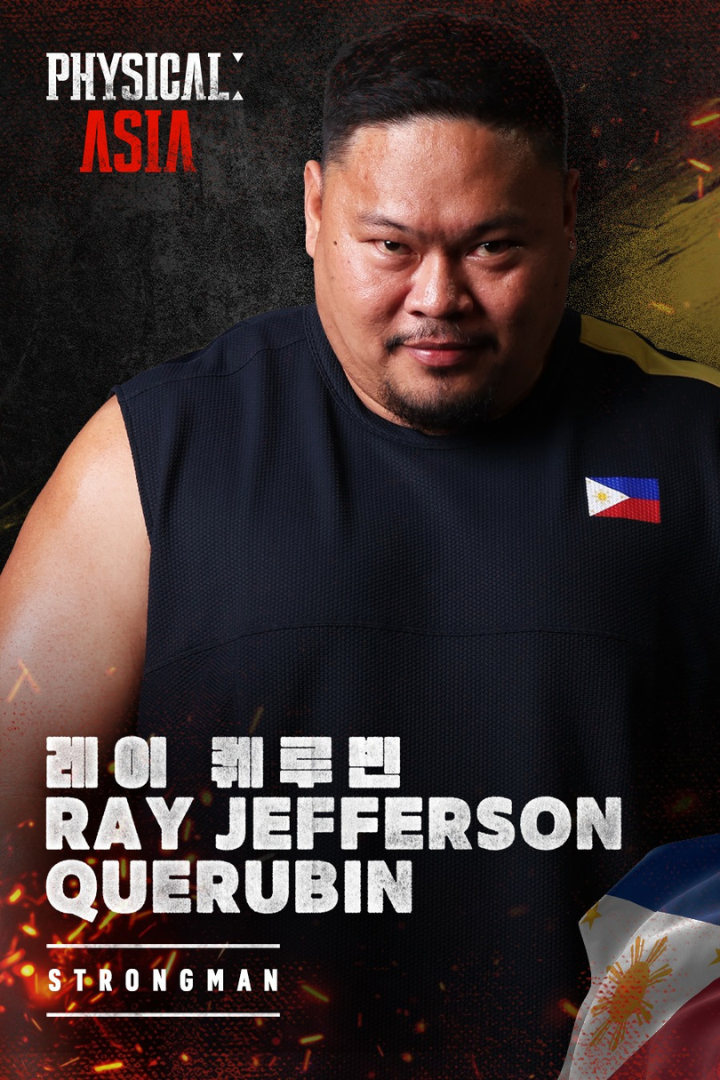
Netflix Physical: Asia Team Philippines — Ray Jefferson Querubin
Physical: Asia Team Philippines | Image: IMDb
Netflix Physical: Asia Team Philippines — Justin Coveney
Physical: Asia Team Philippines | Image: IMDb
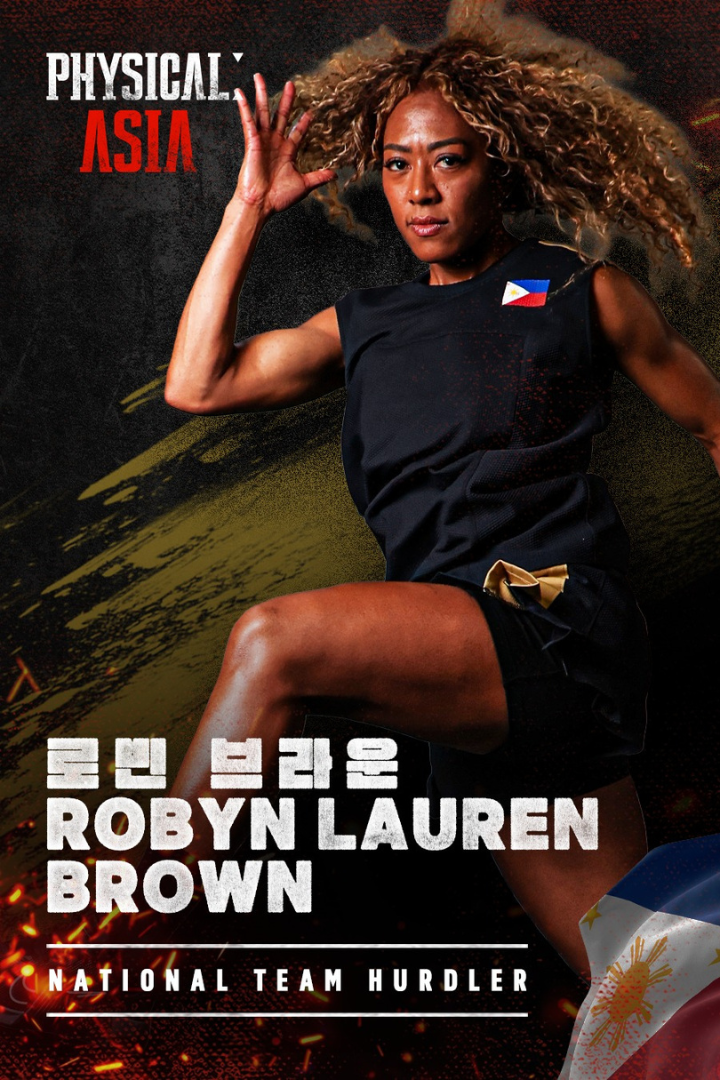
Netflix Physical: Asia Team Philippines — Robyn Lauren Brown
Physical: Asia Team Philippines | Image: IMDb

Who’s on Team Philippines?

When you hear Manny Pacquiao’s name, you might think that the spotlight is only on him. However, Netflix made sure that Team Philippines is more than just one legend. The team is a carefully selected group of athletes, each providing their own strengths. Because the show is a team competition, star power alone is not enough to succeed. Teams need balance, diversity, and members who can support one another’s weaknesses. That’s where the rest of the squad steps up.

Here’s ‘Physical: Asia’ Philippines Team:

  • Mark “Mugen” Striegl — Fil-Am sambo athlete
  • Ray Jefferson Querubin — Strongman
  • Justin Coveney — National rugby player
  • Robyn Lauren Brown — Track & field hurdler
  • Lara Liwanag — CrossFit standout

It’s a mixture of speed, strength, endurance and strategic awareness. Striegl brings combat-sport grit, Querubin provides brute power, Coveney contributes teamwork and collision discipline from rugby, Brown provides explosive speed and agility, and Liwanag balances the group with exceptional conditioning and mental toughness.

What makes this lineup so compelling is how closely it reflects Pacquiao’s own story. He’s always been more than just his fists — his success came from resilience, adaptability and taking strength from those around him. Team Philippines captures this same spirit. With Pacquiao’s leadership added to this diverse group of athletes, they enter Physical: Asia as more than just underdogs. They appear like a squad built to surprise, and that is what could make them dangerous.
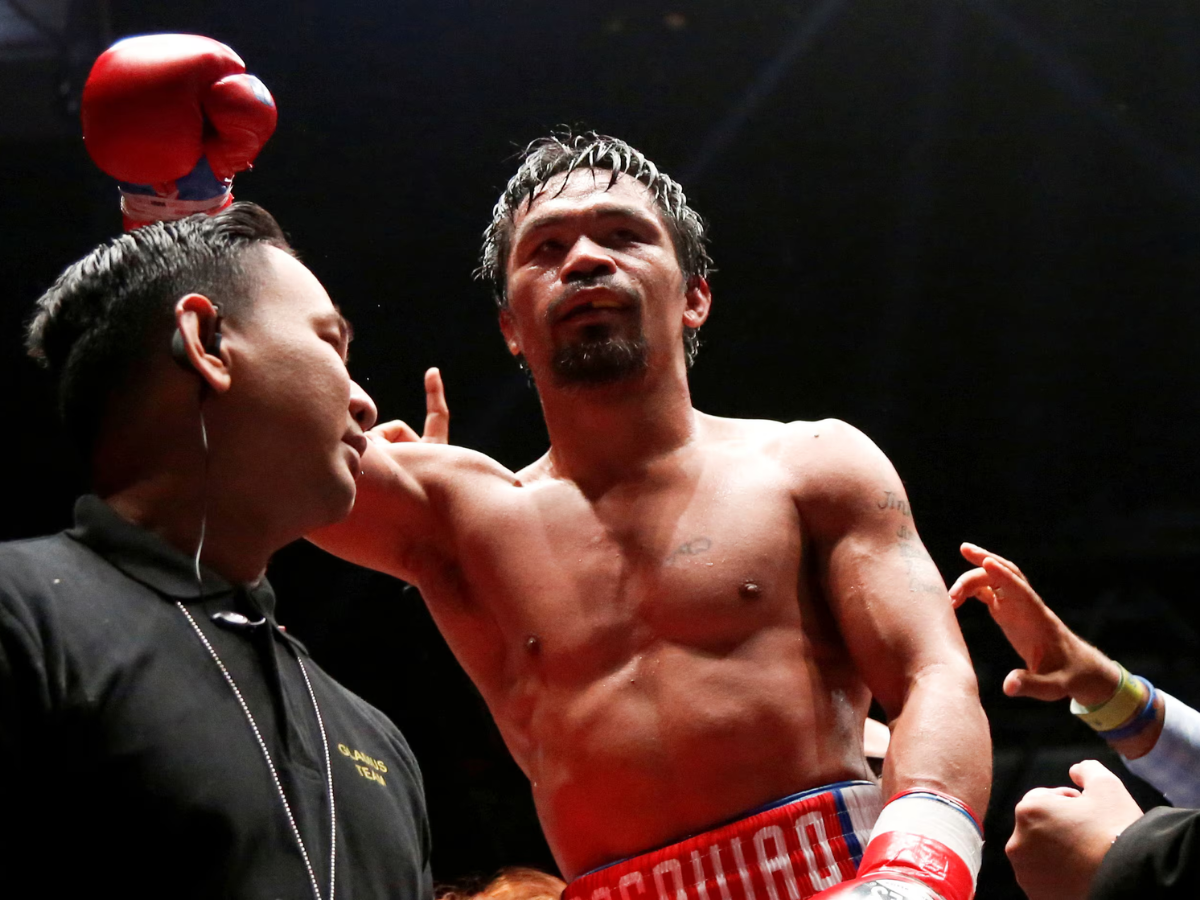
Boxing legend Manny Pacquiao in the ring.
Manny Pacquiao Joins Netflix’s Physical: Asia | Image: Getty Images

Why Pacquiao’s Netflix Move Matters

With Physical: Asia set to premiere in 2025, there are already some storylines to watch. Will Pacquiao face the challenges himself, or will he lead the team? How will Team Philippines react if one member starts to struggle? Can they adapt, recover, and keep going? Plus, with well-known fighters like UFC veteran Robert Whittaker and Muay Thai champion Superbon leading other teams, the competition will be tough.

But Pacquiao’s role is more than just the thrill of the matches. At 46, he has already proven his athletic skills with eight world titles in different weight classes. What matters now is his readiness to change and try new things, in sports and beyond. By joining Netflix, Pacquiao is not just competing. He is showing us that legends don’t retire—they keep growing.

For Netflix, having Pacquiao involved makes ‘Physical: Asia’ more than just another reality show. It turns the series into a cultural event where national pride, sports spirit, and entertainment come together. For Pacquiao, it is another part of a career marked not by limits, but by his will to keep moving forward.


Netflix
About the Author

Related Articles

TechAudio

From Wires to Silence: How AirPods Transformed Our Listening Experience

Reading Time: 4 minutes

Our team of editors and experts thoughtfully chooses each product. If you decide to buy through one of our links, we may earn a commission. Learn more. Want to know how we test products? Click here for more details.

It’s hard to believe that tangled wires were part of our everyday life just a few years ago. However, Apple changed everything in 2016 when it launched the first-generation AirPods. They weren’t just earbuds but more of a statement that revolutionized every tech company with their wireless, sleek, and incredibly easy-to-use design. AirPods quickly became the go-to accessory for all music lovers and tech enthusiasts like myself. Pairing them with an iPhone was as simple as a single tap—something we’d never seen before.

But Apple didn’t stop there.

Each version of AirPods brought something new:

AirPods 2—added wireless charging and faster performance.
AirPods Pro—introduced Active Noise Cancellation (ANC), letting us finally enjoy piece and quiet around noisy spaces.
AirPods 3—brought spatial audio for an immersive, theatre-like sound experience.

Now, with the arrival of AirPods 4, Apple has taken everything we loved about the AirPods Pro and made it even more accessible with the addition of Active Noise Cancellation (ANC), allowing you to block out the chaos around you—whether it’s a crowded subway, a busy coffee shop, or simply craving some quiet time at home.

AirPods 4 | Image: Apple

Turning On Active Noise Cancellation (ANC)

One of the best things about the AirPods 4 is how they let you escape the noise around you with just a few simple steps. Here’s how to turn on ANC:

Using the Force Sensor:

  • Pop your AirPods in your ears.
  • Press and hold the force sensor on the stem of either AirPod.
  • You’ll hear a little chime—that’s your cue that Noise Cancellation is on.

Using Control Center on Your iPhone:

  • Swipe down from the top-right corner to open Control Center.
  • Press and hold the volume slider (you’ll see your AirPods icon there).
  • Tap Noise Cancellation to activate it.

Switching Between Listening Modes:

  • Noise Cancellation: Perfect for noisy places when you need to focus.
  • Transparency Mode: Let’s you hear what’s going on around you without taking your AirPods out—great for quick conversations or crossing busy streets.
  • Off: Turns off both modes to save battery.

To switch between these, just press and hold the force sensor or use the Control Center on your iPhone.


How to Use Live Listening with AirPods

Add Live Listening To Control Centre:

  1. Go to Settings > Control Center.
  2. Tap Customize Controls.
  3. Scroll down and tap “+” next to Hearing.
  4. Tap Back to save the setting.

Use Live Listening:

  1. Open Control Center.
  2. Tap the Live Listen icon.
  3. Tap Live Listen icon (it looks like an ear).
  4. Place your device in front of the person that you want to hear. Make sure to adjust the volume on your device if you can’t hear well enough.

Getting the Best Fit for Noise Cancellation:

  • Go to Settings > Bluetooth and tap the “i” next to your AirPods.
  • Use the Ear Tip Fit Test to check if you’ve got the right fit.

Why AirPods 4 Are a Game-Changer?

Ever since their modest beginnings as wireless earbuds to the powerful AirPods with Active Noise Cancellation (ANC), Apple keeps redefining how we experience audio. These AirPods aren’t just about the sound—they’re about creating the perfect listening environment, no matter where you are.

With the addition of Active Noise Cancellation, you can finally block out distractions and focus on what matters the most—turning any place into your own personal sanctuary of sound with its sleek design and seamless integration with Apple devices, truly I can never step a foot outside without them.

So go ahead—pop them in, block out the noise, and experience sound in a whole new way!

About the Author
arrow_drop_up