Our team of editors and experts thoughtfully chooses each product. If you decide to buy through one of our links, we may earn a commission. Learn more. Want to know how we test products? Click here for more details.
Peaky Blinders was never meant to end quietly, and fans of the Shelby empire know these stories don’t just fade away. The show grew from a gripping crime drama into a modern classic with its own style and lasting legacy. That energy is pushing the story forward, starting with the new film The Immortal Man, which will connect past events to what’s to come and set the stage for a larger continuation.
The next chapter is coming together carefully, with Steven Knight back to lead the way. This time, the story will expand into a new Netflix sequel series, produced with the BBC. The plan goes beyond just one season, aiming for several, each with six tightly written episodes. It looks like the show may move past Tommy Shelby’s main story, but it will keep the mood, tension, and style that made Peaky Blinders unique.
It seems the new phase will not just continue the story, but change it, with familiar faces returning and new characters taking the lead. The world will feel both familiar and bigger. Since the late 2025 announcement, more details have emerged, and even though much remains secret, the direction is clear: this is a careful evolution, not just a sequel. If the original was about gaining power, the next part is about what’s left and what comes back, promising a “hell of a ride.”
The Next Chapter of Peaky Blinders: What We Know So Far?
Right now, the full story is still under wraps, but we’re starting to see signs of a shift in both time and perspective. Steven Knight says the new series will move into the 1950s, picking up after The Immortal Man and returning to Birmingham, though it won’t be the same city we remember. This time, Birmingham is rebuilding after World War II, rising from the Blitz’s aftermath, and entering a new era driven by ambition, industry, and opportunity. Knight has also suggested that a new generation will step up, with the next wave of Shelbys taking charge. He describes the journey ahead as intense, unpredictable, and, in his words, a real “hell of a ride.”
This new setting changes everything. It’s not only about continuing the story but also about seeing a city and its people reinvent themselves. Official details say Birmingham’s rebuilding will be a key part of the plot, with major development projects turning the city into both a place of opportunity and a war zone. Power won’t just be passed down quietly anymore; it will be fought for in bigger, riskier, and more dangerous ways. The Shelby name will still be at the centre, but the relationships around it are likely to shift, with new alliances, rivalries, and ambitions shaping the story.
People working on the show say this upcoming chapter will maintain the big scale that made the original series special. The BBC has already called it another ambitious, large-scale continuation and is confident the writing will bring back the tension and drama fans love. At the same time, they promise it won’t simply repeat what worked before. Instead, it will build on it, making Peaky Blinders broader, heavier, and more unpredictable. The stakes will be higher, the setting bigger, and the story will have a new identity while still honouring everything that came before.
Duke, played by Barry Keoghan in Peaky Blinders: ‘The Immortal Man’ | Image: Netflix
Cast & Returning Characters
When it comes to the cast, this is where things start to get a bit more uncertain—and a lot more interesting. Official confirmations are still limited, but Steven Knight has already given one key detail away. Speaking about the future of Duke, one of the newer and more intriguing additions to the story, Knight confirmed that the character will carry forward into the next chapter, stating clearly, “Yes, we are.” That alone suggests that Duke is set to play a much bigger role in what comes next, potentially stepping into a position of real influence within the evolving Shelby world.
That said, things become less clear when it comes to who will actually play him. When asked directly about Barry Keoghan returning to the role, Knight remained cautious, simply saying, “I can’t comment.” With the story moving forward by more than a decade, the timeline opens the door for a different version of the character, possibly older, which means casting decisions could still go either way. It’s one of those situations where the character matters more than the actor—for now.
spoiler alert. Read on only if you’ve seen the movie.
Most of the original Shelby family is no longer part of the story. Key characters like Tommy, Arthur, Ada, John, and Polly are gone, Finn has been left out, and Lizzie, Esme, and Linda are missing from the current plot. With so many main characters gone, the story is now focused on what comes next. This gives a new generation a chance to shape what the Shelby name means in this era. For now, Steven Knight is keeping those details secret, which makes it even more interesting to see who will step up and how the story will change without the original cast.
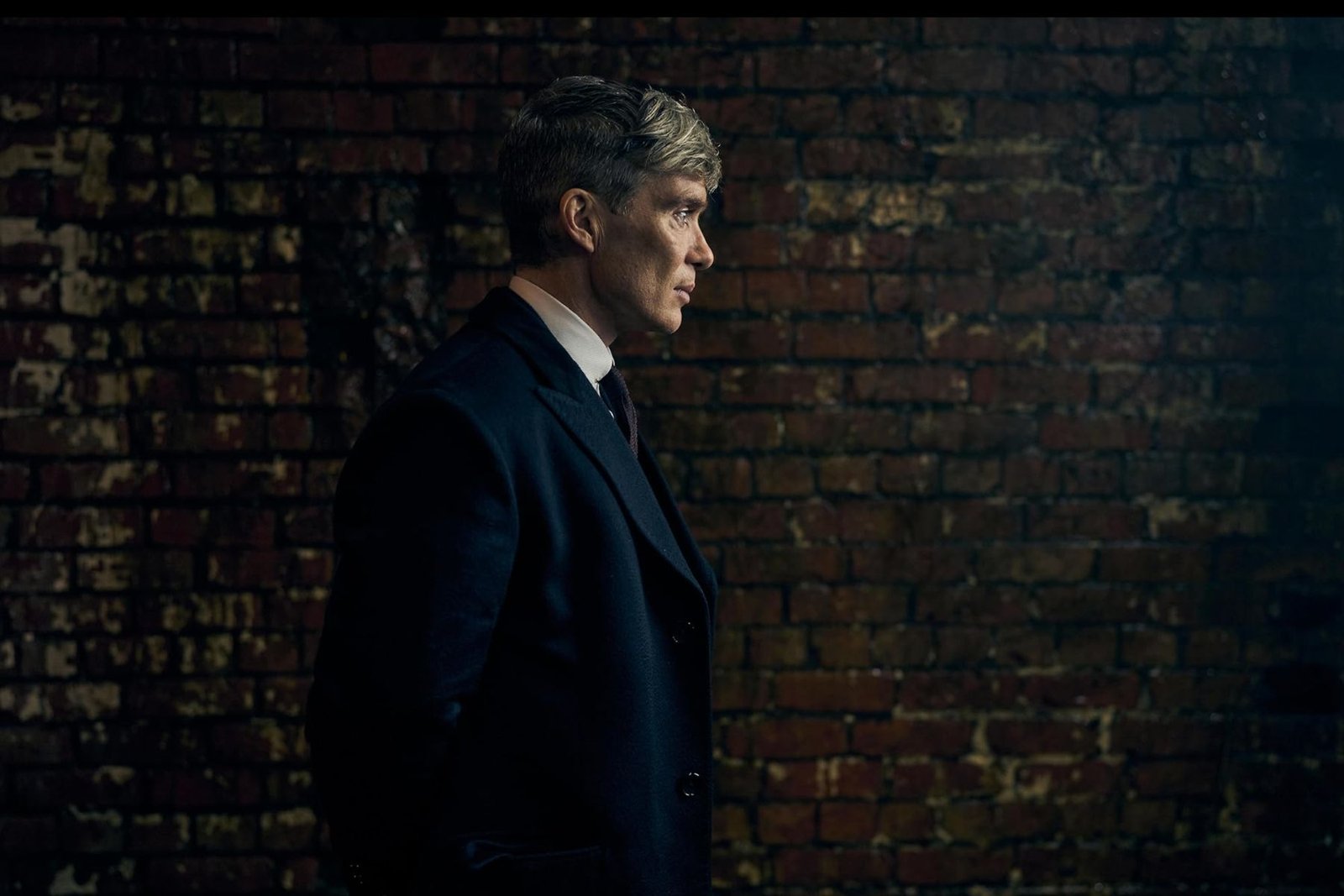
Thomas Shelby, played by Cillian Murphy in Peaky Blinders: ‘The Immortal Man’ | Image: Netflix
Thomas Shelby, played by Cillian Murphy, and Kaulo Chiriklo, played by Rebecca Ferguson, in Peaky Blinders: ‘The Immortal Man’ | Image: Netflix
Is There A Release Date?
As of now, there’s still no confirmed release date for the sequel series, even though ‘Peaky Blinders: The Immortal Man’ has officially landed on Netflix as of March 20. With the film now out, it sets the stage for what comes next, but the series itself is expected to take a bit more time to arrive, especially with multiple seasons already planned behind the scenes.
In the meantime, if you haven’t already, it’s worth checking out the trailer we’ve included at the start of this article to get a feel for the film’s tone and direction. It offers a strong hint of where the story is heading. And while we wait for more updates on the series, the full Peaky Blinders catalogue, along with the newly released film, is available on Netflix—making this the perfect time to dive back into that world before the next chapter begins.
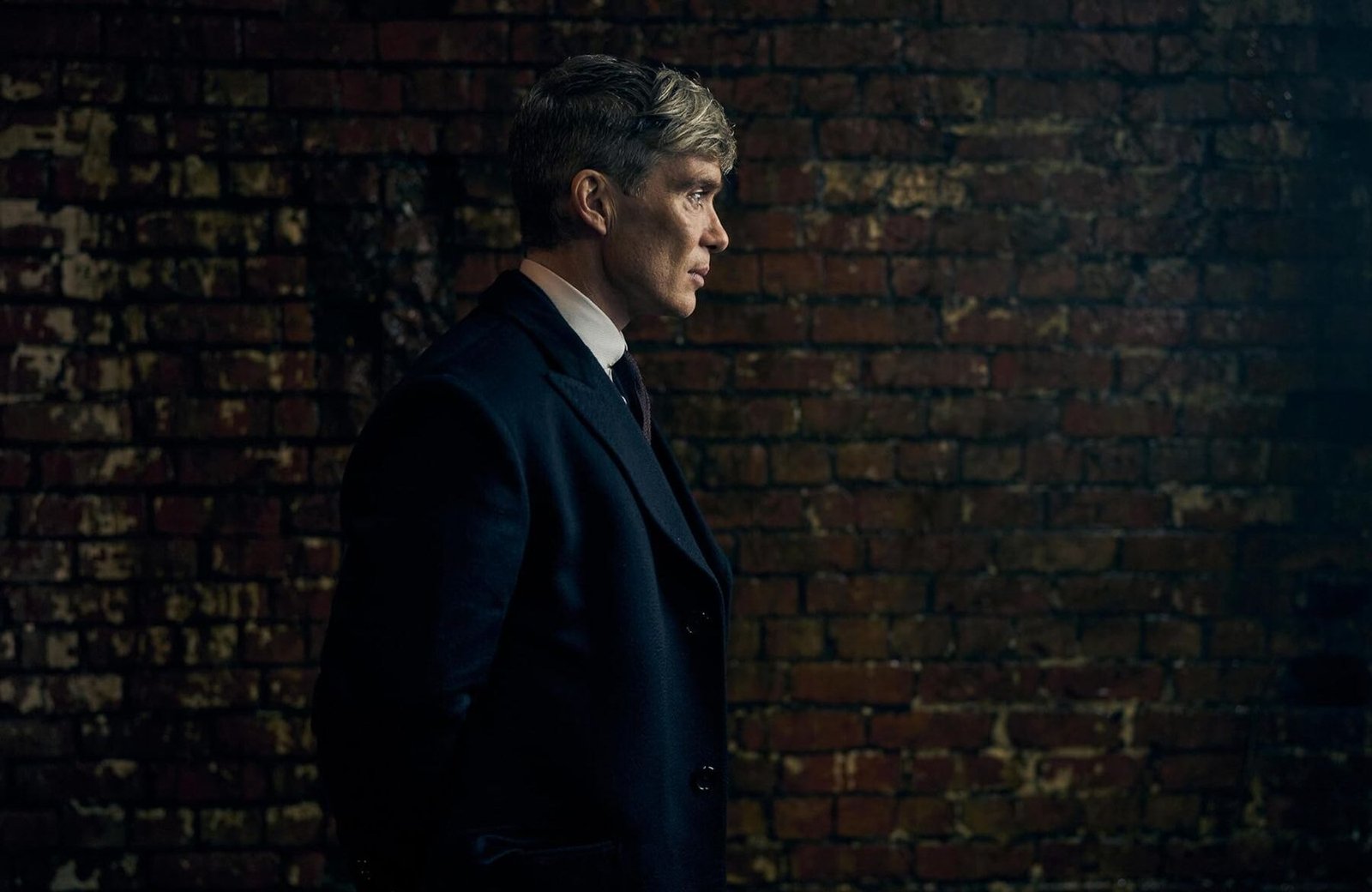
Cillian Murphy as Thomas Shelby in Peaky Blinders: ‘The Immortal Man’ | Image: Netflix
Elias Albay is the Founder and Director of Many Men Magazine, a Toronto-based digital publication dedicated to promoting modern masculinity through style, culture, and self-improvement. What started as a personal turning point became a purposeful platform. — born from Elias’ desire to create something meaningful after completing his studies and finding no career path that truly matched his ambitions. With a background in Civil Engineering from York University and experience in Commercial Flight Operations at CAE, he applied skills, and resilience from both fields to forge a new path.
Our team of editors and experts thoughtfully chooses each product. If you decide to buy through one of our links, we may earn a commission. Learn more. Want to know how we test products? Click here for more details.
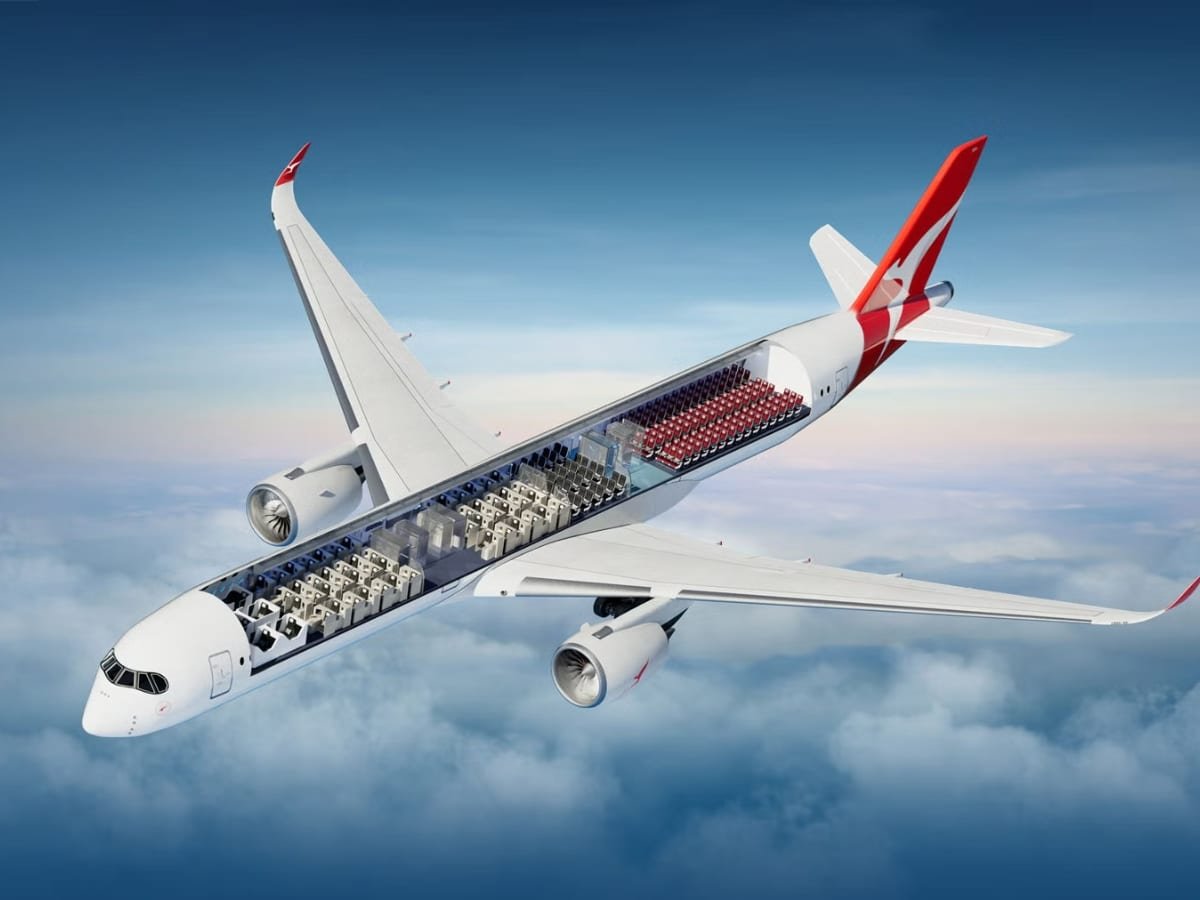
When a flight stretches towards 22 hours, calling the cabin a place to sit feels almost misleading. It becomes your bedroom, dining room, cinema and occasional walking space, all sealed inside a metal tube crossing half the planet. Qantas appears to understand the assignment with Project Sunrise, developing a specially configured Airbus A350-1000ULR for its upcoming nonstop Sydney-to-London service, which is scheduled to begin in October 2027.
Instead of filling the aircraft with as many passengers as possible, Qantas has limited the A350-1000ULR to just 238 seats—the lowest-density configuration of any A350 in the world. More than 40% of those seats will be spread across First, Business and Premium Economy, giving the airline plenty of room to rethink what ultra-long-haul comfort should look like.
Qantas worked with Caon Design, chef Neil Perry and researchers from the University of Sydney’s Charles Perkins Centre to develop an experience shaped around sleep, movement, dining and the body’s internal clock. That research can be seen throughout the aircraft, from 12 scientifically developed lighting scenes designed to support passengers’ circadian rhythms to an entertainment system that maps out meal services and rest periods across the journey. The real headline, however, is the cabin itself: enclosed First suites, Business Class seats with sliding doors, more spacious Premium Economy and Economy seating, and the world’s first purpose-built inflight Wellbeing Zone.
Qantas is not pretending that spending almost an entire day in the sky will be easy, but it is doing everything possible to make the world’s longest flight feel less like an endurance test and more like a carefully planned retreat. So, with that in mind, let’s step onboard and take a closer look at each of the Project Sunrise cabins.
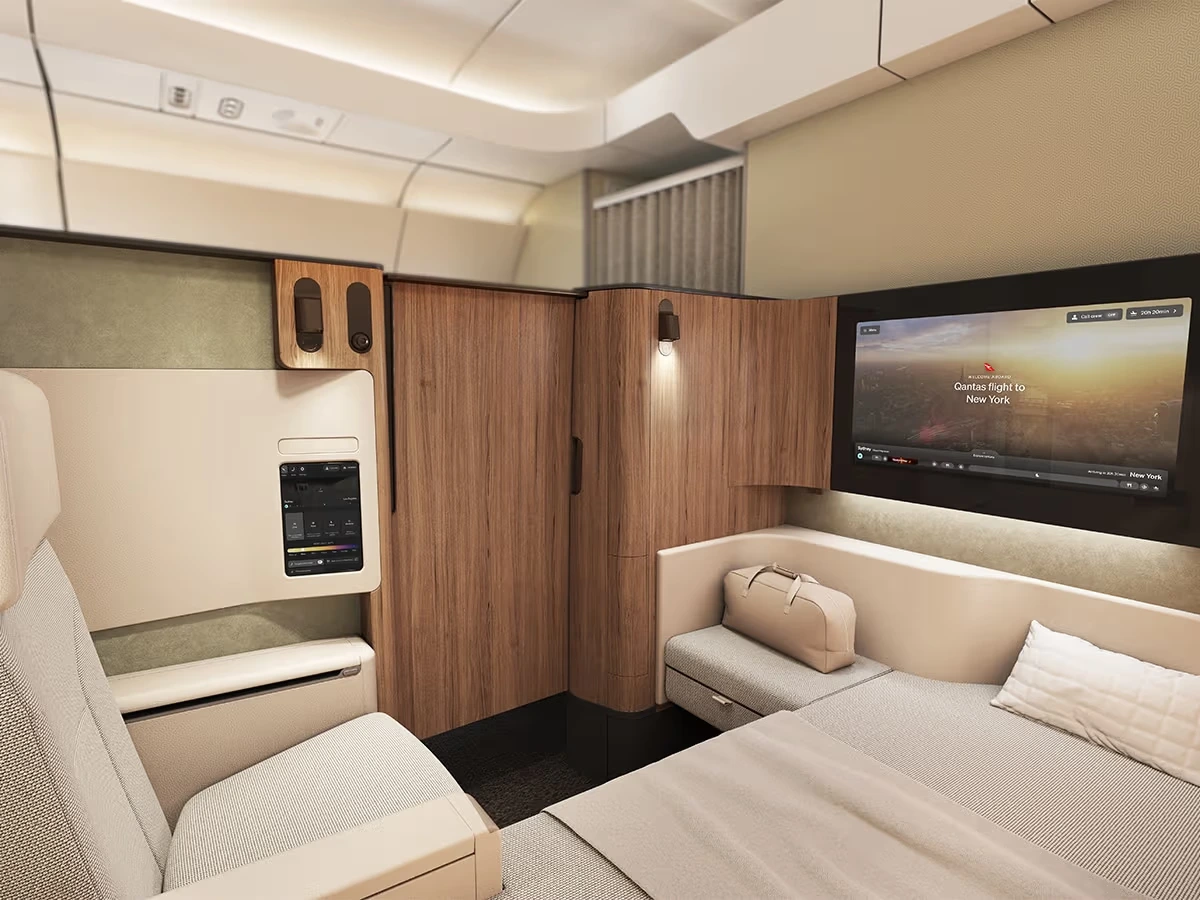
Qantas A350-1000ULR Project Sunrise First Class | Image: Qantas
Qantas Project Sunrise First Class Enclosed Suites
First Class specification
Dimensions & Details
Total suites & layout
6 enclosed suites in a 1-1-1 configuration
Suite space
50% more space than Qantas’ A380 First suites
suite enclosure
57-inch-high walls with a sliding door
Bed & seating
80-inch flat bed & separate 22-inch reclining armchair
Entertainment
32-inch touchscreen with Bluetooth audio
Suite controls
Touchscreen suite controller & Customizable LED lighting
Storage
Full-length wardrobe & multiple personal storage areas
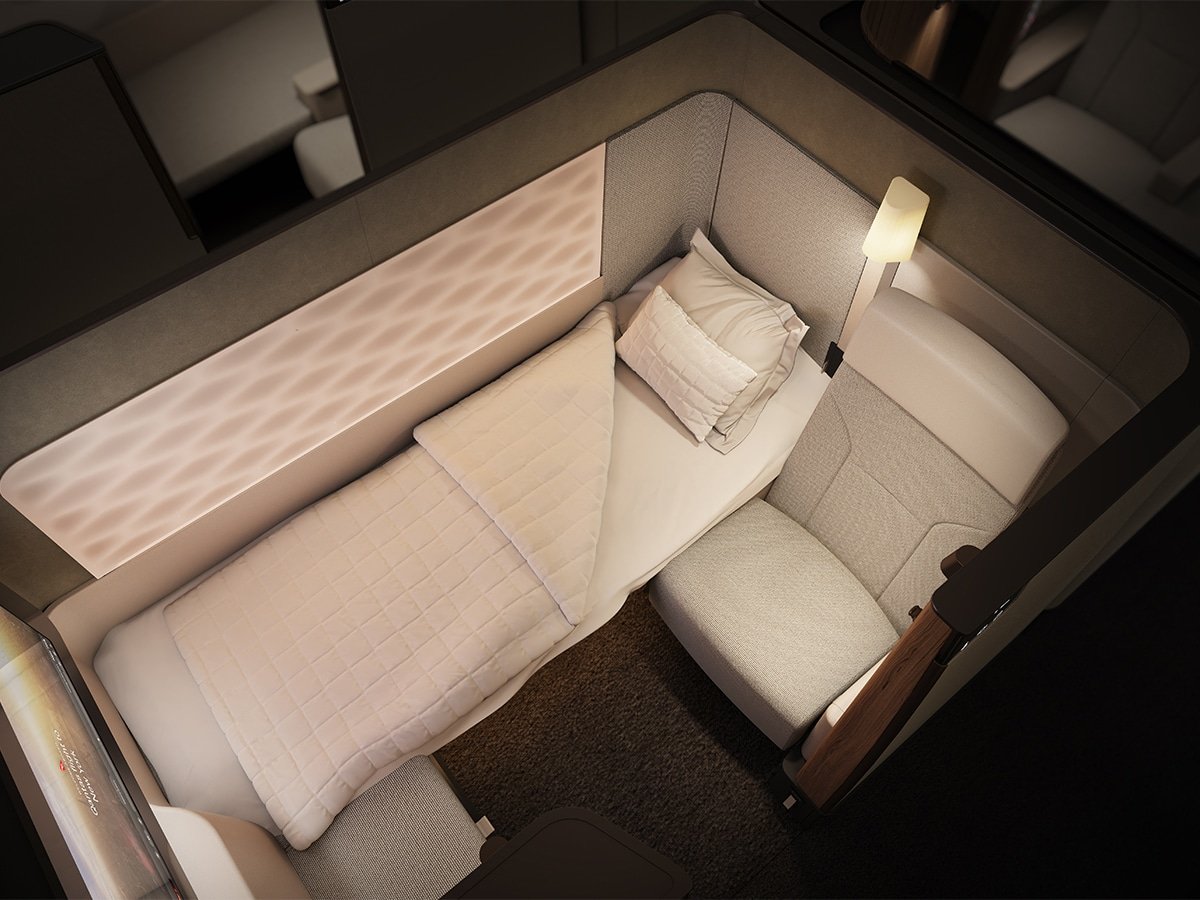
Sitting at the top of the Project Sunrise experience is a First Class cabin that offers 50% more suite space than Qantas’ current A380 First suites. There will be just six suites aboard the A350-1000ULR, arranged in an ultra-private 1-1-1 configuration with direct aisle access for every passenger. Each suite is enclosed by 57-inch-high walls and a sliding door, creating the closest thing this aircraft has to a private room.
Inside, Qantas has separated sitting from sleeping altogether. Passengers receive a 22-inch-wide reclining armchair alongside a permanent 80-inch flat bed, meaning there is no need to fold away the seat whenever it is time to rest. The bed includes an adjustable backrest for breakfast in bed and a multi-layer memory-foam mattress developed after months of pressure-point testing. A full-length wardrobe, several personal storage areas and enough dining and workspace for two complete the setup.
The technology is equally generous, led by a 32-inch entertainment touchscreen that is 14 inches larger than the one currently fitted in Qantas’ A380 First Class. Bluetooth audio, USB-A and USB-C connections, AC power and wireless charging are all included, while a separate touchscreen controller manages the suite and its customizable LED lighting. Qantas has even fitted a discreet digital panel outside each suite, allowing passengers to communicate with the crew without sacrificing the privacy that makes the space feel so special.
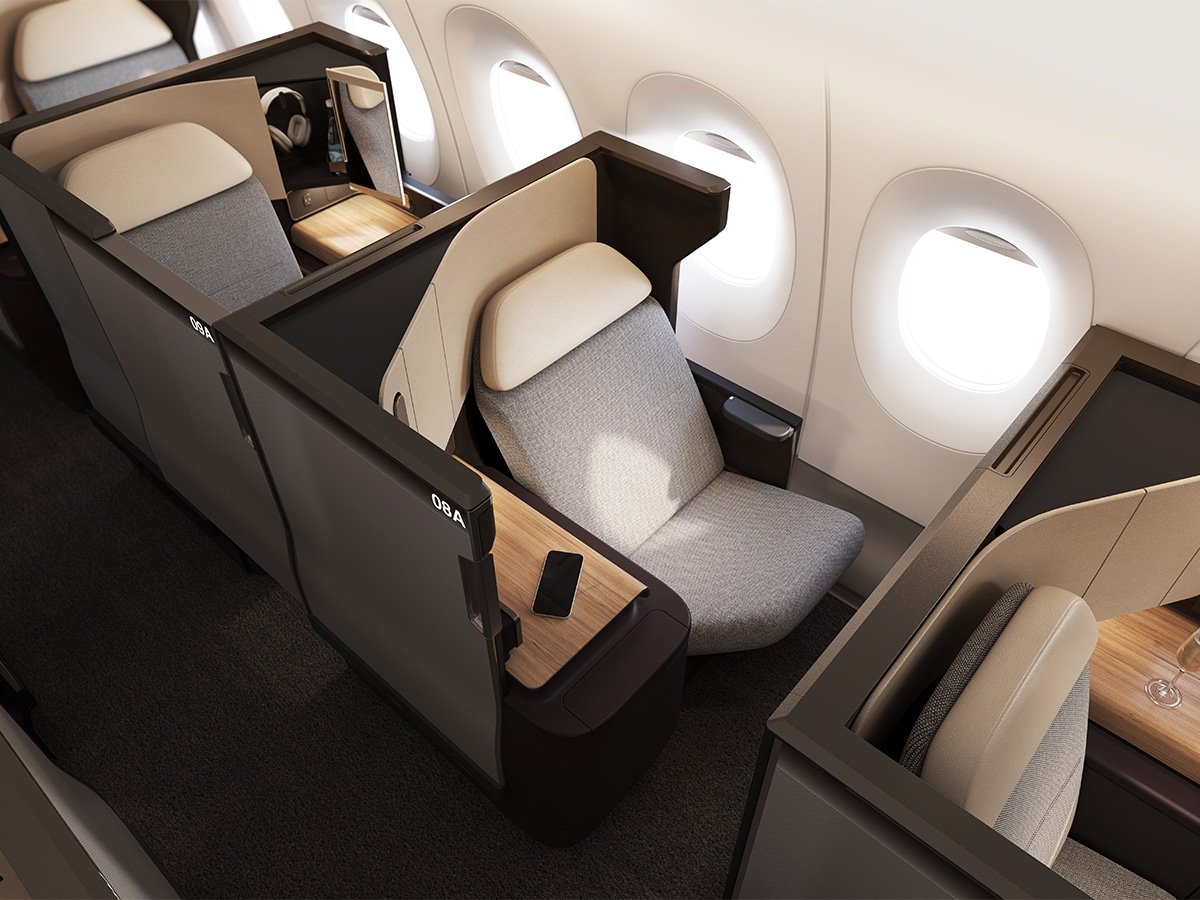
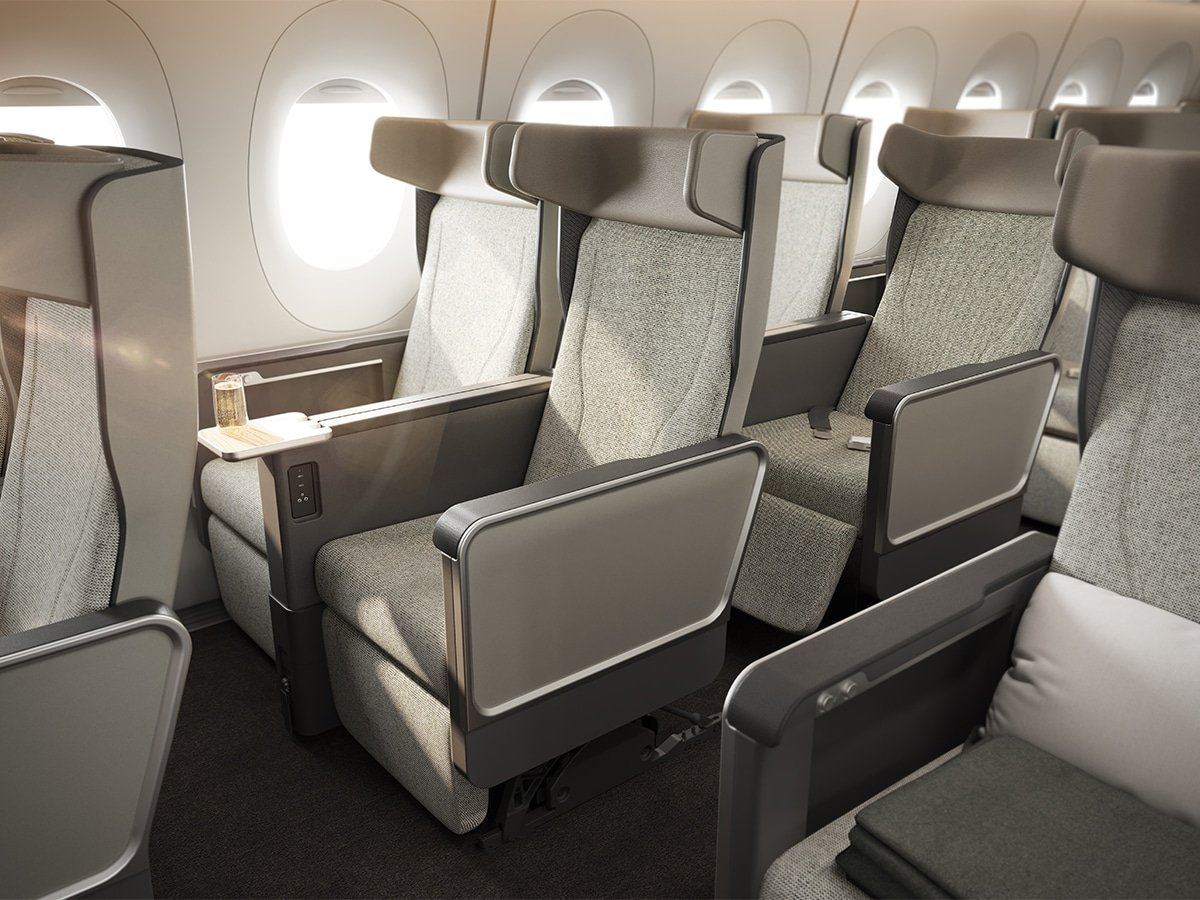
Qantas A350-1000ULR Project Sunrise Business Class | Image: Qantas
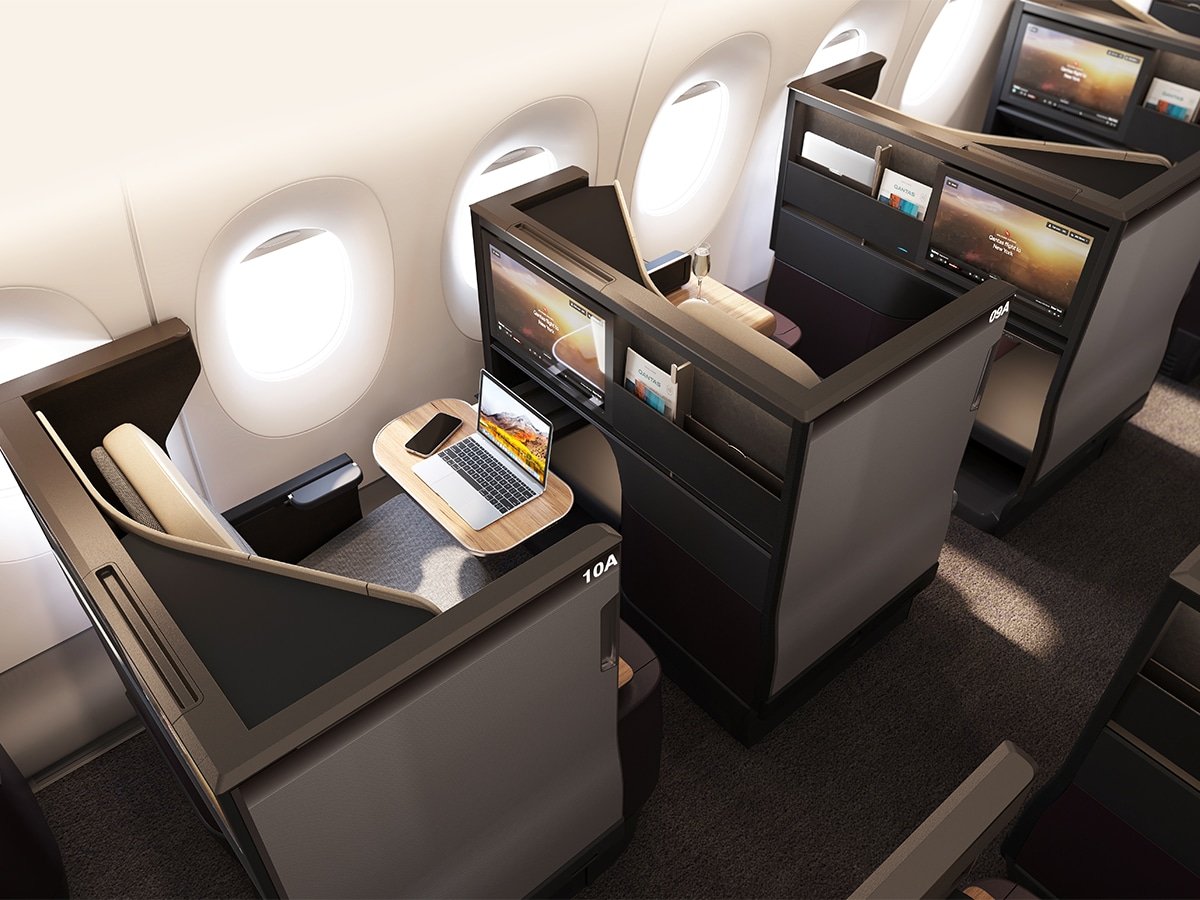
Qantas A350-1000ULR Project Sunrise Business Class | Image: Qantas
Qantas Project Sunrise Business Class
Business Class specification
Dimensions & Details
Total suites & layout
52 suites in a 1-2-1 configuration
Suite space
42-inch-wide suite with 47-inch-high privacy walls
suite enclosure
Sliding door & adjustable divider between alternating centre suites
Bed & seating
25-inch-wide seat with lumbar support & 80-inch-long, 25-inch-wide flat bed
Entertainment
18-inch touchscreen with Bluetooth audio
Suite controls
Touchscreen suite controller & architectural feature lighting
First Class may grab the headlines, but Business Class is where most premium passengers will experience the full Project Sunrise concept. The cabin contains 52 suites in a 1-2-1 configuration, giving every passenger direct aisle access. It is also the first Qantas Business Class product to feature sliding doors, bringing a welcome level of privacy to a journey that could last more than 20 hours.
Each suite measures 42 inches across and is surrounded by 47-inch-high privacy walls. When it is time to sleep, the 25-inch-wide seat converts into an 80-inch-long, 25-inch-wide flat bed—one inch longer than the bed in Qantas’ current A380 First Class suite. Passengers travelling together in the centre seats can use an adjustable divider, while solo travellers can close it for some much-needed personal space.
Qantas has also made good use of the space surrounding the seat. There is a cushioned leather ottoman with storage underneath, a mirrored personal compartment, an upholstered glove box and additional surfaces for drinks, dining or working. Those details may sound small on paper, but on a flight lasting nearly an entire day, having somewhere sensible to keep your laptop, headphones, and loose cables should make the suite feel far more liveable.
Entertainment comes through an 18-inch touchscreen with Bluetooth audio, supported by USB-A, USB-C and AC power outlets, as well as wireless charging. A separate touchscreen controls the suite and its architectural lighting, while Qantas plans to coordinate flexible dining and gradual lighting changes around scientifically selected sleep windows. In other words, this is not simply a Business Class seat designed to look impressive—it has been built around the practical reality of spending up to 22 hours onboard.
Multi-use seatback table & extra personal-device shelf
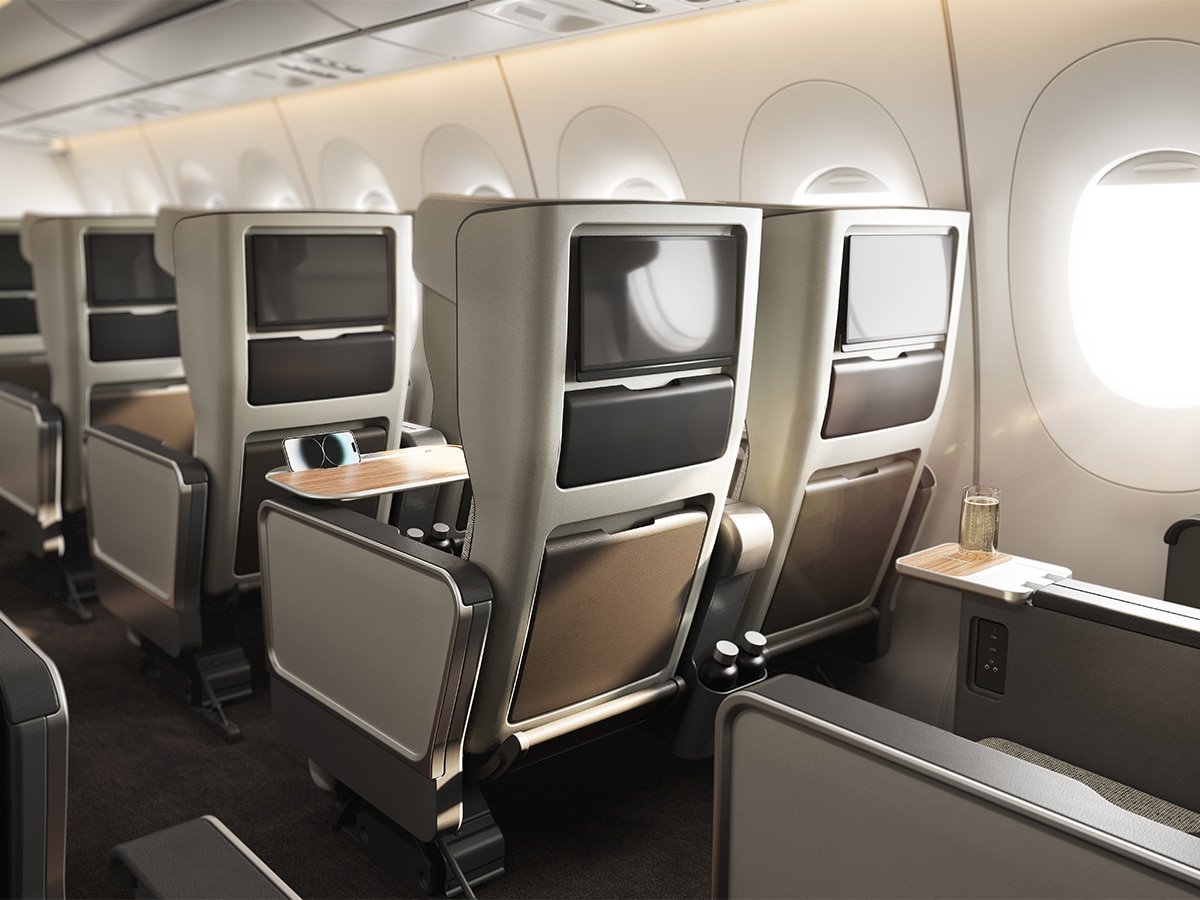
For the 40-seat Premium Economy cabin, arranged in a 2-4-2 configuration, Qantas has designed an entirely new seat with a generous 40-inch pitch—the most spacious Premium Economy setup the airline has offered so far. A custom multi-layer memory foam system has also been developed specifically for the cabin, following ergonomic modelling, lumbar support testing, and pressure mapping.
Every Premium Economy seat features an ergonomic calf rest that provides full-leg support, alongside an eight-inch winged privacy headrest that offers additional support without completely shutting passengers off from their travelling companions. Each passenger also receives three dedicated amenity and personal storage pockets, two fast-charging USB-C outlets, and a 13.3-inch entertainment touchscreen with Bluetooth audio connectivity.
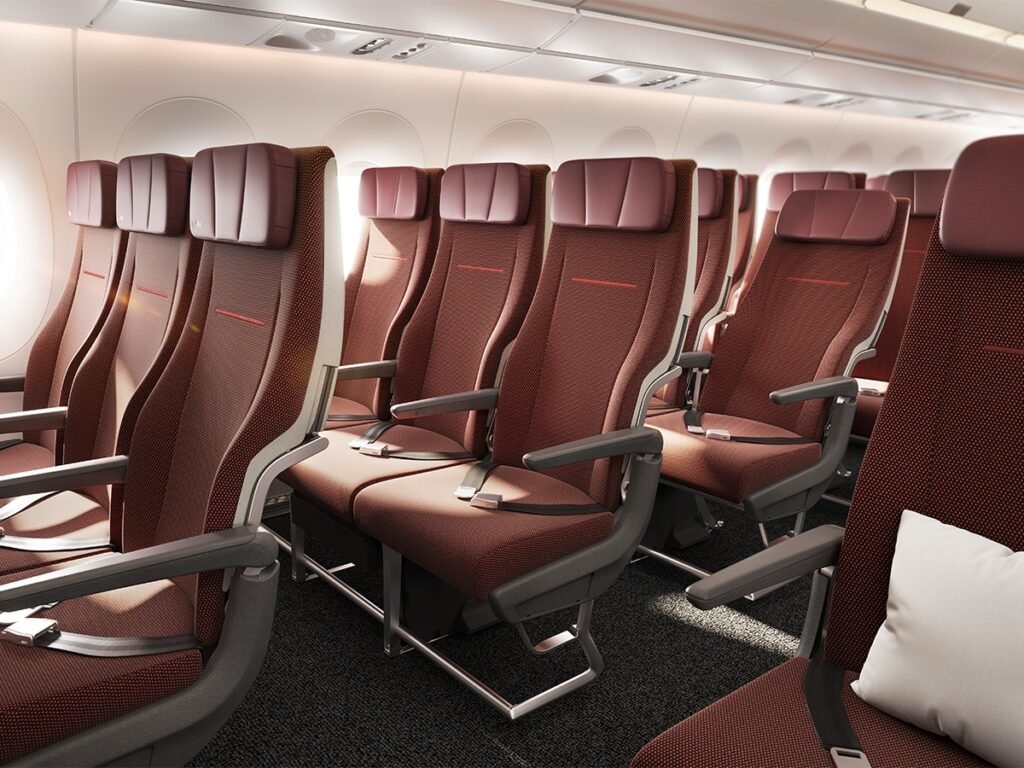
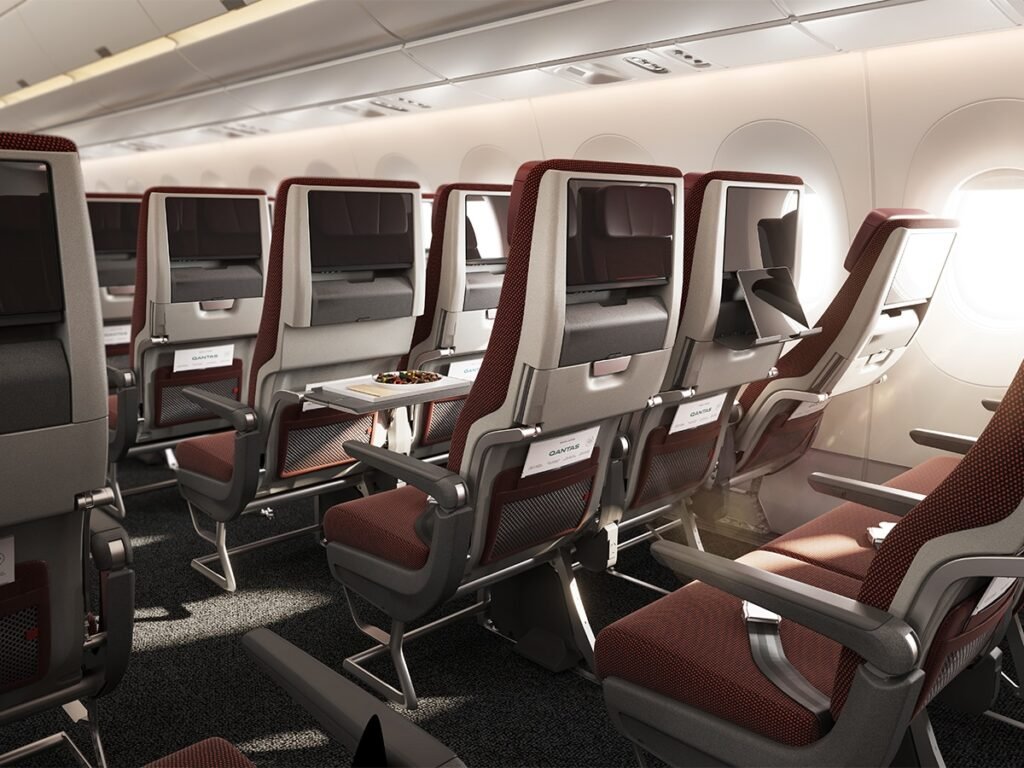
Further back, the comparatively roomy 140-seat Economy cabin is arranged in a 3-3-3 configuration, with a competitive 33-inch pitch across most rows. The seats feature custom multi-layer memory foam cushioning, six-way adjustable headrests, calf support and breathable woven wool upholstery finished in an earthy shade Qantas calls “Pilbara Red.”
Passengers in Economy still benefit from the aircraft’s major technology upgrades, including a 13.3-inch entertainment touchscreen with Bluetooth audio, two fast-charging USB-C outlets, a multi-use seatback table and an additional shelf for personal devices. The cabin also contains 42 Economy Plus seats with a 34-inch pitch, priority boarding and priority access to overhead lockers—only an extra inch of legroom, but every little bit counts when you are flying nonstop for up to 22 hours.
Qantas A350-1000ULR Project Sunrise Wellbeing Zone | Image: Qantas
Qantas Project Sunrise Wellbeing Zone
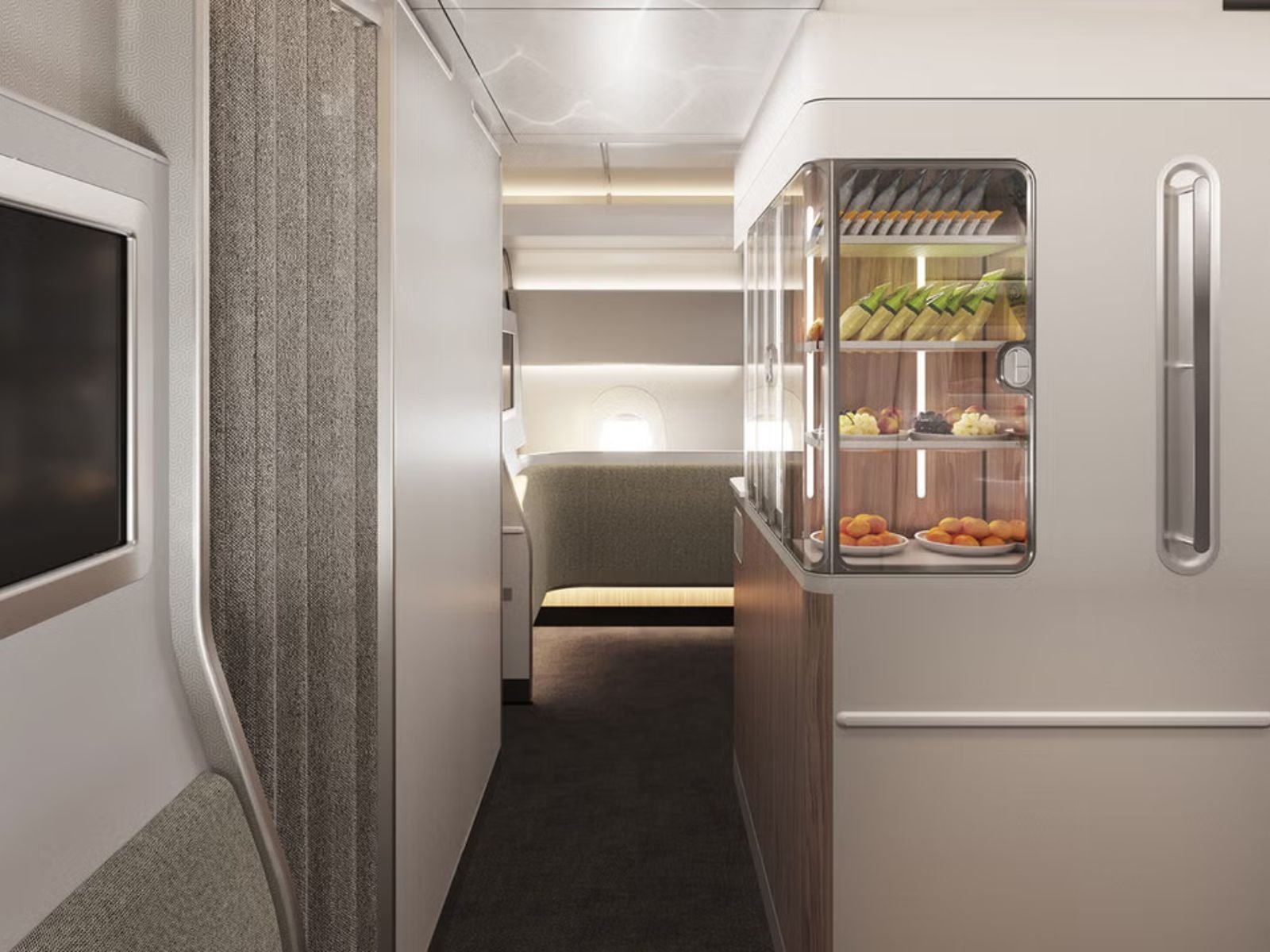
One of the most interesting additions to the A350-1000ULR is the world’s first purpose-built inflight Wellbeing Zone, positioned between the Premium Economy and Economy cabins and available to passengers in every class. Designed by Caon Design, the dedicated space features sculpted wall panels with integrated stretching handles, guided movement exercises displayed on a screen, a hydration station and a selection of premium refreshments. It is not quite an onboard gym, but it gives passengers somewhere to stand, stretch and move without awkwardly pacing up and down the aisle.
The zone also forms part of Qantas’ broader attempt to reduce the physical toll of spending up to 22 hours in the air. Its lighting will change throughout the journey, moving from blue-enriched daytime scenes with slow-moving clouds to softer moonlight-inspired settings during the cabin’s scheduled rest periods. Developed with guidance from the University of Sydney’s Charles Perkins Centre, the idea is to encourage movement, hydration and better adjustment to the destination time zone—although we suspect simply having somewhere other than your seat to spend a few minutes will be the feature passengers appreciate most.
Qantas is introducing its most significant inflight entertainment upgrade in more than a decade for the A350-1000ULR. The new system includes an onscreen journey planner that synchronizes with cabin lighting, meal service and scheduled rest periods, allowing passengers to see what is coming next and plan their sleep or entertainment accordingly. It will be available in 15 languages, remember individual viewing history and include a “Watch Together” feature for synchronizing a movie with up to three other passengers.
Fast and free Wi-Fi will be available throughout every cabin, while Bluetooth connectivity allows passengers to pair their own wireless headphones directly with the seatback display. The aircraft will also feature 12 scientifically developed lighting scenes, including “Sunrise,” “Sunset” and “Awake,” which adjust the cabin atmosphere throughout the journey and help passengers begin adapting to their destination time zone before landing.
Dining has received similar attention, with passengers across all four cabins able to pre-select their meals before departure. Business Class travellers will also have greater flexibility over when they eat, with service planned around scientifically selected windows intended to support the body’s circadian rhythm. None of these features will make a 22-hour flight disappear, but together they should give passengers more control over how they eat, sleep and entertain themselves along the way.
What Do We Think of the Qantas Project Sunrise Cabins?
Qantas appears to have understood that a 22-hour flight cannot simply rely on a comfortable seat and a larger entertainment screen. Reducing the A350-1000ULR to just 238 passengers, introducing enclosed First and Business suites, giving Premium Economy a 40-inch pitch and creating a dedicated Wellbeing Zone all suggest that passenger comfort has taken priority over squeezing in as many seats as possible. The First Class suite naturally steals the show, but the more generous 3-3-3 Economy layout may be the decision that makes the greatest difference to the largest number of passengers.
Whether circadian lighting, planned meal times and guided stretching can genuinely make the world’s longest flight feel refreshing remains to be seen. Still, Project Sunrise looks less like an endurance test dressed up with luxury branding and more like a serious attempt to rethink ultra-long-haul travel. The cabins remain indicative and are still undergoing passenger trials, but if the finished aircraft delivers on what Qantas has revealed, this could become one of the most important new onboard experiences in modern commercial aviation
Elias Albay is the Founder and Director of Many Men Magazine, a Toronto-based digital publication dedicated to promoting modern masculinity through style, culture, and self-improvement. What started as a personal turning point became a purposeful platform. — born from Elias’ desire to create something meaningful after completing his studies and finding no career path that truly matched his ambitions. With a background in Civil Engineering from York University and experience in Commercial Flight Operations at CAE, he applied skills, and resilience from both fields to forge a new path.