
























Health & Fitness

Who Is Ashton Hall The Latest Name Blowing Up Your Feed?

Share via

Our team of editors and experts carefully selects each product. If you choose to purchase through one of our links, we may earn a commission. Learn more. Do you want to know how we test products? Click here for more details.

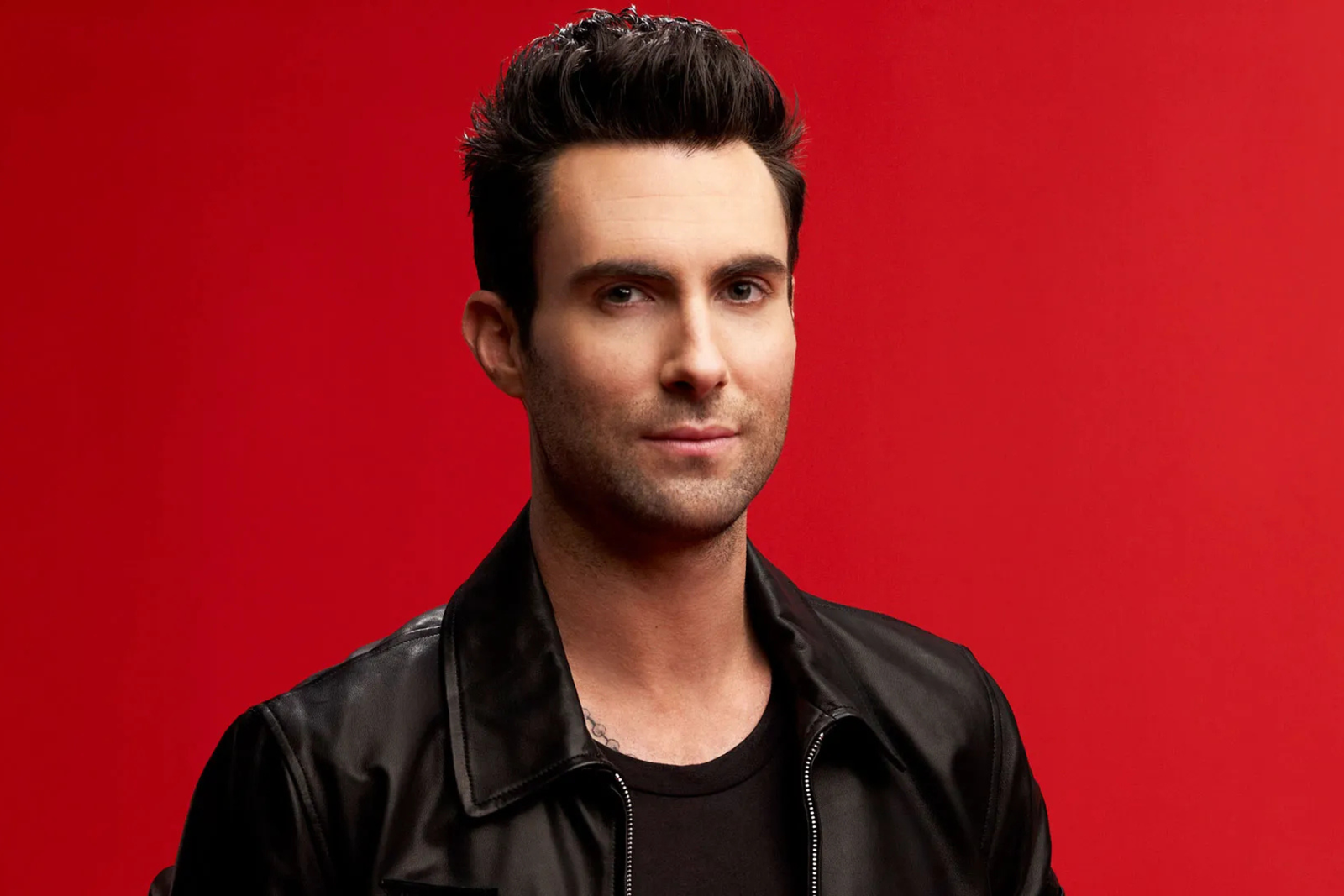
If you’ve been scrolling lately and thought, “Who is this Ashton Hall guy everyone’s talking about?” — you’re not alone. In what feels like overnight, Ashton Hall has become the internet’s new favourite morning motivator. His Instagram (@ashtonhall) is filled with videos showing off a simple yet powerful idea: wake up early, move with purpose, and truly enjoy the start of your day. Honestly, it’s got people rethinking how they get out of bed.

At a time when most of us are snoozing alarms and sprinting through mornings half-awake, Ashton’s slow, intentional routine feels like a breath of fresh air. No crazy 5 a.m. boot camps, no impossible “life hacks” — just a guy demonstrating how a little structure (and a lot of early sunlight) can transform your entire day. It’s calm, it’s real, and honestly, it’s addictive to watch.

Inside Ashton Hall’s Viral Morning Routine

Let’s just get this out of the way — Ashton Hall isn’t just another guy with a camera. He has transformed his extreme daily habits into a social media empire. With over 10 million followers and more than 1 billion views across Instagram Reels in the past month alone, Ashton’s fast-paced, highly structured mornings have captured the internet’s full attention. His videos consistently attract millions of views, with some clips even surpassing 60 million and 113 million views. Each post feels like a perfectly edited slice of discipline — and people can’t stop watching.

Curious about what actually goes into his famous morning grind? Here’s a breakdown — and yes, don’t forget the nose tape.

A Full Breakdown of Ashton Hall’s Morning Routine:

  • 3:56 AM – Wake up wearing mouth and nose tape.
  • 3:57 AM – Brush teeth.
  • 3:58 AM – Hydrate with Saratoga bottled water.
  • 3:59 AM – Swirl water in mouth for freshness.
  • 4:00 AM – Apply beard foam.
  • 4:02 AM – Trim beard with an electric shaver.
  • 4:07 AM – Walk to the balcony.
  • 4:11 AM – Step outside barefoot to connect with the ground.
  • 4:14 AM – Drink more water and meditate outdoors.
  • 4:20 AM – Drop down for push-ups.
  • 4:33 AM – Read the Bible and pray.
  • 4:41 AM – Journal intentions and reflections.
  • 4:54 AM – Sip more water and read on his iPad.
  • 5:45 AM – Prepare an ice bath in a medium bowl.
  • 5:48 AM – Squeeze fresh lemon into the ice water.
  • 5:49 AM – Dunk his face into the bowl for a full wake-up shock.
  • 6:02 AM – Dress in gym shorts and a t-shirt.
  • 6:06 AM – Remove the mouth tape.
  • 6:10 AM – Pack gym clothes into a Goyard duffel bag.
  • 6:16 AM – Leave the apartment and head for the gym.
  • 6:24 AM – Step into the steam room for recovery.
  • 6:45 AM – Dry off and flex in the mirror (naturally).
  • 7:00 AM – Leave the gym.
  • 7:08 AM – Get into his Mercedes-Benz G-Wagon.
  • 7:22 AM – Drive to an empty parking lot to warm up.
  • 7:24 AM – Shirt comes off. Sprint drills begin.
  • 7:48 AM – Meet and greet followers, shake hands, snap photos.
  • 8:01 AM – Head back home.
  • 8:23 AM – Shower.
  • 8:33 AM – Grab a banana, peel it — and interestingly, use the peel to wipe his forehead.
  • 8:55 AM – Chop cilantro, cook breakfast (usually chicken and greens).
  • 9:15 AM – Eat breakfast while scrolling Instagram and checking on his Saratoga water influence.
  • 9:26 AM – Straighten his suit.
  • 9:29 AM – Dunk his head again into an ice bath.
  • 9:36 AM – Record a motivational speech to close out the routine.

Before considering replicating Ashton’s intense morning routine, it’s important to understand that not every aspect is supported by hard science. One example is mouth taping during sleep. While some wellness circles advocate it as a method to reduce allergens, promote nasal breathing, and enhance sleep quality, medical experts caution that it carries risks. Improper use could disrupt breathing, particularly for individuals with conditions like sleep apnea or other undiagnosed respiratory issues. In certain instances, it may actually deteriorate your sleep rather than improve it. Therefore, although it may appear appealing on camera, it’s wise to consult a professional before embracing trends like this.

That said, there’s real value in the broader structure of Ashton’s mornings. Prioritizing hydration, self-care, mindfulness, exercise, and goal-setting are habits most health professionals would agree can set a positive tone for the day. His commitment to consistency, discipline, and intentional living resonates with millions because it taps into something many people are craving right now — more focus, less chaos. Even if you don’t follow every step, there’s something inspiring about watching someone adhere to a routine and take ownership of their mornings in such a dedicated way.

Ashton Hall Morning Routine | Image: Instagram (@ashtonhall)

Is Ashton Hall’s Morning Routine Backed By Science?

There’s no doubt Ashton Hall’s extreme morning routine looks impressive on camera — but when it comes to what science says, it becomes a bit more complicated. Many parts of his morning — such as waking up early, practicing gratitude, exercising, and journaling — are backed by strong research as positive habits. Studies from the University of Toronto indicate that early risers tend to be more proactive and report higher levels of happiness compared to night owls. Similarly, research published in Men’s Health has found that practicing gratitude daily can enhance mood, improve sleep quality, and reduce stress. In short, starting the day with mindfulness and movement is typically a beneficial idea for mental and physical well-being.

However, not every aspect of Hall’s routine withstands scientific scrutiny. Mouth taping during sleep, one of the more controversial elements of his process, is highly debated. While some advocates, such as wellness influencers and sleep coaches, assert that it enhances nasal breathing and sleep quality, the American Academy of Sleep Medicine (AASM) advises caution. Experts note that mouth taping may lead to breathing difficulties, particularly for individuals with undiagnosed sleep apnea or respiratory issues. Currently, there is minimal clinical research to support its benefits.

Another aspect of Ashton’s routine that has drawn attention is his ice baths and facial dunking. Cold therapy does have legitimate science behind it — research from Stanford Lifestyle Medicine suggests that cold exposure can reduce inflammation, improve recovery, and boost mental alertness. However, extreme or prolonged cold exposure without supervision can also pose risks, such as shock or nerve sensitivity issues. While splashing your face with ice water in the morning can be refreshing and safe for most people, full-body ice baths should be approached with caution.

At the end of the day, Ashton Hall’s routine incorporates several practices that are widely supported by science — such as waking up early, staying hydrated, practicing mindfulness, and exercising. However, as with any viral trend, it’s crucial to distinguish the solid habits from the riskier ones. His discipline and structure are undeniably motivating, but viewers should remember that not every component of a viral routine is necessary (or safe) to replicate exactly. A few smart adjustments could help you capture the essence of Ashton’s mornings without the potential downsides.


About the Author
Previous Post
The Ultimate Aruba Travel Guide
Next Post
The 3 Best Foldable Phones You Can Buy Right Now

Related Articles

The 4 best MacBooks You Can Buy Right Now

Reading Time: 11 minutes

Our team of editors and experts thoughtfully chooses each product. If you decide to buy through one of our links, we may earn a commission. Learn more. Want to know how we test products? Click here for more details.

Buying a MacBook these days can feel like walking into an Apple Store blindfolded—everything looks sleek, everything sounds powerful, and everything costs a decent chunk of change. With different screen sizes, chip generations (hello, M4), storage options, and varying ports, it’s easy to spiral into tech confusion if you’re not already fluent in Apple-ese.

But don’t worry—we’ve got you covered. If you already know you want a MacBook but aren’t sure which one best fits your lifestyle, this guide is for you. Whether you’re editing videos, writing papers, or want something that won’t lag while you binge-watch and browse 27 tabs at once, we’ll break it all down in plain English.

With the confusion out of the way, let’s explore the top 4 MacBooks that are worth your money right now—who they’re best for and why they might just become your next daily sidekick.

The 4 Best MacBooks You Can Buy Right Now

FeatureMacBook Air 13″ (M4)MacBook Air 15″ (M4)MacBook Pro 14″ (M4 Pro/Max)MacBook Pro 16″ (M4 Pro/Max)
Display Size13.6″ Liquid Retina15.3″ Liquid Retina14.2″ Liquid Retina XDR16.2″ Liquid Retina XDR
ChipApple M4Apple M4M4 Pro / M4 MaxM4 Pro / M4 Max
Battery LifeUp To 18 HoursUp To 20 HoursUp To 18 HoursUp To 22 Hours
PerformanceGreat For Everyday UseMore Screen, Same PerformanceHigh-end Performance For CreativesMax Power For Demanding Workflows
Cooling SystemFanlessFanlessActive CoolingActive Cooling
Ports2x Thunderbolt, MagSafe2x Thunderbolt, MagSafe3x Thunderbolt 4, HDMI, SDXC, MagSafe3x Thunderbolt 4, HDMI, SDXC, MagSafe
Audio4-Speaker System4-Speaker System6-Speaker System With Spatial Audio6-Speaker System With Spatial Audio
Weight2.7 lbs (1.24 kg)3.3 lbs (1.51 kg)3.5 lbs (1.6 kg)4.7 lbs (2.1 kg)
Best ForStudents, Light UseCasual Creatives, Travel UsersPros Who Need Performance + PortabilityPower Users, Editors, Developers
Starting Price (USD)$999$1,099$1,499$2,299
Apple MacBook Air 15″ | Image: Apple

MacBook Air 13″ & 15″ (M4)

If you’re in the market for a MacBook but don’t necessarily need pro-level specs (or pro-level pricing), the MacBook Air lineup is your ideal choice. In 2025, both the 13-inch and 15-inch MacBook Air models come equipped with Apple’s latest M4 chip, providing an excellent blend of performance, portability, and that unmistakable Apple polish.

Starting with the 13-inch MacBook Air, this classic, ultra-light laptop does exactly what most people need—and more. It’s perfect for students, writers, and professionals on the go, or anyone who desires a fast, silent, and compact machine for daily use. Whether opening dozens of tabs or editing light photo content, it easily handles everything. The fanless design ensures it’s whisper-quiet, and the battery life carries you through the day (and into the night).

The 13-inch is the most affordable entry into the M4 family, starting at $999. It’s slim enough to slide into a tote bag or backpack without effort and light enough that you’ll forget it’s there. Plus, with that Retina display and Apple’s rock-solid build quality, it still feels premium in every way.

If you love everything about the 13-inch but crave more screen real estate, the 15-inch MacBook Air is your upgrade. It features the same chip, retains fanless efficiency, and keeps the minimalist design—but the extra screen space enhances the entire experience. Whether you’re working on creative projects, editing videos, managing spreadsheets, or simply multitasking with side-by-side windows, the 15.3-inch display provides your workflow with some breathing room.

Turn MacBook Air into the perfect workspace by connecting up to two external displays. The extra screen space makes working with multiple documents or apps a breeze. | Image: Apple

What’s impressive is that even with the larger size, the 15-inch model remains incredibly lightweight and portable. It’s just about a pound heavier than the 13-inch, which means you gain that larger canvas without sacrificing portability. Starting at $1,199, it represents a small jump in price for a noticeably more immersive experience.

Performance-wise, both models operate nearly identically. They’re powered by the same M4 chip, designed for battery efficiency and speed. Thus, the main decision here isn’t about performance—it’s about size and how you manage your space. If you’re working from coffee shops, campuses, or small desks, the 13-inch will suit you just fine. However, if you engage in a lot of multitasking, light creative work, or simply want something easier on the eyes, the 15-inch might be worth the slight increase in cost and weight.

Bottom line? These two MacBooks aren’t just great—they’re smart. Unless you’re diving deep into pro-level apps or handling intensive tasks daily, the Air line is honestly more than enough. Sleek, quiet, and powerful, both the 13-inch and 15-inch MacBook Air models offer exceptional value without overcomplicating your life or emptying your wallet.

MacBook M4 Pro 16″ | Image: Supplied

MacBook Pro 14″ & 16″ (M4 Pro/Max)

If the MacBook Airs are Apple’s everyday all-stars, the MacBook Pro lineup is where things get serious. Whether you’re editing 4K footage, rendering 3D animations, producing music, or running heavyweight code, the 14-inch and 16-inch MacBook Pros are designed to handle whatever you throw at them—and then ask for more.

Let’s start with the 14-inch MacBook Pro. It strikes a good balance between portability and performance. It’s compact enough to carry comfortably, but don’t let its size fool you—it’s a beast under the hood. With your choice of an M4 Pro or M4 Max chip, this machine handles demanding workflows with ease. It also features a stunning Liquid Retina XDR display, perfect for colour-accurate creative work.

Then there’s the 16-inch MacBook Pro, and let’s be honest—this device is a workstation disguised as a laptop. If you’re a video editor, developer, visual effects artist, or just someone who prefers their screen real estate big and bold, this is the one to beat. It’s heavier, yes—but it’s also the most powerful laptop Apple has ever made. The additional cooling system, improved battery life (up to 22 hours!), and top-tier GPU options make it ideal for power users who push their tech to the limit.

A game changer when working outdoors, the Liquid Retina XDR display gets even better with an all-new nano-texture display option and up to 1000 nits of brightness for SDR content | Image: Apple

Both models come equipped with pro-level features: an advanced six-speaker audio system featuring Spatial Audio, studio-quality microphones, a ProMotion 120Hz refresh rate, and a wide array of ports—including HDMI, an SDXC card slot, and three Thunderbolt 4 ports. No dongle chaos here. Whether you’re in a studio, an editing bay, or a classroom, the Pro lineup is ready to perform.

Of course, all that power comes at a price. The 14-inch Pro starts at $1,499, while the 16-inch begins at $2,299. These aren’t impulse buys—they’re investments. However, if your work relies on speed, accuracy, and reliability, there’s real value in these machines.

So, who are these for? Creatives, developers, engineers, and performance-hungry pros who need serious horsepower. If your workload is heavy and your time is valuable, the MacBook Pro 14″ and 16″ won’t just keep up—they’ll make you wonder how you ever managed without them.

Looking to Save? Consider Buying Refurbished

If you’re not set on having the absolute latest chip, buying a refurbished MacBook can be a smart and budget-friendly move. Apple’s Certified Refurbished Store offers like-new MacBooks that undergo a full diagnostic test, receive a fresh battery and outer shell if needed, and include a one-year warranty and AppleCare+ eligibility. It’s basically a brand-new MacBook—just without the brand-new price tag.

With the new M4 chips rolling out, refurbished M3 models are hitting even better price points—and here’s the truth: for most users, the performance difference between M3 and M4 is minimal in day-to-day use. Unless you’re doing heavy pro-level work, an M3 MacBook Air or even a Pro from last year will serve you beautifully. You can also find solid deals on refurbished MacBooks at trusted retailers like Best Buy and Amazon Renewed, but for top-tier peace of mind, Apple’s own refurbished store remains your best bet.

MacBook Pro empowers users to work and be creative wherever they are, with even more game-changing performance & extraordinary battery life | Image: Apple

Choosing the Right MacBook for Your Needs

What Do You Want To Use It For?
Choosing the right MacBook really comes down to how you plan to use it. If you’re handling everyday tasks like web browsing, note-taking, emails, and the occasional Netflix binge, the MacBook Air 13″ (M4) is your lightweight, budget-friendly go-to. Need more screen space for multitasking or light creative work? The 15″ Air offers that extra room without the Pro price tag. Stepping into more demanding territory—like video editing, design work, or coding? The MacBook Pro 14″ (M4 Pro/Max) offers serious power while remaining portable. If you’re a full-time creative, developer, or anyone working with heavy pro apps daily, the 16″ Pro is the ultimate workhorse designed to handle it all.

What Accessories Are You Planning on Using?
Your workflow may depend on more than just the MacBook itself—so it’s wise to consider your accessories. If you frequently use external displays, SD cards, HDMI, or high-speed storage drives, the MacBook Pro models offer a much better selection of ports built-in. No dongles, no fuss. However, the MacBook Air models are more minimal, featuring only two USB-C ports and MagSafe charging. This means you might need a USB-C hub or adapter when connecting to multiple peripherals. For minimalists or cloud-based users, the Air is perfectly adequate—but if your setup involves several add-ons, the Pro is better equipped right out of the box.

What Size Is The Best For You?
Size matters—especially if you’re carrying your laptop every day. The 13-inch Air is the most compact and ultra-light, making it perfect for tossing in a bag and forgetting it’s there. The 15-inch Air offers a roomy screen without much extra weight, creating a sweet spot for productivity on the go. The 14-inch Pro strikes a balance between performance and portability, while the 16-inch Pro is the big boss—amazing for editing, multitasking, or full-time desk setups, but definitely bulkier. So, if you’re looking for comfort and mobility, stick with the smaller option. If you want the biggest and baddest screen Apple makes, the 16-inch is your beast.

What’s Your Budget?
Let’s be honest—MacBooks aren’t cheap. However, knowing your budget upfront makes the decision easier. If you seek value without sacrificing performance, the MacBook Air 13″ at $949 is a fantastic deal. The 15″ Air is priced at $1,199 for those who prefer a larger display. On the Pro side, the 14-inch starts at $1,399 and provides serious performance for creatives, while the 16-inch Pro is priced from $2,499—definitely a premium investment. Additionally, don’t forget that Apple’s refurbished store and retailers like Best Buy or Amazon often offer previous-generation models at discounted prices that remain highly capable.

Do You Need the Upgrade?
It’s easy to get tempted by the latest and greatest, but before you hit “add to cart,” take a step back. If your current MacBook is still performing well, not slowing you down, and your needs haven’t changed, the upgrade might not be necessary just yet. However, if your battery is struggling, your fans sound like jet engines, or your machine lags with modern software, then yes—it’s probably time. The M4 models provide faster speeds, improved battery life, and future-proofing for the next few years. However, if you’re using an M2 or M3 and your workflow hasn’t changed, you might be perfectly fine waiting another year or two.

About the Author

Related Articles

arrow_drop_up