




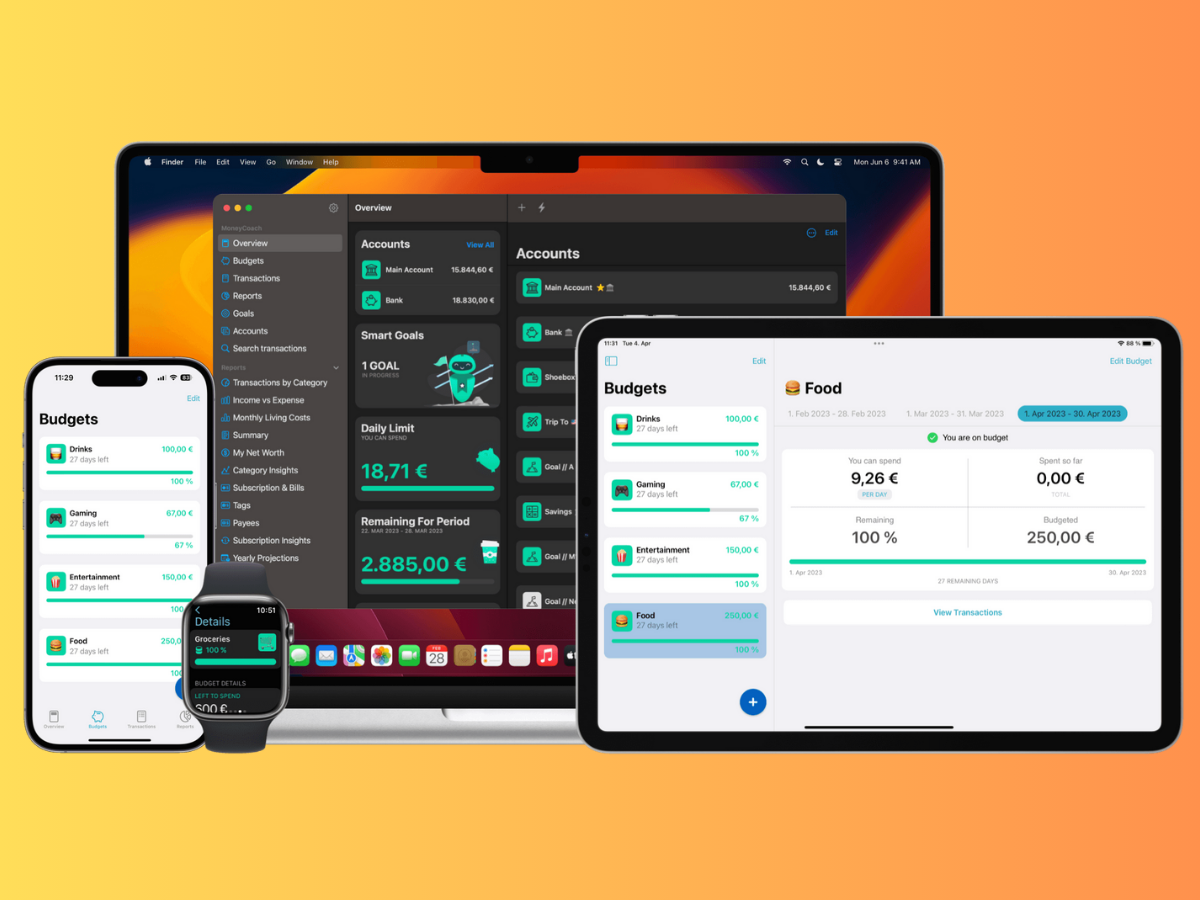

Budgeting doesn’t have to mean spreadsheets and stress—it can be as easy (and oddly satisfying) as tapping a few buttons on your phone. Whether you’re saving for that dream vacation, trying to crush debt, or just want to stop asking, “where did all my money go?”, the right app can be a total game changer. In a world where your phone already orders your food, tracks your steps, and reminds you to drink water, it’s only fair it helps you get your finances in shape too.
From simple, hassle-free budgeting tools to smart apps that track every dollar and aid in building long-term wealth, we’ve rounded up 15 of the best money apps available right now. These apps are designed to make your financial life simpler, clearer, and far less intimidating—whether you’re a budgeting beginner or a financially savvy expert. Ready to make your wallet smile?

- Developer: Intuit
- Features: Automatic expense tracking, budget creation, credit score monitoring, bill reminders, personalized insights
- Price: Free
Mint is a classic go-to for anyone looking to get their finances under control without breaking a sweat. It automatically tracks your spending, categorizes transactions, and shows you where your money is going—all in real time. You’ll also get handy tools like bill reminders, credit score tracking, and budgeting tips, all wrapped in a clean, user-friendly interface. The best part? It’s totally free.

- Developer: You Need A Budget LLC
- Features: Zero-Based Budgeting, Goal Setting, Real-Time Syncing, Detailed Reports, Financial Education Tools
- Price: Free 30-Day Trial: $14.99/Month or $99/Year
YNAB is designed for individuals who want to assign every dollar a purpose and truly adhere to a plan. It employs zero-based budgeting to help you take charge of your finances, prioritize your goals, and stay ahead of your expenses. The app syncs across devices in real time and provides useful reports so you can track your progress. While it’s not free, if you’re committed to saving and reducing debt, YNAB is worth every penny.

- Developer: Dayspring Technologies
- Features: Envelope Budgeting, Expense Tracking, Debt Payoff Planning, Sync Across Devices, Multiple Budget Categories
- Price: Free Version Available; Plus Plan at $8/Month or $70/Year
If you love the envelope method but hate carrying actual envelopes, this app is for you. Goodbudget enables you to allocate your income to virtual envelopes, allowing you to plan ahead, track spending, and stay within budget—all manually, giving you full control. It’s especially advantageous for couples and families who wish to share a budget and maintain transparency.
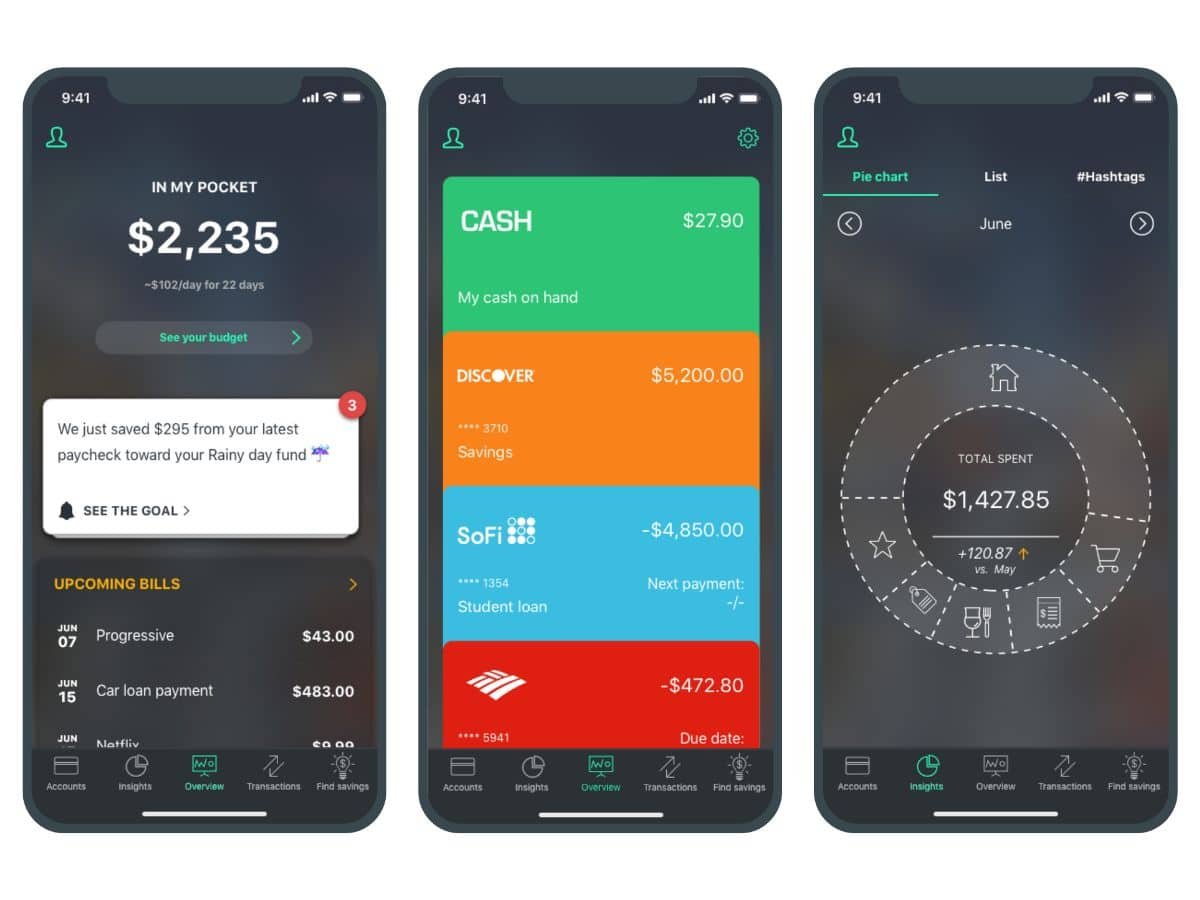
- Developer: PocketGuard, Inc.
- Features: Automatic Expense Tracking, Smart Budgeting, “In My Pocket” Balance, Subscription Detection, Bill Tracking
- Price: Free Version Available; PocketGuard Plus at $12.99/Month or $74.99/Year
For anyone who wants a quick answer to “Can I afford this?”, PocketGuard keeps things simple. It links to your accounts, tracks your spending, and calculates what’s left over after bills, savings, and goals—so you always know what’s actually in your pocket. It’s ideal for those seeking a no-fuss budgeting tool that works smoothly behind the scenes and helps eliminate sneaky subscription costs too.

- Developer: Qapital, Inc.
- Features: Goal-Based Savings, Rule Automation, Spending Tracker, Budgeting Tools, Shared Goals
- Price: Plans Start at $3/Month (Basic), $6/Month (Complete), & $12/Month (Premier)
Saving money feels much less painful with Qapital’s smart automation. You can set up enjoyable savings rules—like rounding up purchases or stashing cash every time you skip takeout—and watch your goals grow without even thinking about it. It’s perfect for anyone seeking a low-effort, high-reward way to develop better money habits. Bonus: you can even create shared goals with a partner or roommate.

- Developer: KOHO Financial Inc.
- Features: Prepaid Visa Card, Real-Time Spending Insights, Cashback Rewards, Roundups, Automated Savings Goals
- Price: Free Plan Available; Paid Plans Start at CAD $4/Month, Extra Plan at CAD $12/Month, Everything Plan at CAD $14.75/Month
KOHO isn’t just a budgeting app—it’s a comprehensive money management tool featuring a prepaid Visa card that helps you track spending, earn cashback, and save automatically with every tap. Whether you’re rounding up purchases or setting smart savings goals, KOHO keeps everything easy, visual, and satisfying. It’s especially beneficial for Canadians who want to eliminate banking fees and take control of their finances, one purchase at a time.

- Developer: Cleevio s.r.o.
- Features: Manual & Bank-Linked Expense Tracking, Shared Wallets, Custom Categories, Budget Planning, Visual Reports
- Price: Basic Plan Is Free; Plus Plan at $1.99/Month; Premium Plan at $5.99/Month — Both Paid Plans Come with a 7-Day Free Trial
If you’re a visual thinker when it comes to money, Spendee might be your perfect match. It turns your spending habits into easy-to-understand charts and graphs, so you can actually see where your money goes. Link your bank accounts or track manually, set custom budgets, and even create shared wallets with your partner or family. Clean, colorful, and surprisingly fun to use—it’s budgeting without the boring.

- Developer: Marco Torretta
- Features: Daily Budget Tracking, Monthly Planning, Expense Categories, Offline Functionality, Simple UI
- Price: One-Time Purchase – $1.99 (iOS Only)
If you’re looking for a no-fuss budgeting app that gets straight to the point, BUDGT is your minimalist money sidekick. Designed for iOS users, it helps you plan your monthly budget and automatically breaks it down into daily spending limits. No syncing, no complex dashboards—just quick, easy tracking that keeps you in control. It’s perfect for those who want to manage their cash flow without getting lost in a sea of features.

- Developer: Wally Global Inc.
- Features: Expense & Income Tracking, Budgeting, Goal Setting, Currency Support, Bank Syncing, Shared Financial Planning
- Price: Free Basic Plan; Premium Subscription Starts at $4.99/Month
Wally is like the personal finance assistant you didn’t know you needed. It allows you to track your spending and income, set savings goals, and even budget by category—all in a sleek, easy-to-use app. With support for multiple currencies, bank syncing, and shared financial planning features, it’s excellent for both individual users and couples managing money together. It’s ideal for those who want detailed tracking without the spreadsheet vibes.

- Developer: Acorns Grow Incorporated
- Features: Automatic Round-Up Investing, Budgeting Tools, Retirement & Investment Accounts, Cashback Rewards, Educational Content
- Price: Bronze Plan at $3/Month, Silver Plan at $6/Month, Gold Plan at $12/Month
Acorns is perfect if you want to invest without even thinking about it. It rounds up your everyday purchases and invests the spare change into a diversified portfolio—so you’re growing wealth while grabbing lunch. Beyond that, you gain access to budgeting tools, retirement and investment accounts, and cashback from major brands. It’s beginner-friendly, low-stress, and makes building long-term wealth feel surprisingly doable.

- Developer: Zeta Help Inc.
- Features: Shared Wallets, Bill Splitting, Expense Categorization, Goal Tracking, Private & Joint Views
- Price: Free
Zeta is designed with couples in mind—whether you’re dating, engaged, married, or even just managing money with a roommate. It helps you track shared expenses, split bills, set joint goals, and manage both private and shared finances without awkward money convos. You each get your own view plus a shared one, allowing you to stay synced without sacrificing privacy. Simple, smart, and totally free—it’s relationship budgeting done right.

- Developer: WalletIQ, Inc.
- Features: Shared Expense Tracking, Bill Reminders, In-App Chat, Custom Categories, Bank Syncing, Emoji Reactions
- Price: Free (Optional In-App Tips)
Honeydue is a budgeting app designed specifically for couples. It allows partners to link their financial accounts, set spending limits, and receive bill reminders. The app also features in-app chat and emoji reactions to facilitate expense communication. Users can choose how much financial information to share, promoting transparency while respecting privacy. Honeydue supports over 20,000 financial institutions and is available for free, with optional in-app tips to support the developers.
Are Budgeting Apps Safe to Use?
Yes—reputable budgeting apps utilize bank-level encryption and security protocols to protect your financial data. Always select apps from trusted developers and verify features such as two-factor authentication and data privacy policies before linking your accounts.
Should I Use a Free App Or PayFor Premium Features?
That depends on your goals! Free versions work great for basic budgeting and expense tracking. However, if you want deeper insights, automatic investment options, or joint account features, premium plans can be worth the small monthly cost. Consider trying a few free trials to see what works best for your lifestyle.
Can Budgeting Apps Really Help Me Save Money?
Absolutely. From tracking daily expenses to setting automated savings goals, budgeting apps help you understand where your money goes—and how to make it go further. The key is consistency. The more you use the app, the more helpful (and motivating) it becomes.