




Movies & TV Shows

‘One Piece’ Season 2 — Everything You Need to Know: Cast, Release Date & More

Reading Time: 11 minutes

Share via

Our team of editors and experts thoughtfully chooses each product. If you decide to buy through one of our links, we may earn a commission. Learn more. Want to know how we test products? Click here for more details.

When One Piece arrived on Netflix, expectations were high. Turning such a famous manga and anime into live action seemed risky, especially since many earlier attempts had failed. But the show succeeded. It captured the energy, humour, and heart of Eiichiro Oda’s world, keeping the magic that fans loved from the beginning. Before long, the Straw Hats were winning over longtime fans and attracting many new viewers.

After months of waiting, Netflix has announced that Season 2 will premiere on March 10, 2026. This season takes viewers to Drum Island, a snowy setting that will bring new twists to the story. The official title is ONE PIECE: Into the Grand Line, and the new season promises more characters and a larger world beyond the East Blue. One of the most talked-about additions is Joe Manganiello, whose casting has already excited fans.

Season 2 brings back Iñaki Godoy as Monkey D. Luffy and his crew: Zoro, Nami, Usopp, and Sanji. They venture deeper into the Grand Line and face some of the story’s most memorable moments. Netflix has teased bigger adventures, strange new islands, and tougher enemies. At Tudum 2025, fans got their first look at Tony Tony Chopper in live-action. With filming underway and the premiere date announced, fans have much to look forward to before Going Merry is back on screen.

So, here’s everything we know so far about ‘One Piece’ Season 2.

What Is ‘One Piece’ Really About?

At first glance, One Piece seems like a wild pirate adventure packed with strange powers, odd villains, giant sea creatures, and plenty of chaos. And it definitely delivers on all of that. But beneath the excitement, the story is really about freedom, loyalty, and chasing dreams, no matter how impossible they seem.

The story centres on Monkey D. Luffy, played by Iñaki Godoy, a young pirate captain determined to find the legendary treasure left by Gol D. Roger and become King of the Pirates. As he travels, he gathers the Straw Hat crew—a group of outsiders, fighters, thieves, and dreamers, each with their own reasons for joining. This mix of personalities is what gives One Piece its heart. Beyond the action and comedy, it’s about finding people who will stand by you when times get tough.

One reason the franchise is so huge is its long history. It began as a popular Shōnen manga and later became one of the biggest anime series ever made. The anime started airing back in 1999 and now has over 1,000 episodes, which is impressive—and maybe a bit overwhelming for newcomers.

This is one reason Netflix is expanding the world of One Piece in new ways. Besides the live-action series, Netflix is working with Wit Studio—the team behind the early seasons of Attack on Titan—on a new anime adaptation called The One Piece. The goal is to create a cleaner, more modern version of the story, with tighter pacing, so newcomers can jump in without having to watch decades of episodes.

Netflix’s live-action version debuted in 2023 and covered the opening East Blue saga. Rather than copying the anime exactly, the show focused on capturing the spirit of One Piece. It kept the humour, adventure, and emotional moments, while making the world believable enough for live action. Against the odds, it succeeded.
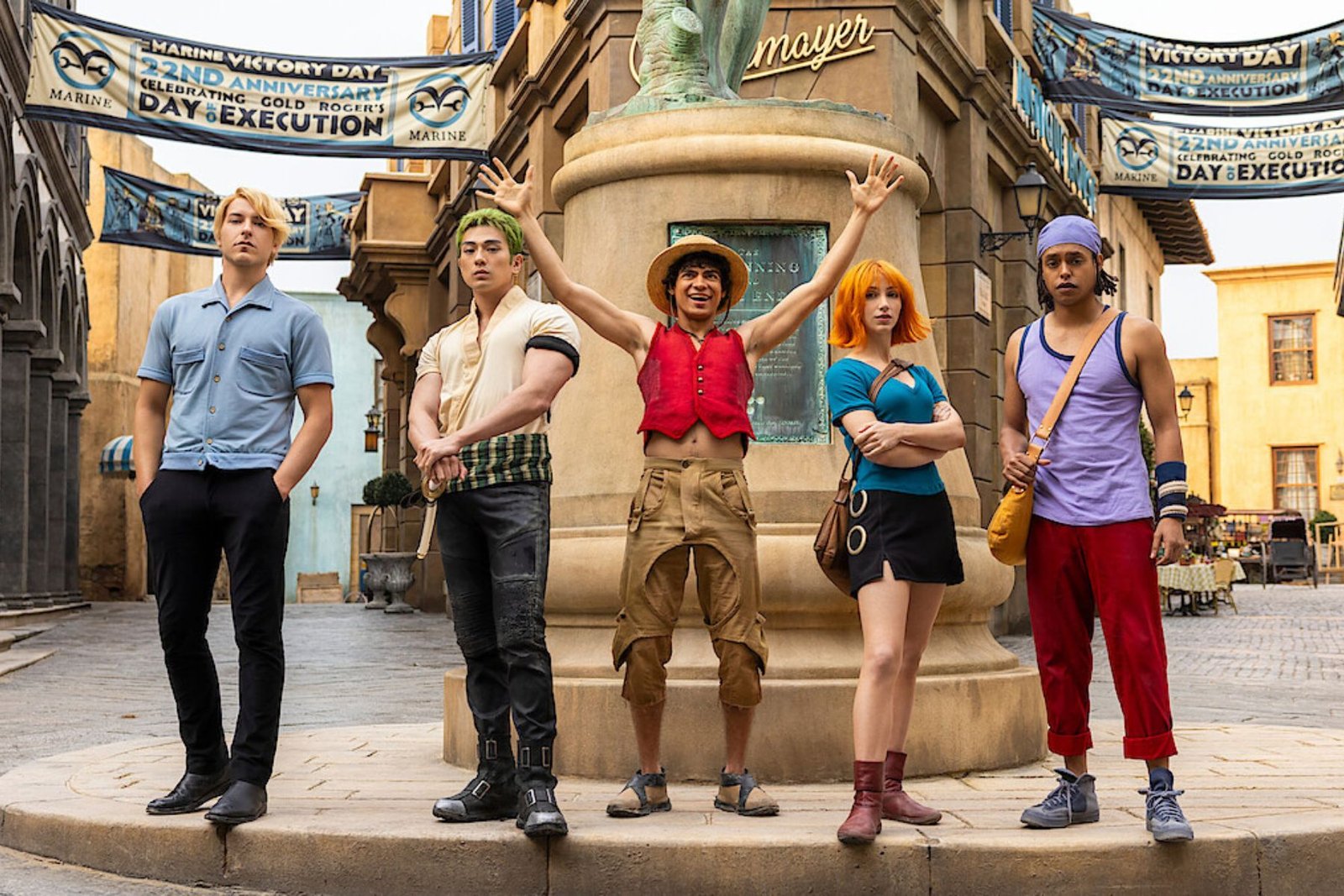
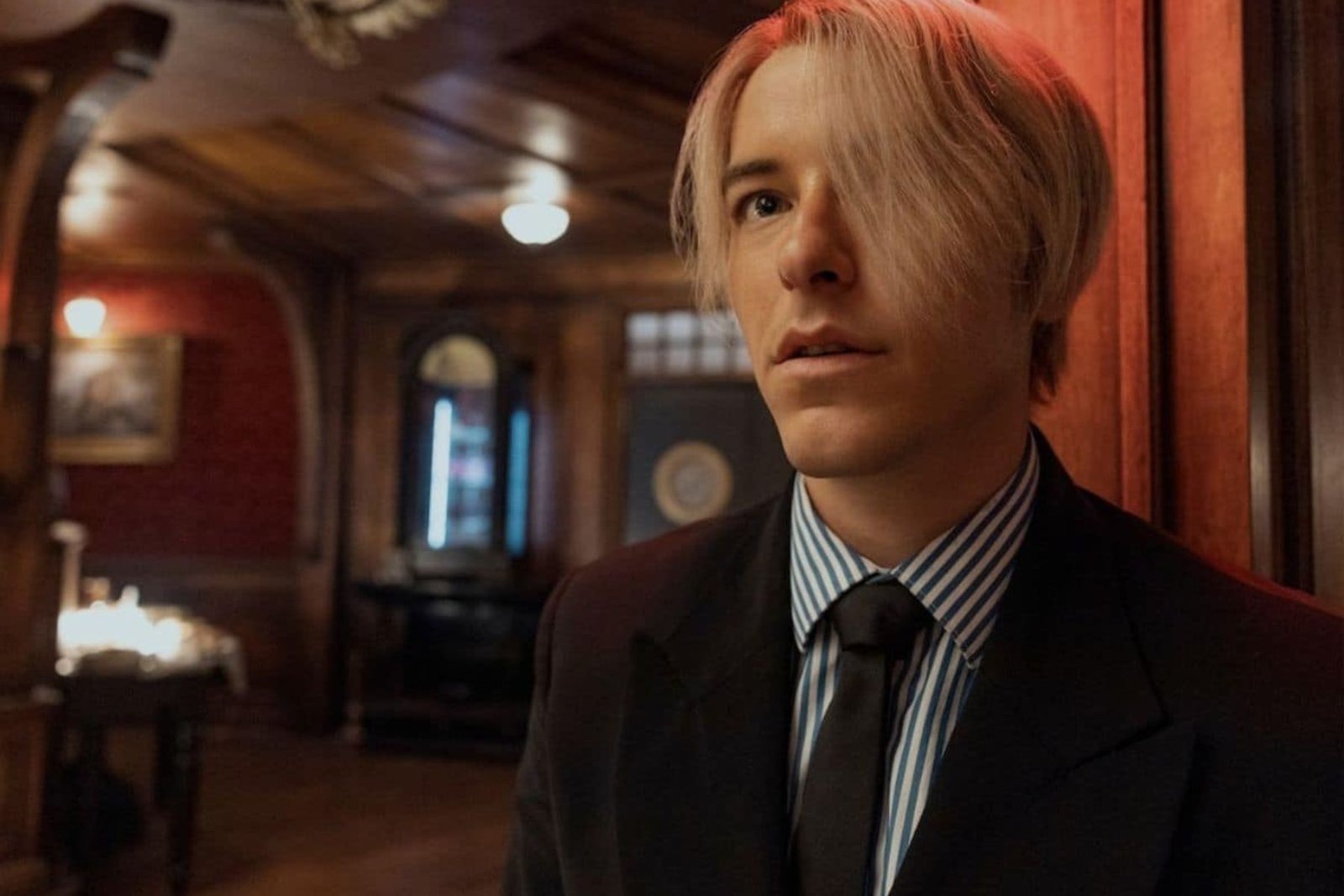
‘One Piece’ Season 2 | Image: Netflix-Casey Crafford

What Will ‘One Piece’ Season 2 Be About?

Season 1 only showed us a small part of what One Piece can be. With the Straw Hat crew finally together, Season 2 will take them into the Grand Line, a wild and dangerous ocean that most pirates avoid and few survive. This changes everything. The islands become stranger, the enemies get tougher, and every stop could bring a new adventure or a complete disaster. The new season will cover big story arcs like Loguetown, Reverse Mountain, Whisky Peak, Little Garden, and Drum Island. Fans know this is where the world of One Piece really starts to expand and get much weirder.

Netflix says Season 2 will take Luffy and the Straw Hats on their toughest journey yet, with stronger rivals, strange new places, and challenges around every corner in the Grand Line. One of the most exciting new characters is Tony Tony Chopper, whose reveal at Tudum 2025 was a big moment for fans. But this season is about more than just new faces—it raises the stakes. As the crew goes farther, they find a world full of powerful people, hidden dangers, and conflicts that are much bigger than just finding treasure. Even with all these changes, One Piece keeps the same humour, chaos, and sense of adventure that made the first season so much fun.

‘One Piece’ Season 2 Cast | Image: Netflix-Casey Crafford

‘One Piece’ Season 2 Cast

Now that the Straw Hats are heading ‘to the Grand ‘Line, Season 2 of One Piece brings back the main crew and introduces a much bigger group of allies, rivals, and oddball characters from Eiichiro Oda’s world. Once the story moves past East Blue, it’s no surprise the cast grows fast.’

Iñaki Godoy returns as Monkey D. Luffy, joined by the rest of the Straw Hats: Mackenyu as Zoro, Emily Rudd as Nami, Jacob Romero Gibson as Usopp, and Taz Skylar as Sanji. Netflix also confirmed that some familiar faces from Season 1 are back, like Ilia Isorelýs Paulino as Alvida, Jeff Ward as Buggy, and Michael Dorman as Gol D. Roger.

Here are all the confirmed cast members for ‘One Piece’ Season 2 so far:

  • Monkey D. Luffy — played by Iñaki Godoy
  • Roronoa Zoro — played by Mackenyu
  • Nami — played by Emily Rudd
  • Usopp — played by Jacob Romero Gibson
  • Sanji — played by Taz Skylar
  • Alvida — played by Ilia Isorelýs Paulino
  • Buggy — played by Jeff Ward
  • Gol D. Roger — played by Michael Dorman
  • Mr. 0 / Sir Crocodile — played by Joe Manganiello
  • Mr. 3 — played by David Dastmalchian
  • Mr. 5 — played by Camrus Johnson
  • Mr. 9 — played by Daniel Lasker
  • Miss Valentine — played by Jazzara Jaslyn
  • Miss Wednesday — played by Charithra Chandran
  • Miss All Sunday / Nico Robin — played by Lera Abova
  • Crocus — played by Clive Russell
  • Brogy — played by Brendan Murray
  • Dorry — played by Werner Coetser
  • Smoker — played by Callum Kerr
  • Tashigi — played by Julia Rehwald
  • Wapol — played by Rob Colletti
  • Dalton — played by Ty Keogh
  • Dr. Hiriluk — played by Mark Harelik
  • Dr. Kureha — played by Katey Sagal
  • Nefertari Cobra — played by Sendhil Ramamurthy

Season 2 is also bringing in some big names from the Grand Line story, with Joe Manganiello officially cast as Mr. 0, also known as Sir Crocodile. After weeks of rumors, the casting was finally confirmed, and fans online were quick to praise it, calling it one of Netflix’s best choices yet. Since Crocodile is such an important character, there was a lot of pressure to get it right. Judging by the early reactions, Netflix seems to have done just that.

A lot of new characters are joining the show this season, from Baroque Works agents to people connected to Drum Island and more. David Dastmalchian will play Mr. 3, and Camrus Johnson is taking on the role of Mr. 5. Daniel Lasker, known from Raised by Wolves, is set to play Mr. 9 and has already shared how excited he is to be part of One Piece. Callum Kerr also confirmed he’ll play Smoker after months of fan speculation. When talking about the role, Kerr joked, “All that cigar smoking is going to come in handy.”

And realistically, Netflix probably still has a few surprises hidden. Netflix likely still has a few surprises in store. Once One Piece dives into the Grand Line, the world fills up fast, and that’s a big part of what makes the series so much fun.

‘One Piece’ Season 2 | Image: Netfix-Casey Crafford

How Far Into the Adventure Will Season 2 Go?

Season 2 of One Piece is shaping up to be much bigger than the first. While Season 1 brought the Straw Hats together and wrapped up the East Blue saga, the next chapter is where the world really expands. As soon as the crew enters the Grand Line, the story quickly feels much larger. The islands get weirder, the enemies are tougher, and every stop on their journey is full of surprises.

Season 2 is expected to cover Loguetown, Reverse Mountain, Whisky Peak, Little Garden, and Drum Island, and will also lay the groundwork for the bigger Alabasta storyline. For anime fans, that’s a lot of material, since these arcs take up dozens of episodes in the original series. This is where Netflix faces a real challenge: finding a way to fit all the adventure, emotion, and chaos into a live-action show without losing the fun.

The first season had 8 episodes, and it looks like Season 2 will have about the same number. Still, since the show became such a hit for Netflix—rising to the top of the platform worldwide and drawing huge audiences—it wouldn’t be surprising if future seasons get even longer. Fans got a laugh when Jacob Romero Gibson joked on Instagram that the next season would have “around 50 episodes,” though that’s unlikely unless the Straw Hats decide to move into Netflix headquarters.

Even with just eight episodes, Season 2 already sounds ambitious. Even with only eight episodes, Season 2 already sounds ambitious. With Baroque Works, Chopper joining the crew, giant creatures, strange islands, and the growing Grand Line, there’s a lot to make this season feel bigger than the first, but not too overwhelming.
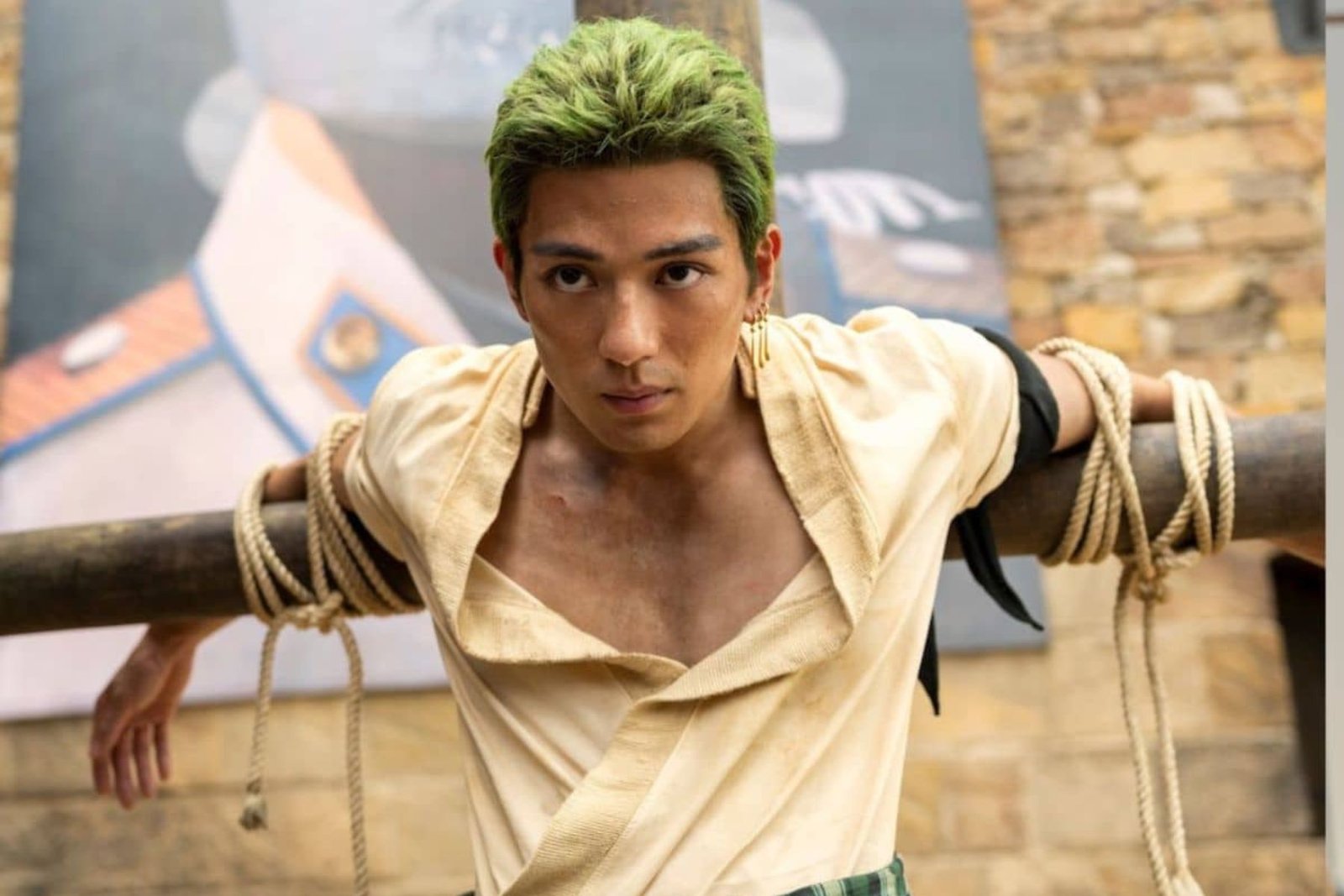
Roronoa Zoro, played by Mackenyu in ‘One Piece’ | Image: Netflix-Casey Crafford

‘One Piece’ Season 2 Release Date

As mentioned earlier, Netflix has officially confirmed that ‘One Piece’ Season 2 will premiere on March 10, 2026. The announcement included a first look at Drum Island and the official subtitle for the new chapter, ‘ONE PIECE: Into the Grand Line’. Production on the season has already wrapped. Based on what’s been teased so far, the scale is much bigger this time. With the Straw Hats finally entering the Grand Line, the arrival of Tony Tony Chopper, and the growing threat of Baroque Works, Season 2 feels like the point where the series fully opens into the wild adventure longtime fans have been waiting for.

‘ONE PIECE: Into The Grand Line’ | Image: Netflix
Nami, played by Emily Rudd in ‘One Piece’ Season 2 | Image: Netflix-Casey Crafford
Usopp, played by Jacob Romero in ‘One Piece’ Season 2 | Image: Netflix-Casey Crafford
Sanji, played by Taz Skylar in ‘One Piece’ Season 2 | Image: Netflix-Casey Crafford

Netflix
About the Author
Tech

Apple Intelligence is Here; discover All the Features You Can do!

Reading Time: 11 minutes

Apple has always been a leader in innovation and with Apple Intelligence? Well, that’s like pushing technology to new heights. Imagine your devices genuinely understanding you and what you are anticipating and making everyday tasks a lot simpler than they were before. That’s precisely what Apple Intelligence intended to do—create a more intuitive and seamless experience for you. Whether it was Siri or your Macs learning working behind the scenes, it’s all about making your life easier and keeping your privacy front and center!

Siri Product Knowledge | Image: APPLE

Apple Intelligence Features Available with iOS 18.2: What You Need to Know?

Anyone with an iPhone 16, iPhone 16 Plus, iPhone 16 Pro, iPhone 16 Pro Max, iPhone 15 Pro, iPhone 15 Pro Max, iPad with A17 Pro or M1 chip, or a Mac with M1 or later can access Apple Intelligence. Plus, it’s available with localized English support for Australia, New Zealand, Canada, Ireland, South Africa, the UK, and the US. What was once only for developers in betas for iOS 18.2, iPadOS 18.2, and macOS Sequoia 15.2 is now a free update, opening the doors for everyone to experience the magic of more intelligent, more intuitive technology. Ready to let your devices think for you?

Siri

A Fresh New Look: With the new iPhone 16 lineup, Siri now features a glowing ring that wraps around your iPhone, iPad, or CarPlay screen when you call on it. On MacBook, you can place Siri anywhere on your desktop for easy access, so it’s always right where you need it.

Helpful Product Knowledge: Siri’s got your back when you need product help. It’s been trained on Apple’sApple’s support docs to answer all sorts of product-related questions, like:

  • How to reset a Macbook?
  • How Do You Mirror Screen?
  • How do I share my WiFi password?

Type to Siri: There is no need to speak if you would instead type—double-tap the button on your iPhone or iPad or hit the Command key twice on your Mac or iPad keyboard. A new keyboard will pop up, letting you type your question or command. Plus, Siri now suggests requests to make it even easier to use.

Smarter Conversations: Siri can now handle mistakes and changes of mind during conversations, making it feel more natural and less frustrating, even if you change your request in the middle of your sentence.

With systemwide Writing Tools, available with the first set of Apple Intelligence features in iPadOS 18, users can rewrite, proofread, and summarize text nearly everywhere they write. | Image: APPLE

Writing Tools

  • Rewrite: This gives you different text options to find the combination that feels right and flows naturally. It works wherever you’re writing—a text, email, or anything else. And the best part? It adjusts to match your tone, making everything sound just like you.
  • Proofread: This helps you with grammar, word choice, sentence structure, and more as you write, ensuring everything is spot on. Apple Intelligence will even suggest changes to improve your work along the way.
  • Summarise: This feature summarizes and highlights the key points from any app, document, article, or communication, making it easier to get to the main ideas quickly.
  • Describe your change: You can transform your writing style by simply describing it to Apple AI. For instance, you can turn a simple text message into a friendly, professional email or rephrase a boring report into a more engaging story.

Mail

  • Priority Messages: Apple Intelligence takes the guesswork out of your inbox by placing your most important messages at the top, with a handy summary so you know what’s urgent. You can even reply with Smart Reply, and Siri will draft the email for you—just like that.
  • Brief Summaries: Got a long email thread? No problem! Apple Intelligence gives a quick summary to stay in the loop without reading every message.
  • Smart Reply: If someone asks you a specific question in an email, Siri can help by suggesting responses based on the thread’s content. Pick one, and it’ll add the correct details to your reply.

Notification Summaries

  • Daily Highlights: Get a quick, curated summary of your most essential notifications delivered at a time that works for you. Stay in the know without getting overwhelmed by constant alerts.
  • Smart Grouping: Apple Intelligence organizes your notifications by app, topic, or context, making it easier to focus on what matters most at a glance.
  • Priority Alerts: Important updates—like reminders, calendar events, or messages from your favourite contacts—are highlighted so you don’t miss a thing.

Photos

  • Create a Memory (iOS 18.1 and iPadOS 18.1 only): Describe a photo with words, and Apple AI will find similar ones to “create a memory.” You can even add a music genre or songs from Apple Music to make it truly special.
  • Natural Language Search: A new search bar in every Photos view lets you find images using natural language. With over 7,000 photos in our gallery, this is a game changer for quickly locating that one perfect shot.
Easy to use and built right into apps like Messages, Image Playground allows users to create fun images in seconds. | Image: APPLE

Image Playground

Image Playground focuses on creating and customizing images, much like Genmoji. It allows you to create custom visuals directly with your apps, such as Messages, Pages, and Keynote. You can also use the standalone Image Playground app, initially dedicated to creative experiences. Here’s how you can make your custom images:

  • Create with Concepts: Select from various themes, costumes, accessories, and more to shape your image.
  • Create with Descriptions: Want something more specific? Just describe it, and Image Playground will bring your vision to life.
  • Create with Friends and Family: Design personalized images of your loved ones for heartfelt moments.
  • Create with Characters: Build unique characters by choosing basic features, like hairstyles, outfits, and expressions.
  • Create with Photos: Capture or choose an existing photo and use it as inspiration to craft related visuals.

If you’re familiar with using AI tools like ChatGPT to generate images, this will be like a piece of cake. However, Image Playground takes it further by integrating real-life elements, like family photos, into your creation. This is where you can customize these images even further with options like Animation Style or Illustration style—From 3D designs with expressive characters to quirky animal vibes or trendy modern art.

When creating, Image Playground intelligently suggests a few recolonization concepts based on your previous designs or even the context of where you’re using the image. Finally, a Quick Preview feature lets you see and save all your work, while the Image Playground Library ensures your creations are securely stored and synced across devices using iCloud.

Image Wand can transform your rough sketch into a related image in the Notes app. | Image: APPLE

Image Wand

This handy tool lives in the Apple Pencil palette, making it easy to bring your notes to life with visuals. Here’s what you can do with it:

  • Circle to Highlight: Draw a circle around any drawing, image, or handwritten note to focus attention or edit it.
  • Add Text: Attach text to your circled content for extra clarity or detail.
  • Contextual Circles: Even circling blank space works. Image Wand pulls context from the surrounding content to help you create something meaningful.

Image Wand transforms your notes into dynamic, visual masterpieces, perfect for brainstorming, studying, or getting creative.

Genmoji can also be used as a reaction in a Tapback. | Image: APPLE

Genmoji

  • Personalized Emojis: Make your face a Genmoji with customizable features like hairstyles, outfits, and expressions.
  • Animated Fun: Bring your Genmoji to life with animations that match your voice and movements.
  • Social Sharing: Use your Genmoji in messages, emails, or even as your profile pic for a more personal touch

Clean Up

  • Declutter Your Device: Apple Intelligence identifies duplicate files, unused apps, and large attachments, helping free up space with a single tap.
  • Organized Photos: Automatically sorts your photo library by removing duplicates and grouping similar shots.
  • Storage Insights: Get suggestions for better managing your storage, such as archiving old files or clearing out unnecessary downloads.

ChatGPT integration

  • Siri: When Siri doesn’t have an answer, it can tap into ChatGPT to give you more detailed responses. Whether you’re asking about a topic, need help with documents, or want to dive into PDFs, Siri’s got you covered—even while you’re typing.
  • Compose in Writing Tools: Let it write content for you. Need visuals to accompany it? It can generate images, too, making it a one-stop shop for creativity and productivity.
With brand-new systemwide Writing Tools powered by Apple Intelligence, users can rewrite, proofread, and summarize text nearly everywhere they write. | Image: APPLE

Visual Intelligence

With the new Camera Control button on the iPhone 16, Visual Intelligence takes what you see and turns it into action. Here’s what you can do:

  • Summarize Text: Quickly condense long passages into key points.
  • Read Aloud: Let your device read text out loud for hands-free convenience.
  • Detect Contact Info: Spot phone numbers or email addresses and add them straight to your contacts.
  • Translate Instantly: Translate text between languages on the fly.
  • Copy Text: Easily grab and copy text from images or documents.
  • Scan QR Codes: Instantly scan and act on QR codes, whether it’s for a website, app, or product info.

This feature turns your camera into a powerful tool for productivity and accessibility.

Phone

Now, you can record and transcribe calls directly in the Phone app, making it easy to keep track of meaningful conversations. Once the call ends, generate a quick summary to capture the key points.

Notes

The Notes app steps up its game by letting you record and transcribe audio directly within the app. After recording, it can create a summary to help you quickly review the highlights.

The new iPad mini delivers powerful performance, incredible value, and the full iPad experience in an ultraportable design. | Image: APPLE

Which devices are compatible with Apple Intelligence?

Available With New iPhones 16, 16 Pro, And Previous Generation iPhone 15 Pro, Can Access With Apple Intelligence:

iPhones:

  • iPhone 16A18
  • iPhone 16 PlusA18
  • iPhone 16 Pro MaxA18 Pro
  • iPhone 16 ProA18 Pro
  • iPhone 15 Pro MaxA17 Pro
  • iPhone 15 Pro

iPad:

  • iPad ProM1 and later
  • iPad AirM1 and later
  • iPad miniA17 Pro

Macs:

  • MacBook AirM1 and later
  • MacBook ProM1 and later
  • iMacM1 and later
  • Mac miniM1 and later
  • Mac StudioM1 Max and later
  • Mac ProM2 Ultra

What Exciting Upcoming Features Can We Expect from Apple Intelligence?

Following the launch of iOS 18.2, iPadOS 18.2, and macOS Sequoia 15.2, we’ve seen several exciting updates, including improvements to Genmoji. However, some features of Apple Intelligence have yet to be revealed.
Here is a look at upcoming Apple Intelligence features:

  • Siri: Personal Context & In-app Actions – Siri will offer more intelligent, app-specific actions.
  • Genmoji on macOS – Create personalized emoji-like images on Mac.
  • Create a Memory Movie on macOS – Generate cinematic video montages of your photos.
  • Priority Notifications – Prioritize important alerts to avoid distractions.

About the Author
arrow_drop_up