




Tech

LG Unveils UltraGear Evo — The World’s First 5K Gaming Monitor With AI Upscaling

Reading Time: 6 minutes

Share via

Our team of editors and experts thoughtfully chooses each product. If you decide to buy through one of our links, we may earn a commission. Learn more. Want to know how we test products? Click here for more details.

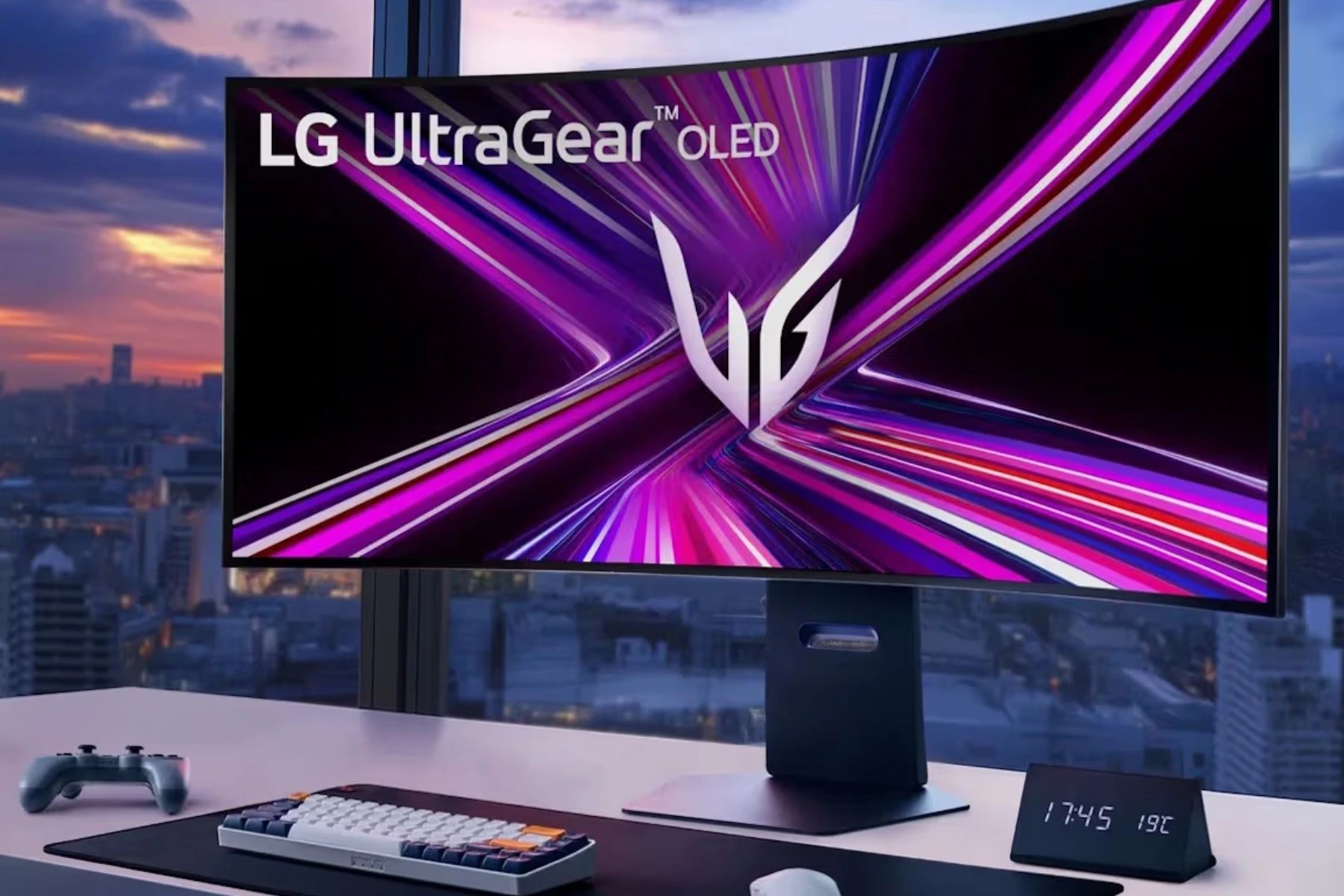
Gaming monitors have reached a point where raw specs alone are no longer enough to stand out. Higher refresh rates, sharper resolutions, and OLED panels have become increasingly common across the premium market, which means manufacturers are now looking toward smarter software features and AI-powered tools to push gaming displays even further. During the Consumer Electronics Show, LG Electronics officially unveiled the LG UltraGear Evo, a monitor the company describes as the world’s first 5K gaming display featuring AI upscaling technology.

Alongside its massive resolution, the UltraGear Evo promises improved image processing, adaptive performance optimization, and AI-driven enhancements designed for both PC and next-generation console gaming, talking about the future right there. This is more than just another high-refresh-rate monitor announcement; the UltraGear Evo feels like LG trying to push premium gaming displays into a new direction. Between its futuristic feature set, premium design, and strong focus on gaming performance, the monitor quickly became one of the most talked-about hardware reveals at CES 2026.
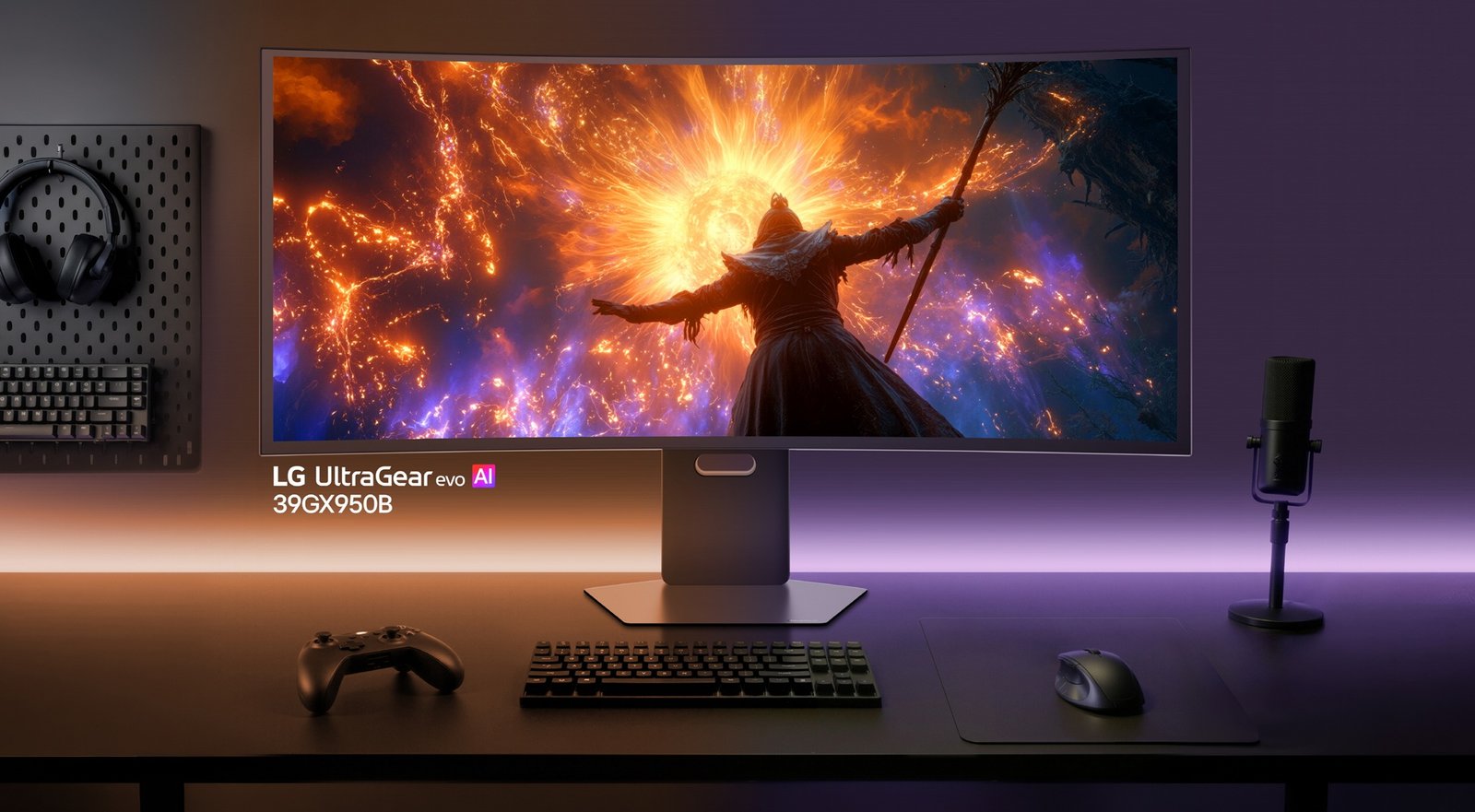
39-inch UltraGear evo GX9 (39GX950B)
39-inch UltraGear evo GX9 (39GX950B) | Image: LG Newsroom

One of the biggest talking points surrounding the new UltraGear evo lineup is LG’s on-device upscaling technology, which powers what the company calls the world’s first 5K AI upscaling system. Available on the 39GX950B and 27GM950B, the feature analyzes games and media in real time before the image reaches the display itself, helping lower-resolution content appear sharper and more detailed on a 5K panel. LG is clearly aiming this feature toward players who want cleaner visuals without constantly needing the latest high-end graphics card to run everything at native 5K resolution.

The company also introduced Scene Optimization and Sound Optimization features that automatically adjust visuals and audio based on what users are playing or watching. Instead of forcing players to constantly tweak settings manually, the monitor automatically adapts its brightness, colour, contrast, and sound profiles based on the content currently on screen.
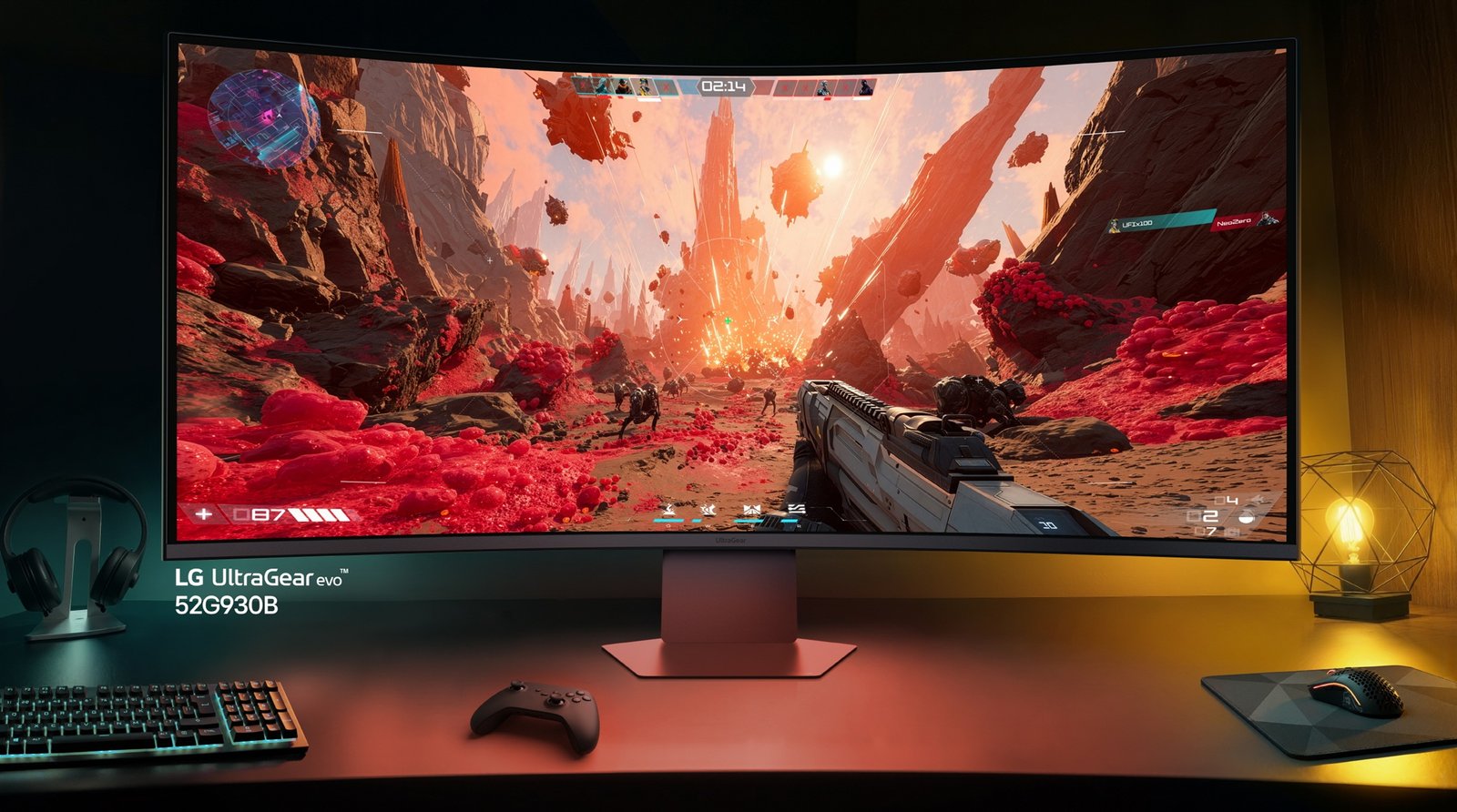
52" UltraGear evo G9 (52G930B)
52″ UltraGear evo G9 (52G930B) | Image: LG Newsroom

The 39-inch UltraGear evo GX9 is easily one of the centrepiece models in the lineup. Built around a curved 5K2K OLED panel, the monitor uses LG’s Primary RGB Tandem OLED technology, which promises higher brightness, greater colour accuracy, and improved panel longevity. The 21:9 display carries a 1500R curve while maintaining the vertical height of a standard 32-inch monitor, giving players a much wider field of view for cinematic games, multitasking, and racing simulators. LG’s Dual Mode feature also allows players to switch between 165Hz at full 5K2K resolution or 330Hz at WFHD, depending on the game, while maintaining an extremely fast 0.03ms response time.

The smaller 27-inch UltraGear evo GM9 takes a different approach by focusing heavily on precision and image clarity. LG describes it as the world’s first 5K MiniLED gaming monitor, featuring 2,304 local dimming zones designed to reduce blooming and improve contrast control across both bright and dark scenes. The monitor also uses what LG calls Zero Optical Distance engineering, which minimizes the gap between the panel and the LED backlighting system for cleaner overall image quality. Like the larger GX9, the GM9 supports Dual Mode, allowing users to switch between 165Hz at full 5K resolution and 330Hz at QHD, and it also supports VESA DisplayHDR 1000 certification and peak brightness up to 1,250 nits.

Then there is the massive 52-inch UltraGear evo G9, which LG says is currently the world’s largest 5K2K gaming monitor. Featuring a dramatic 1000R curve and an enormous 12:9 aspect ratio, the display is clearly aimed toward sim racers, flight simulator players, and gaming setups that blur the line between monitor and television. According to LG, the screen offers the vertical size of a standard 42-inch display while delivering significantly more horizontal workspace compared to a traditional UHD monitor. Realistically, most people will probably need a much larger desk before even considering adding this to their setup.
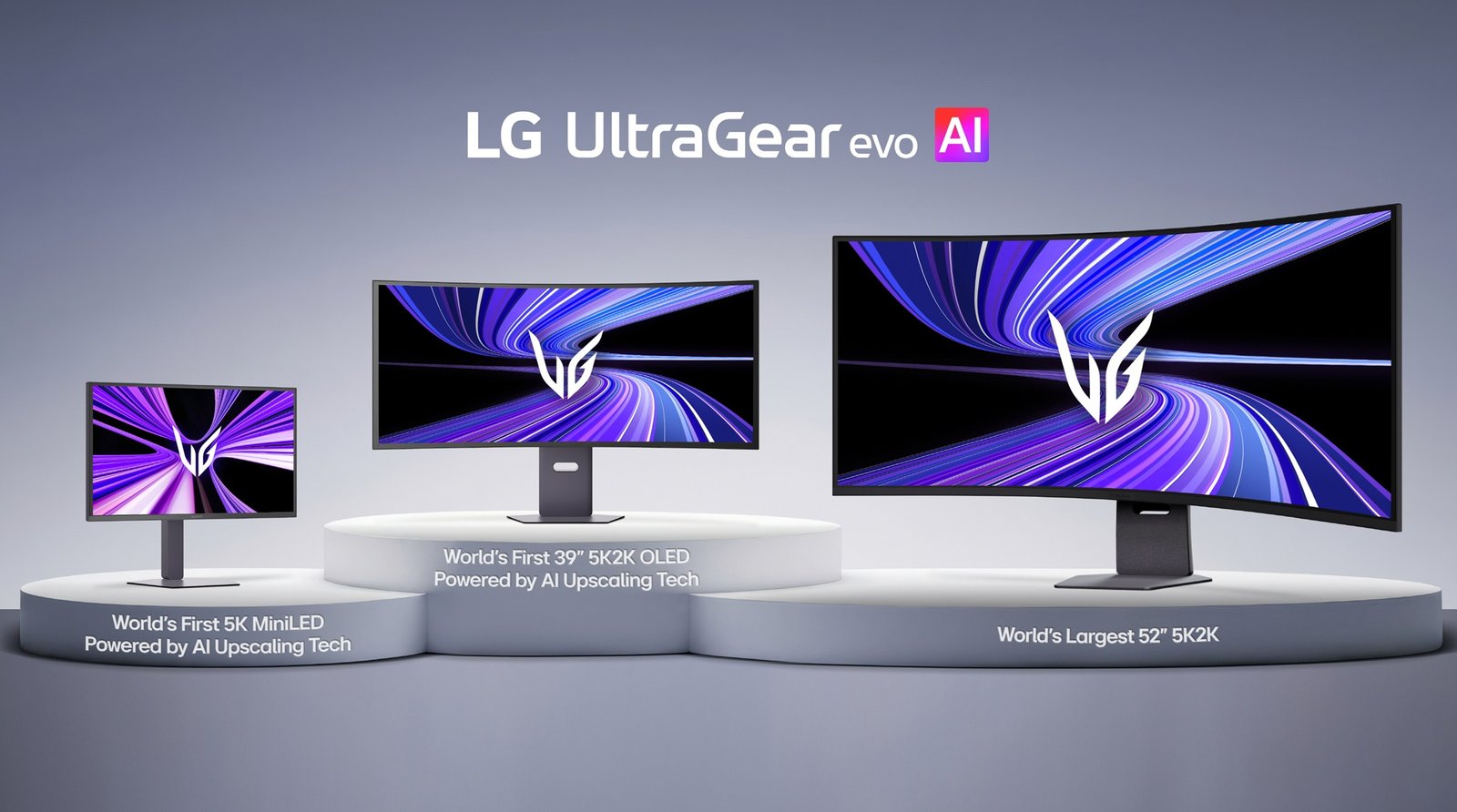
LG UltraGear evo AI Lineup
LG UltraGear evo AI Lineup | Image: LG Newsroom

Lee Choong-hwoan, head of the Display Business at LG Electronics Media Entertainment Solution Company, also spoke about the company’s direction for the new lineup, stating, “With innovations like industry-first 5K AI Upscaling, the lineup ensures that whether gamers prefer perfect blacks, unmatched brightness, or expansive scale, they can enjoy the same high standard of performance, clarity and immersion in high resolution.” The statement gives a fairly clear idea of what LG aims to achieve with the UltraGear evo range — offering different monitor sizes and panel technologies without compromising the overall gaming experience.

LG also confirmed that the UltraGear evo lineup extends beyond the headline 5K models. The range includes a 32-inch 4K OLED monitor with upscaling support alongside a 27-inch QHD OLED model capable of reaching an extremely high 540Hz refresh rate. Combined with Dual Mode support, broad connectivity options, software-driven display tools, and a strong focus on gaming performance, the UltraGear evo lineup feels like LG making a serious push toward the future of premium gaming monitors.
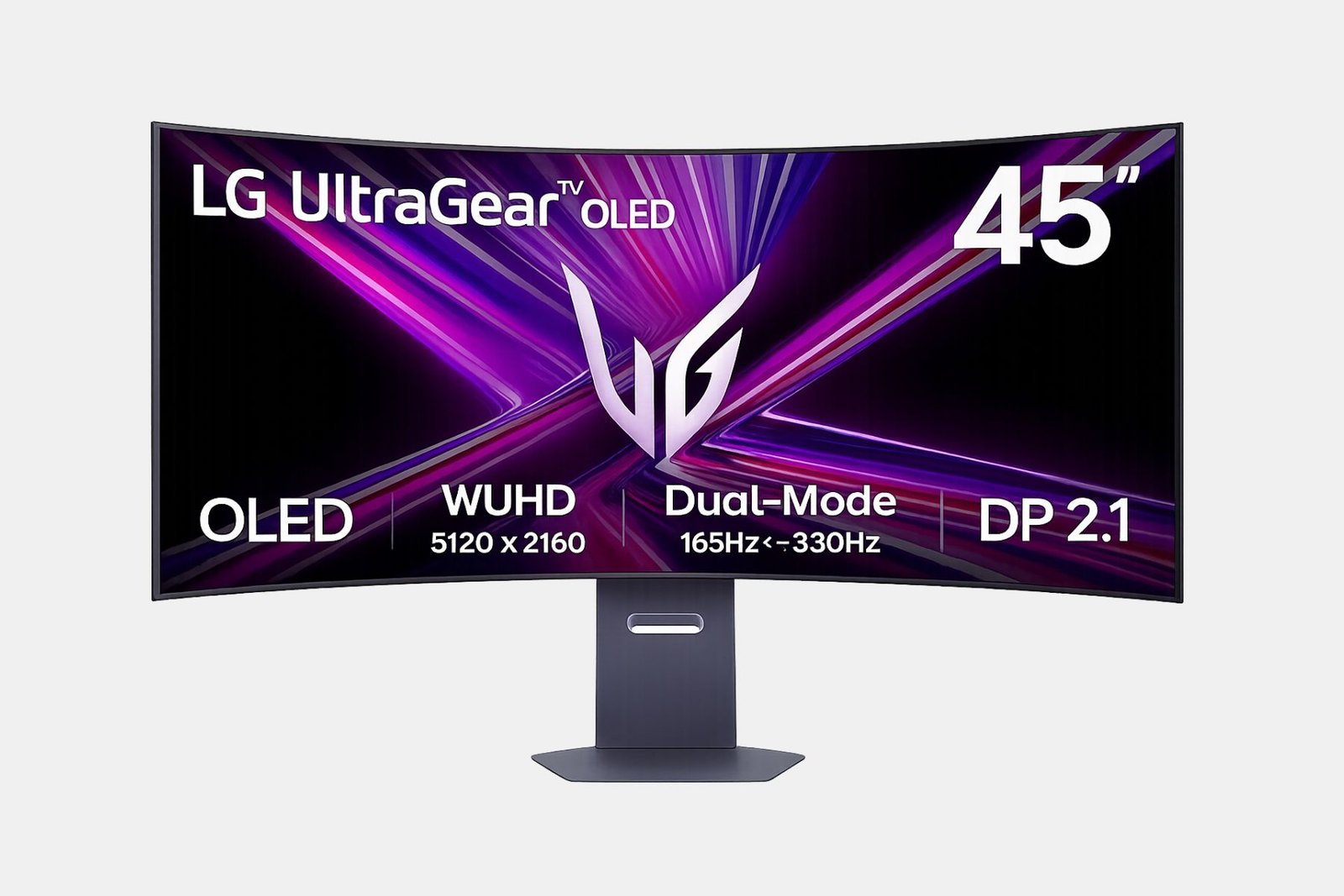
LG UltraGear Evo Monitor
LG UltraGear Evo Monitor | Image: LG Newsroom

LG UltraGear Evo Monitor Specs

GX9 (39GX950B):

  • Panel: 39-inch 4th Gen Primary RGB Tandem OLED
  • Resolution: 5K2K (5120 × 2160, WUHD)
  • Aspect Ratio: 21:9
  • Curvature: 1500R
  • Refresh Rate: 165Hz at 5K2K, 330Hz at WFHD (Dual Mode)
  • Response Time: 0.03ms (GtG)
  • HDR: VESA DisplayHDR True Black 500
  • Colour: DCI-P3 99.5% (Typ.)
  • AI Features: 5K AI Upscaling, AI Scene Optimization, AI Sound
  • Connectivity: DisplayPort 2.1, HDMI 2.1 ×2, USB-C (90W PD)

GM9 (27GM950B):

  • Panel: 27-inch MiniLED with Minimised Blooming
  • Resolution: 5K (5120 × 2880)
  • Local Dimming: 2,304 zones, 9,216 LEDs
  • Refresh Rate: 165Hz at 5K, 330Hz at QHD (Dual Mode)
  • Response Time: 1ms (GtG)
  • HDR: VESA DisplayHDR 1000
  • Colour: DCI-P3 99.5% (Typ.)
  • AI Features: 5K AI Upscaling, AI Scene Optimisation, AI Sound

G9 (52G930B):

  • Panel: 52-inch ultra-wide
  • Resolution: 5K2K
  • Aspect Ratio: 12:9
  • Curvature: 1000R
  • Refresh Rate: 240Hz
  • HDR: VESA DisplayHDR 600
  • Colour: DCI-P3 99.5% (Typ.)

GX8 (32GX870B):

  • Panel: 27-inch 4th Gen OLED
  • Resolution: UHD OLED (3840×2160) Gaming Monitor
  • Refresh Rate: UHD 240Hz – FHD 480HZ (Dual Mode
  • Response Time: 0.03ms Response Time (GtG)
  • HDR: VESA DisplayHDR™ True Black 500
  • Colour DCI-P3 99.5% (Typ.)
  • Connectivity: DisplayPort 2.1, HDMI 2.1 (x2) USB-C (90W PD)

UltraGear Evo (27GX790B):

  • Panel: 27-inch 4th Gen OLED
  • Resolution: QHD (2560 × 1440)
  • Curvature: 1500R
  • Refresh Rate: 540Hz at QHD, 720Hz at HD (Dual Mode)
  • Response Time: 0.02ms (GtG)
  • HDR: VESA DisplayHDR True Black 500
  • Colour: DCI-P3 99.5% (Typ.)
  • Connectivity: DisplayPort 2.1, HDMI 2.1 ×2, USB-C (90W PD)

CESLGMonitors
About the Author

Related Articles

Computers

Apple iPad Air 2025: A Game-Changer with the M3 Chip and Magic Keyboard

Reading Time: 6 minutes

Our team of editors and experts thoughtfully chooses each product. If you decide to buy through one of our links, we may earn a commission. Learn more. Want to know how we test products? Click here for more details

Apple has officially launched the highly anticipated update to its iPad Air series, arriving sooner than expected. The refreshed iPad Air features the powerful M3 chip, making it a formidable competitor in the tablet market. It is available in two sizes: the 11-inch model starts at USD $599, while the larger 13-inch variant begins at USD $799.

Pre-orders for the new iPad Air begin on March 5th, with a broader release set for March 12th. In addition to the tablet, Apple is launching the Magic Keyboard for iPad Air, converting the device from a simple entertainment tool into a lightweight touchscreen laptop alternative that’s ideal for both work and play.

The iPad Air runs on the M3 chip, which includes an 8-core CPU, a 9-core GPU, and a 16-core NPU, enhancing performance and Apple Intelligence features. It comes with various storage options ranging from 128GB to an impressive 1TB, meeting diverse user requirements. Additionally, the 8GB of RAM allows for seamless multitasking and smooth operation of demanding applications.

Apple also announced the new iPad Air and introduced an upgraded version of the entry-level iPad, which now features double the initial storage at 128GB. This refreshed model is powered by the A16 chip, providing a 30% boost in performance compared to its predecessor, which utilized the A14 chip. Though it may not represent the most advanced technology available, the A16 brings substantial enhancements, ensuring a quicker and more responsive experience for daily activities.

The updated iPad will be available starting March 12, with a starting price of USD $349 for the base model.

The all-new Magic Keyboard for iPad Air brings a 14-key function row and larger trackpad, expanding what users can do at an even lower price. | Image: Apple

The Complete iPad Line-Up for 2025

FeatureiPad (2025)iPad Air (2025)iPad Pro (2024)
PriceFrom $399From $799From $1,099
Display– 11” IPS PED display
– 2360 x 1640 resolution
– 60Hz refresh rate
– 11” or 13” IPS LED display
– 11”: 2360 x 1640 resolution
– 13”: 2732 x 2048 resolution
– 60Hz refresh rate
– 11” or 13” Tandem OLED display
– 11”: 2420 x 1668 resolution
– 13”: 2752 x 2064 resolution
– 120Hz refresh rate
WeightFrom 477 gramsFrom 460 gramsFrom 444 grams
Internals– Processor: A16
– RAM: 4GB
– Storage: 128GB, 256GB, 512GB
– Processor: M3
– RAM: 8GB
– Storage: 128GB, 256GB, 512GB, 1TB
– Processor: M4
– RAM: 8GB, 16GB
– Storage: 256GB, 512GB, 1TB, 2TB
Networking– 5G (on select models)
– Wi-Fi 6
– Bluetooth 5.3
– 5G (on select models)
– Wi-Fi 6e
– Bluetooth 5.3
– 5G (on select models)
– Wi-Fi 6e
– Bluetooth 5.3
Camera– Front: 12MP
– Rear: 12MP wide
– Can record up to 4K@60fps
– Can record slow-motion up to 1080p@240fps
– Front: 12MP
– Rear: 12MP wide
– Can record up to 4K@60fps
– Can record slow-motion up to 1080p@240fps
– Front: 12MP
– Rear: 12MP wide
– Can record up to 4K@60fps
– Can record slow-motion up to 1080p@240fps
BatteryUnknown7,606mAh8,160mAh
Other Features– Touch ID
– USB-C port
– Supports Apple Pencil USB-C
– Touch ID
– USB-C port
– Apple Intelligence
– Supports Apple Pencil Pro
– Face ID –
Thunderbolt-capable
USB-4 Type-C port
– Apple Intelligence
– Supports Apple Pencil Pro
iPad Air with M3 delivers an unrivaled experience, and the new Magic Keyboard brings advanced features at a lower price. | Image: Apple

Worth Getting Upgraded?

When it comes to deciding whether an upgrade can be straightforward with the new iPad models, especially the iPad Air (2025). Featuring the M3 chip and 8GB of RAM, the iPad Air delivers significantly improved speed and efficiency compared to its predecessor. This makes it an ideal choice if you want a tablet that excels at multitasking, creative applications, and casual gaming. While those with a recent iPad, like the previous iPad Air, may not notice dramatic performance changes, users on older versions will find this upgrade offers a notably smoother and more versatile experience.

On the other hand, for those considering the iPad (2025), the decision may hinge more on your intended use. With its updated A16 chip and a starting price of just $399, it serves as a solid option for everyday tasks like browsing, watching content, and light productivity. However, it’s important to acknowledge that, while the iPad (2025) offers decent performance improvements, it’s still more of a casual-use tablet compared to the more powerful iPad Air and iPad Pro. If you need a device for more demanding tasks or better overall performance, the Air or Pro models are worth considering.

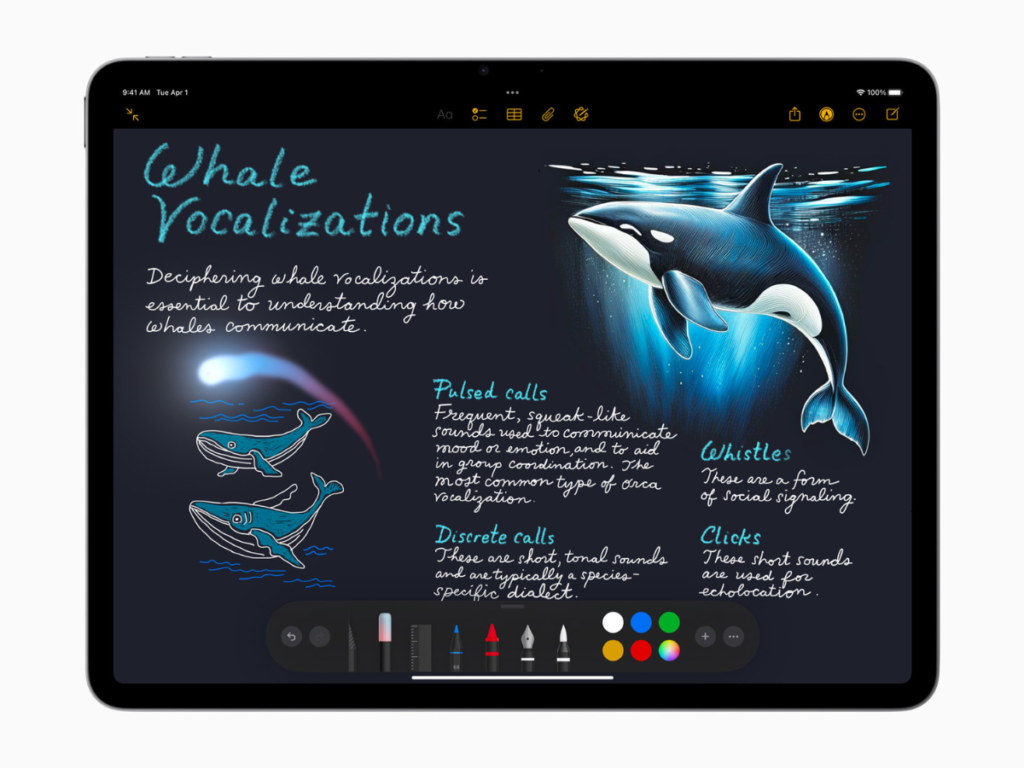
In the Notes app, users can use Image Wand to make notes more visually engaging by turning rough sketches into delightful images. | Image: Apple

The iPad Pro (2024) is the top choice for optimal performance. Featuring the M4 chip, a 120Hz OLED display, and up to 2TB storage, it offers an exceptional tablet experience for power users. Ideal for professional photo and video editing, graphic design, or productivity, the iPad Pro justifies its premium price. However, its advanced features may be excessive for most users unless they need a device for intensive tasks.

In my personal opinion, if you use an iPad as your primary work device, the iPad Air (2025) is definitely worth considering. The M3 chip represents a significant leap in efficiency and speed, and with 8GB of RAM, it’s more than capable of handling heavy multitasking. The price sits nicely between the entry-level iPad and the premium iPad Pro, making it the perfect choice for users who want power without the hefty price tag. That said, if you just need a tablet for occasional use, watching shows, and browsing the web, the iPad (2025) is likely sufficient for your needs and offers excellent value at a more affordable price.

In the end, your choice to upgrade depends on how much you use your tablet and the tasks you expect it to handle. If you seek outstanding performance, the iPad Air (2025) offers an ideal mix of power and affordability, whereas the iPad Pro (2024) is perfect for users who demand nothing but the best.

Apple
About the Author
arrow_drop_up